## Arche theme and Arche Pro
Product: Arche - Interactive Portfolio FSE WordPress Theme
URL: https://hub.jkdevstudio.com/docs/arche/getting-started/theme-and-pro
Updated: 2026-10-30
Summary: The Arche theme gives you a complete blog and pages with no motion. Arche Pro adds the portfolio, the motion and the dock once the license is active.
Arche is a dark portfolio theme built for the Site Editor. The theme works on its own. Arche Pro is a plugin that adds the portfolio and all of the motion.
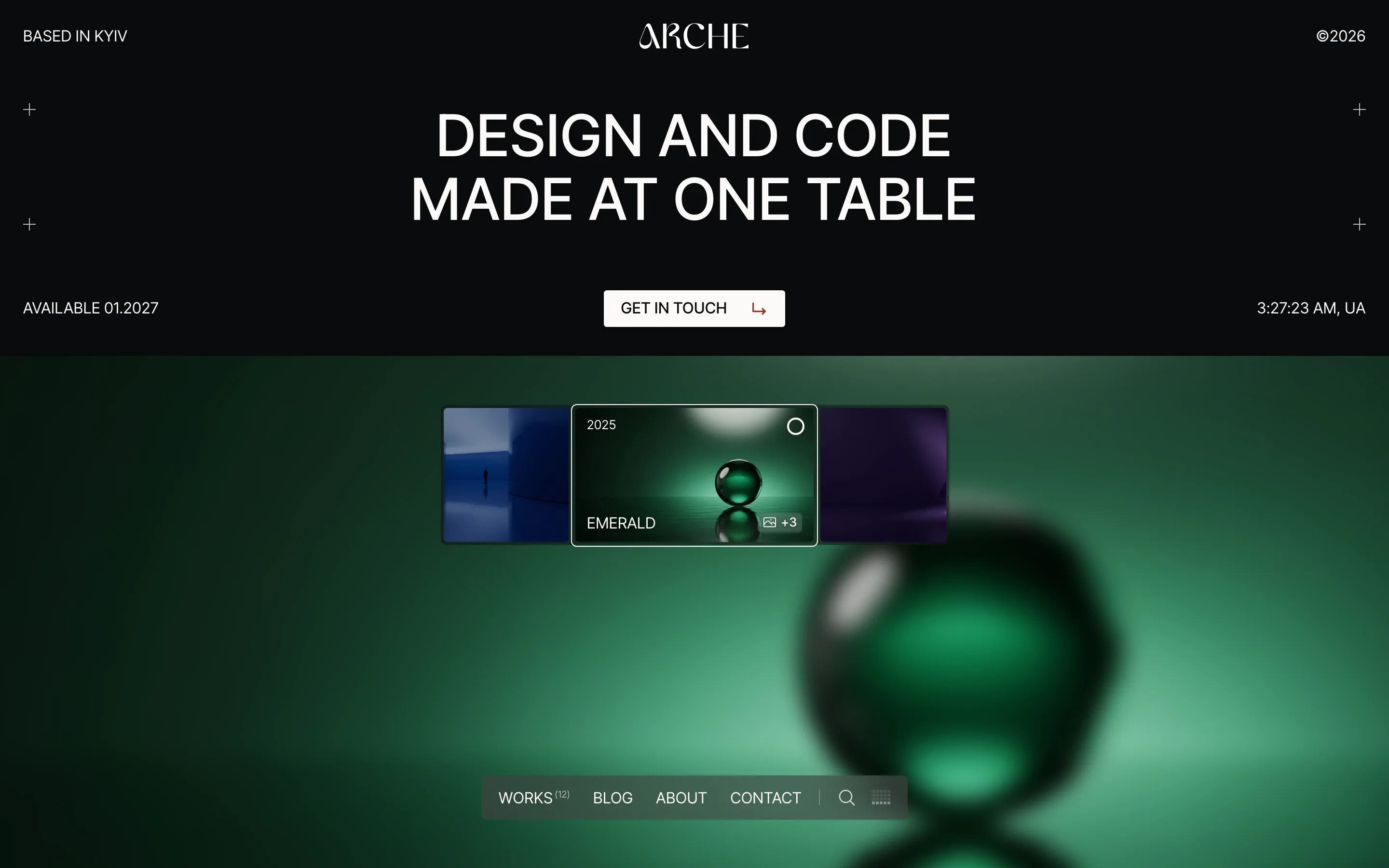
The home page with Arche Pro active.
## What the theme gives you
- A header with the site menu. Below 900px the menu folds into a **Menu** button that opens it full screen.
- A footer with the site title, the year, and links to your Privacy Policy and Terms pages.
- The blog listing, single posts, pages, archives, search results and a 404 page.
- Block styles such as Label, Tag, Display, Header bar, Glass panel, Light, Crosses, Statement, Row and Arrow link.
The theme has no settings screen of its own. You change colors, fonts and sizes in **Styles**, and the layout in the templates and patterns, all at [[Appearance > Editor]]. The theme loads no motion scripts, so pages load normally with hover effects only.
## What Arche Pro adds
- **Portfolio**: projects with their own details and media, a Work page, project categories and a case study page.
- **Pages**: the Home screen and Hero page templates, and the Home, About and Contact page patterns.
- **Blocks**: Project slider, Project stack, Project details, Project media, Dock, Ticker, Preloader part, Local time and Map.
- **Motion**: page transitions, smooth scrolling, entrances on scroll, parallax backgrounds, the pointer label, the pixel trail and the preloader.
- **The dock**: a glass bar at the foot of the screen with the menu, search and the sound bars.
- **Theme Options**: the General, Portfolio, Audio and Google Maps pages.
- **Integrations**: Arche styling for cookie consent, Mailchimp, Contact Form 7, FAQ and image placeholders.
## Pro needs an active license
Arche Pro registers nothing until the theme license is active. Until then you see a notice with a link to activate it.
:::steps
### Install the theme and the plugin
Install and activate the Arche theme, then install and activate the Arche Pro plugin.
### Activate the license
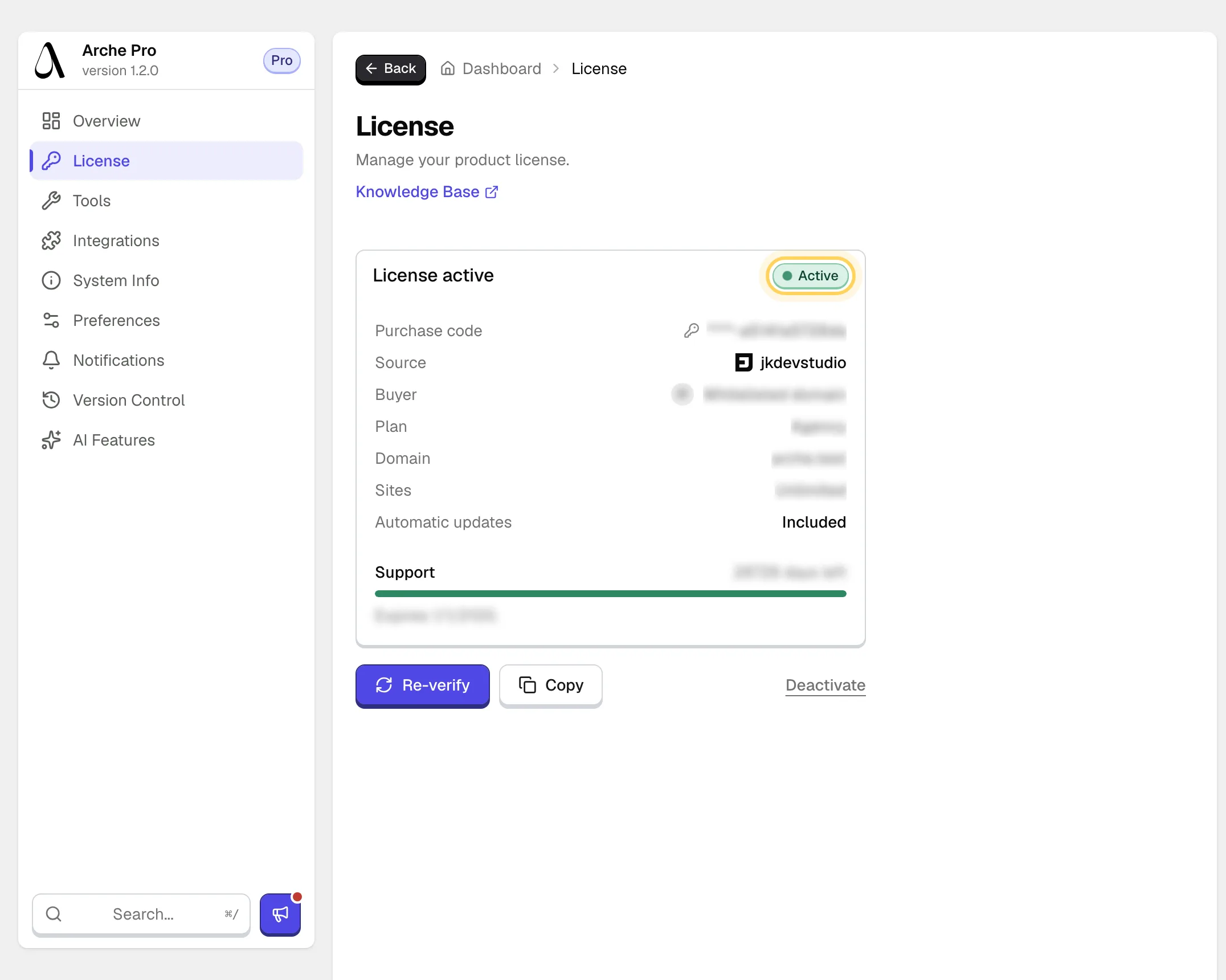
Go to [[Arche Pro > Dashboard]], open **License** and activate your license key. The card turns to **License active**.
An active license on the License screen.
:::
Your content is safe without a license. Projects stay in the database, and their pages come back as soon as the license is active again.
After moving the site to a new domain, open the License screen and activate the license again. Until you do, Pro stays off on the new domain.
## Reduced motion
Visitors who ask their device for reduced motion get no motion at all, whatever Theme Options say. The page shows in its still form with all content visible.