## Edit the loader and the ticker
Product: Arche - Interactive Portfolio FSE WordPress Theme
URL: https://hub.jkdevstudio.com/docs/arche/pages-blog-and-patterns/loader-and-ticker
Updated: 2026-10-30
Summary: Change the Arche Pro preloader in the Loader template part, turn it on or off in Theme Options, and set the words and speed of the footer ticker.
Availability: Pro only.
The loader and the ticker are blocks you edit in the Site Editor. Theme Options only decides whether the loader shows.
## Edit the loader
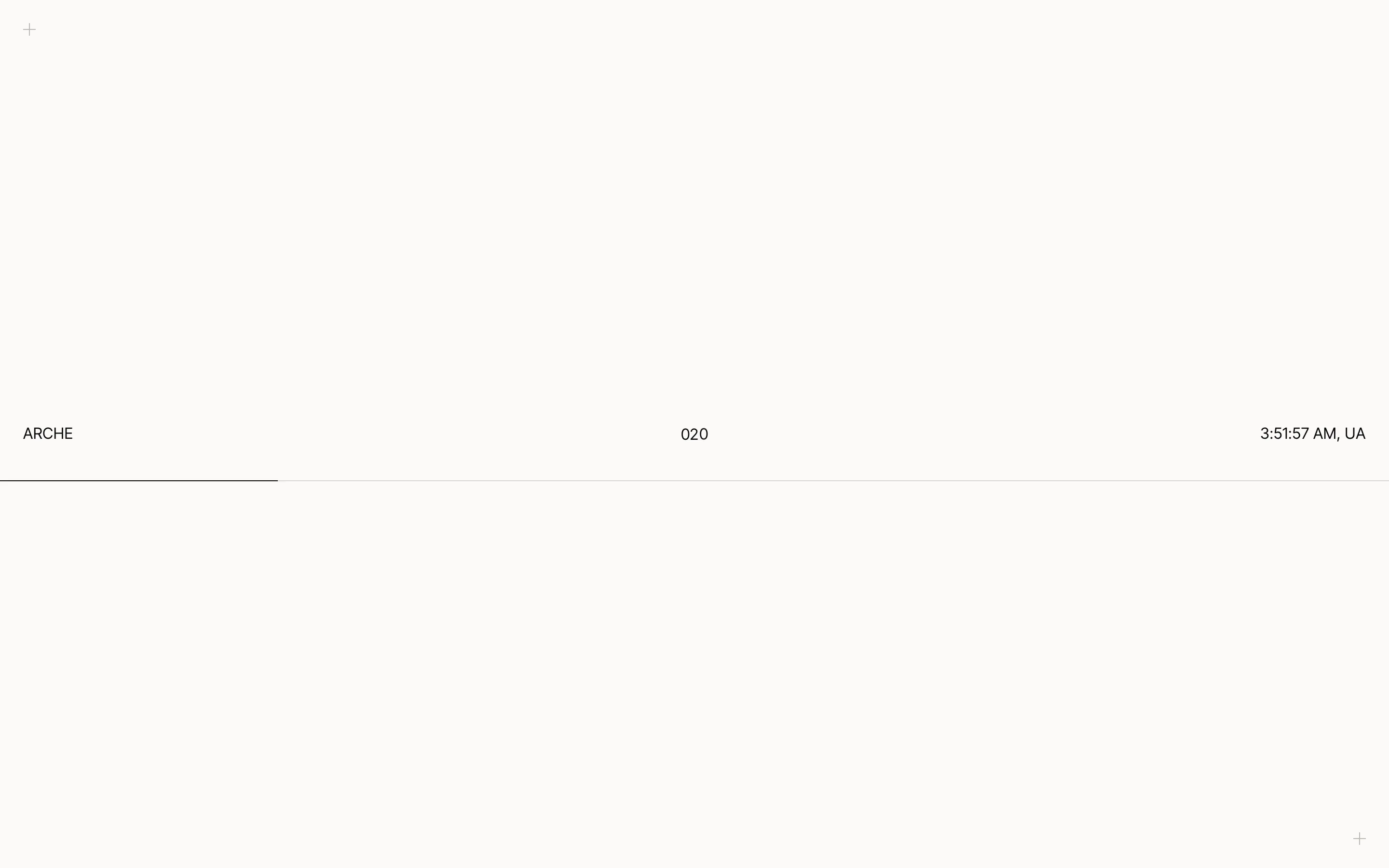
The loader is a light screen that shows while a page loads in full, such as the first page of a visit. It holds the site title, a count from 000 to 100, your local time and a thin line that fills as the page loads. It always closes through a pixel transition, and a click or a key press only hurries it.
The loader while a page loads.
:::steps
### Open the Loader template part
Go to [[Appearance > Editor > Patterns]], open **All template parts** and pick **Loader**.
### Edit it
Change, move or delete its blocks. The moving parts are two **Preloader part** blocks. In the block sidebar, **Shows** picks **Progress** (the count) or **Bar** (the line).
### Save
The saved Loader is used on the next page load.
:::
To turn the loader off, go to [[Arche Pro > Theme Options > Arche > General]] and turn off **Preloader**.
With Barba as the page transition provider, page changes inside the site do not show the loader. With View Transitions it shows on the first page of a visit only. With Page transitions off, every page loads in full and shows the loader.
The **Local time** block shows the site's time with its country code and ticks every second. It follows the timezone in [[Settings > General]].
## Set the words and speed of the ticker
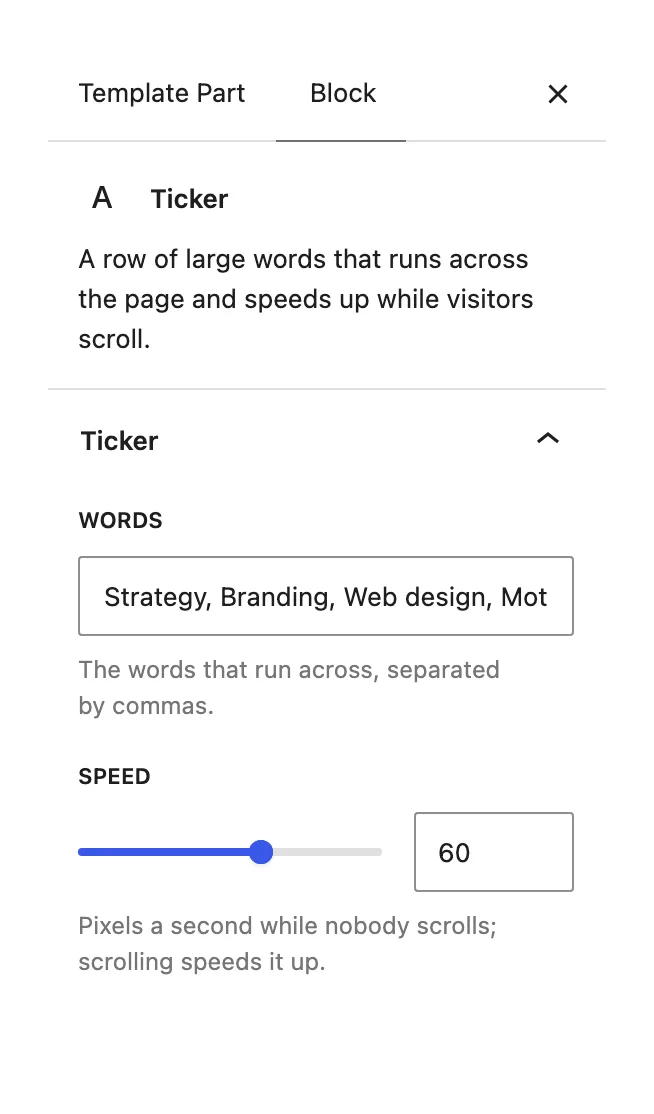
The ticker is a row of large words at the very end of the footer. It runs across the page and speeds up while visitors scroll.
:::steps
### Open the Footer template part
Go to [[Appearance > Editor > Patterns]], open **All template parts** and pick **Footer**.
### Select the Ticker block
It sits after the light footer section.
### Set the words and the speed
In the block sidebar, type the **Words**, separated by commas. **Speed** is the pace in pixels a second while nobody scrolls, from 20 to 200. Save.
The Ticker block settings.
:::
To remove the ticker, delete the Ticker block from the footer.