## Change the portfolio addresses
Product: Arche - Interactive Portfolio FSE WordPress Theme
URL: https://hub.jkdevstudio.com/docs/arche/portfolio/portfolio-addresses
Updated: 2026-10-30
Summary: Change the /works/ and /project-category/ parts of your project addresses in Arche Pro Theme Options, with no code.
Availability: Pro only.
By default the Work page lives at `/works/`, a project at `/works/project-name/` and a category at `/project-category/branding/`. You can change both parts.
:::steps
### Open the Portfolio page
Go to [[Arche Pro > Theme Options > Arche > Portfolio]].
### Type the new addresses
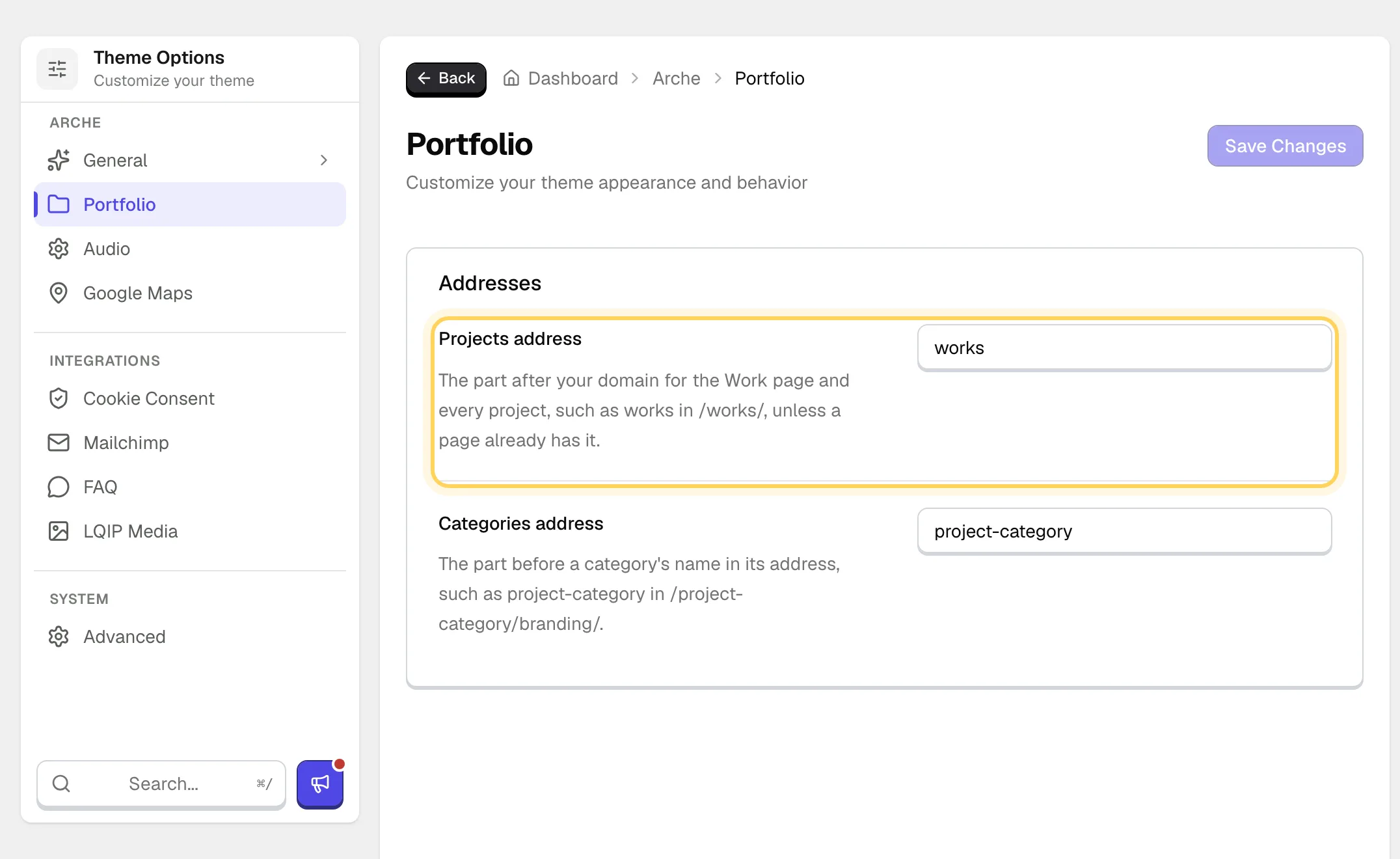
Change **Projects address** and **Categories address**, then save.
The two address fields on the Portfolio page.
### Check a project
Open any project. Its address now uses the new part.
:::
:::options
- **Projects address** (text, default: works): The part after your domain for the Work page and every project.
- **Categories address** (text, default: project-category): The part before a category's name in its address.
:::
## If the address does not change
If a page already uses the address you typed, Arche keeps the default, because that page would otherwise hide behind the Work page. Rename or move the page, or pick another address. An empty field also falls back to the default.
Links to the old addresses stop working. Update menu items and links that point to them.