## Build the home and about pages
Product: Auno - Minimal Portfolio FSE WordPress Theme
URL: https://hub.jkdevstudio.com/docs/auno/pages-blog-and-patterns/home-and-about
Updated: 2026-10-26
Summary: Create the home and about pages from Auno's patterns, give them the empty canvas template, set them as the homepage, and replace the demo content.
The home and about pages are ordinary pages built from a pattern on the **Page without title** template, so they have no title or cover of their own. If you imported the demo, both already exist; this is how to build them from scratch.
## Build the home page
:::steps
### Create the page
Go to [[Pages > Add Page]] and give it a title such as Home. The title does not show on the page.
### Choose the empty canvas
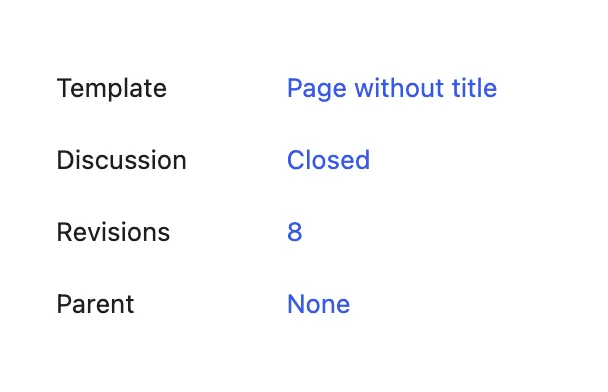
In the page's settings sidebar, open **Template** and choose **Page without title**. The page loses its title and cover, leaving room for the pattern.
The empty canvas leaves room for the pattern.
### Insert the Home pattern
Click **Block Inserter**, open **Patterns**, choose **Auno pages** and click **Home**. With Auno Pro, **Home (with portfolio)** adds the six latest projects. The sections appear on the page.
### Publish and make it the homepage
Click **Publish**. Then go to [[Settings > Reading]], set **Your homepage displays** to **A static page** and pick the page as **Homepage**. While you are there, pick the page that will hold the blog as **Posts page**.
:::
## Replace the demo content
Each section is ordinary blocks, so click into it and type. The parts people ask about:
:::deflist
Hero
: The headline, the line under it and two buttons. The glow behind it is set at [[Appearance > Customize > Auno Theme > Glow]].
Clients
: Overlapping avatars and a strip of logos that moves on its own. Replace each image in place; give logos the **Logo** style so they turn white on the dark scheme and black on the light one.
Highlights and Services
: Rows with an icon, a title and a line of text. A highlight row is a link as a whole.
Client feedback
: A slider of quotes with the author's photo, name and role. Duplicate a slide to add one.
Process
: Steps on the left and the active step's photo beside them. Each step carries its own photo; duplicate a step to add one.
Stack
: The tools you use, as a two-column list of links.
FAQ
: Questions as boxes that open. With Auno Pro, the **FAQ (questions from the FAQ integration)** pattern lists questions you manage as entries instead, see the [FAQ integration](https://hub.jkdevstudio.com/knowledge-base/integration/faq-integration).
:::
## Build the about page
Create a page the same way, choose **Page without title**, and insert **About** from **Auno pages**. Replace the three photos of the collage, the name, the text and the contacts. The social links are a Social Icons block with the **Icons only** style; add your profiles in its settings.
## Questions
The homepage still shows my latest posts
[[Settings > Reading]] is still set to show the latest posts. Choose **A static page** and pick your page as **Homepage**.
Can I use only some of the sections?
Yes. Delete the sections you do not need, or start from an empty page and insert sections one by one from **Auno sections**.
My page shows a title and a cover above the sections
The page uses the default template. Switch **Template** to **Page without title** in its settings sidebar.