## Choose how a block enters with the Reveal panel
Product: Enardo - Minimal Blog & Magazine FSE WordPress Theme
URL: https://hub.jkdevstudio.com/docs/enardo/blocks-and-patterns/reveal-panel
Updated: 2026-11-28
Summary: Set the scroll entrance of one block in Enardo Pro: fade up, fade and zoom or none, for a single block or for the text and pictures inside a group.
Availability: Pro only.
This is a Pro feature. The theme animates content as it scrolls into view, with the entrances set in the Customizer. Enardo Pro adds a **Reveal** panel to the block sidebar, so one block can enter differently or not move at all.
:::steps
### Select the block
Click the block in the editor or the Site Editor.
### Open the Reveal panel
In the block sidebar, open **Reveal**. It starts closed.
### Pick the entrance
Choose one of the options below, then save. **Automatic** keeps the entrance from the Customizer.
:::
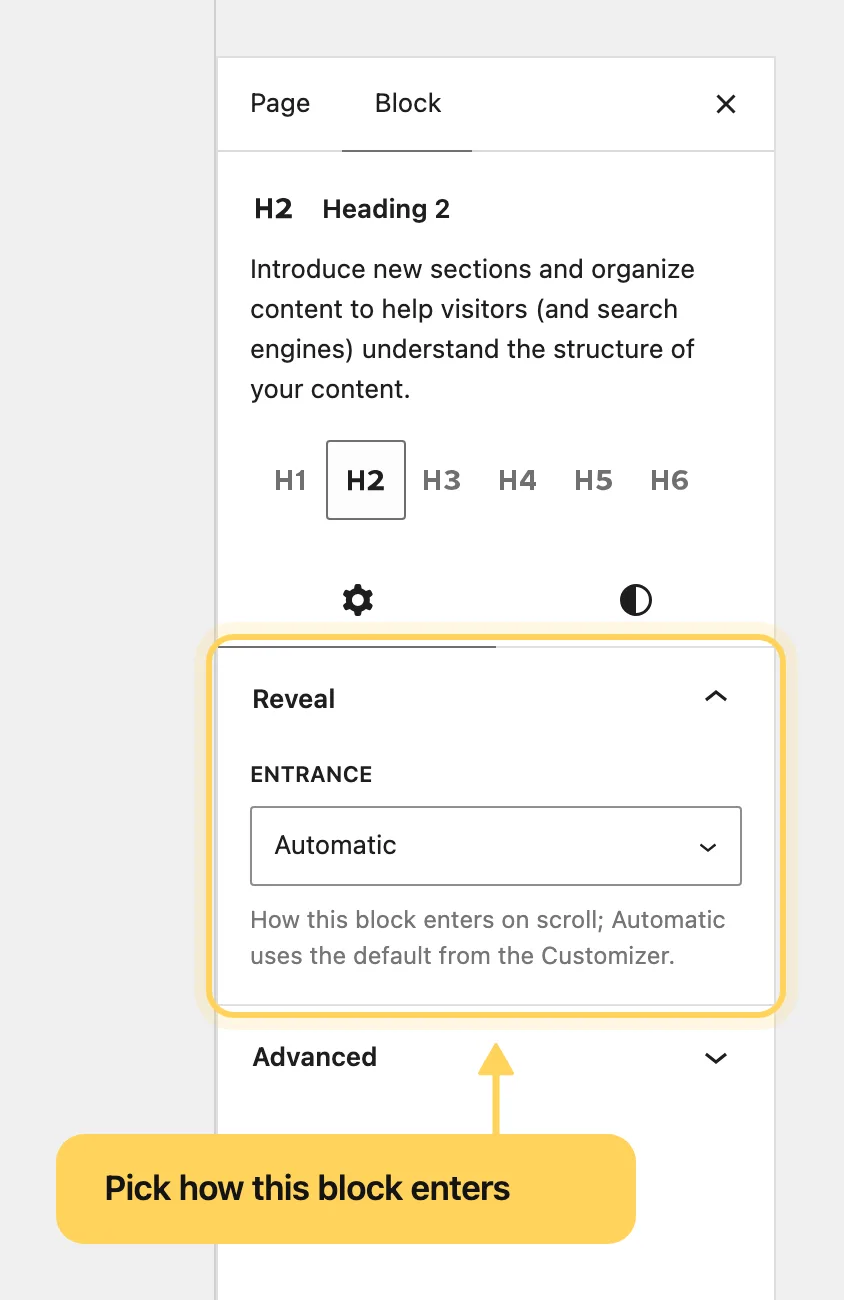
The Reveal panel on a heading.
## What the panel offers
The options depend on the block you selected.
:::options
- **Entrance**: On a text block such as a heading or paragraph, and on most other blocks: **Automatic**, **Fade up** or **None**. On a picture block such as an image, gallery, video or featured image: **Automatic**, **Fade and zoom** or **None**.
- **Text inside**: On a Group, Columns, Column, Cover or Media and Text block. Sets the entrance for the text inside it: **Automatic**, **Fade up** or **None**.
- **Media inside**: On the same container blocks. Sets the entrance for the pictures and videos inside it: **Automatic**, **Fade and zoom** or **None**.
:::
Use **None** on a block that should be visible from the first moment, such as an important notice.
## Good to know
- The panel cannot turn the animation on when **Reveal animations** is off at [[Appearance > Customize > Enardo Theme > General]]. Turn it on there first.
- Visitors who ask for reduced motion see every block at once, whatever the panel says.
- The choice is stored on the block, so it travels with it when you copy the block or save it in a pattern.
## Questions
I do not see the Reveal panel.
Check that Enardo Pro is active with a license, then select a single block. The panel starts closed, so look for its **Reveal** heading in the block sidebar.