## Set up the light and dark schemes
Product: Enardo - Minimal Blog & Magazine FSE WordPress Theme
URL: https://hub.jkdevstudio.com/docs/enardo/theme-settings/color-schemes
Updated: 2026-11-28
Summary: Pick the scheme first-time visitors see, show or hide the light and dark toggle, choose a style variation, and edit both palettes and the fonts in Styles.
Every Enardo site has a dark scheme and a light scheme, and visitors switch between them with one button in the header. The site opens dark until you change it. Both schemes come from one palette in Styles, so a style variation or a color you edit there applies to both.
## Choose what visitors see first
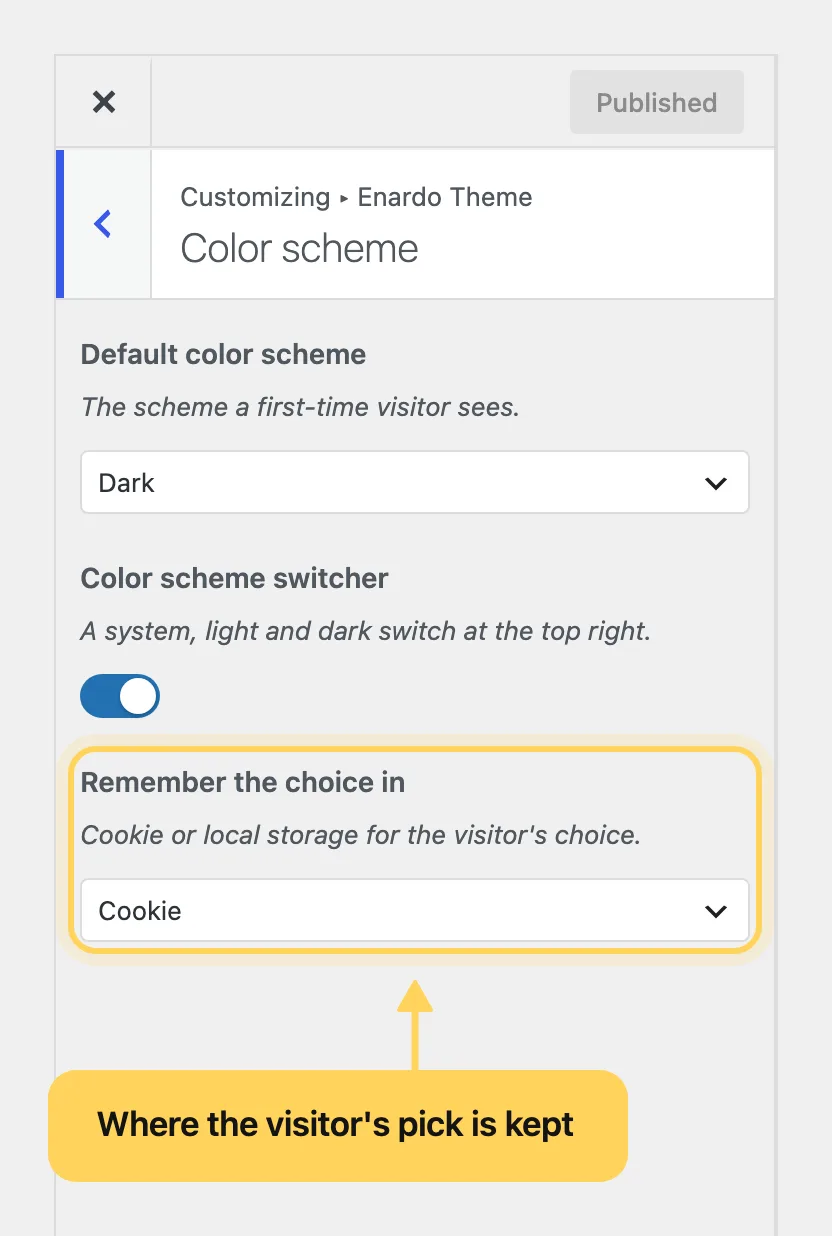
[[Appearance > Customize > Enardo Theme > Color scheme]]
The Color scheme section in the Customizer.
:::options
- **Default color scheme** (default: Dark): The scheme a first-time visitor sees. **System** follows the light or dark setting of the visitor's device.
- **Color scheme switcher** (default: on): The light and dark toggle in the header. Turn it off and everyone gets the default scheme with nothing to switch.
- **Remember the choice in** (default: Cookie): Where the visitor's choice is kept, in a cookie or in the browser's local storage. Hidden while the switcher is off.
:::
The toggle is one round button. Its icon shows the scheme a click switches to: a sun on the dark scheme, a moon on the light one. A visitor who never clicks keeps the default.
To force one scheme for everyone, set **Default color scheme** to Dark or Light and turn off **Color scheme switcher**.
## Pick a style variation
:::steps
### Open Styles
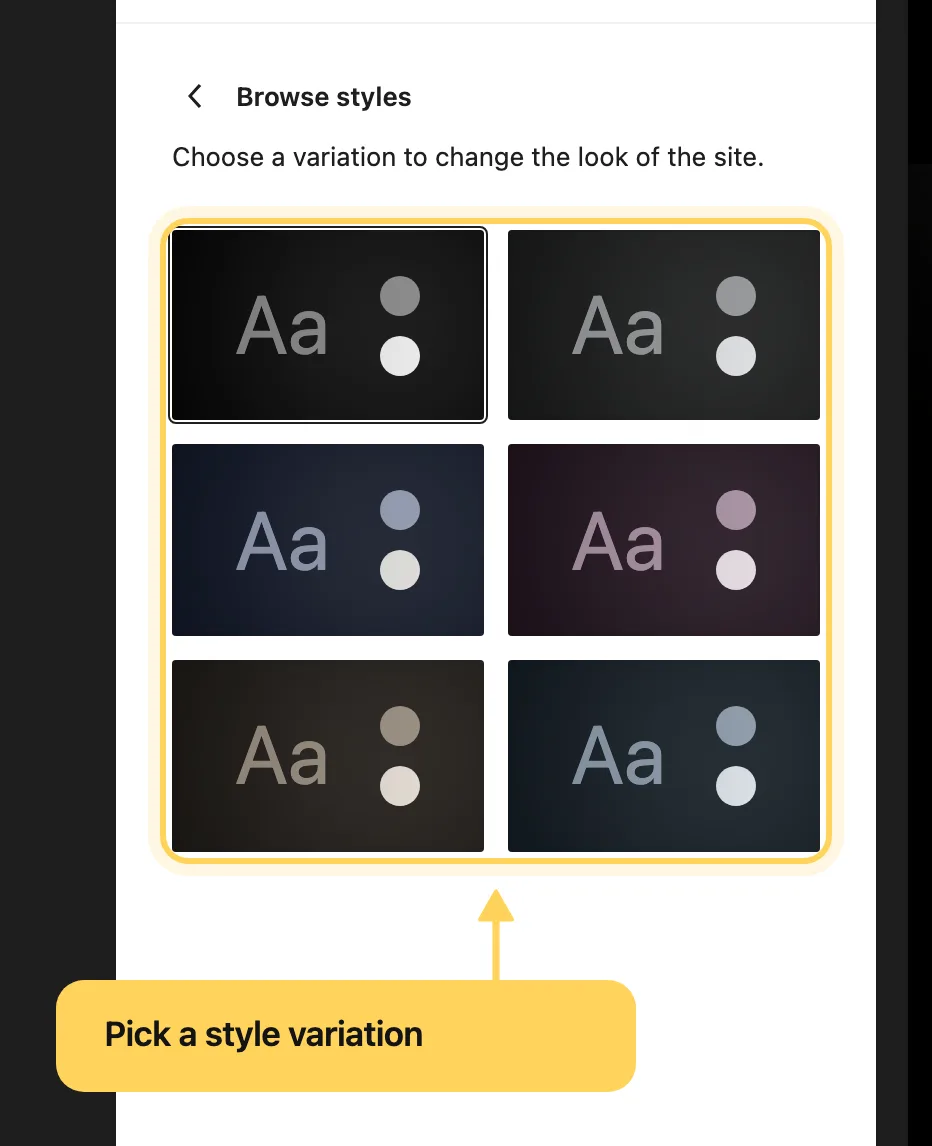
Go to [[Appearance > Editor > Styles]] and open the list of style variations.
### Choose a variation
Enardo ships five besides the default: **Sand**, **Graphite**, **Slate**, **Ink** and **Plum**. Each one sets the colors of both schemes and the fonts for headings and text.
### Check both schemes
Save, open the site, and press the scheme toggle. The light scheme uses the same variation's light colors.
:::
The default style and the five variations.
## Edit the palette
Each palette has eleven colors: five for the dark scheme, their five light pairs, and one accent.
:::deflist
Base, Surface, Contrast, Muted, Border
: The dark scheme: page background, raised surfaces such as the author card, text, secondary text, and hairlines.
Light base, Light surface, Light contrast, Light muted, Light border
: The same roles in the light scheme. Each one replaces its dark pair while the light scheme is on.
Accent
: One highlight color for both schemes.
:::
Edit them in [[Appearance > Editor > Styles > Colors]]. A change to **Contrast** changes text in the dark scheme only; change **Light contrast** for the light one.
Accent is meant for highlights. In the default palette it does not reach the contrast needed for body text on a white page, so keep long text in Contrast and Muted.
## Fonts
The default palette sets **Literata** for headings and **Onest** for everything else. Both ship inside the theme, so they load from your own site with no outside request. The five style variations use system font stacks instead, which load nothing at all.
To use another font, add it to the WordPress Font Library and pick it in Styles. [How do I add a custom font to a block theme?](https://hub.jkdevstudio.com/knowledge-base/full-site-editing/add-a-font-to-a-block-theme) walks through it.
## The logo in both schemes
The header shows the image you set in the **Site Logo** block, on both schemes. Pick a logo that reads on a dark and a light background. Without a logo, the theme shows the site title. With Pro, it shows the Enardo logo in a light and a dark tone until you set your own.
## Questions
Cookie or local storage: which should I pick?
Cookie, unless you have a reason. Both keep the choice between visits. The setting only decides where the browser stores it.
Does the scheme change what search engines see?
No. Both schemes are the same page with different color values.
I edited a color and only one scheme changed.
That is expected. Every color except Accent exists twice, once per scheme. Edit its pair as well.