## Colors, fonts, and comments
Product: Exquil – Beauty Salon eCommerce Theme
URL: https://hub.jkdevstudio.com/docs/exquil/theme-settings/customizer
Updated: 2026-11-27
Summary: Set the Exquil color scheme, heading and text fonts, heading sizes per screen size, and comment behavior in the WordPress Customizer, with every default.
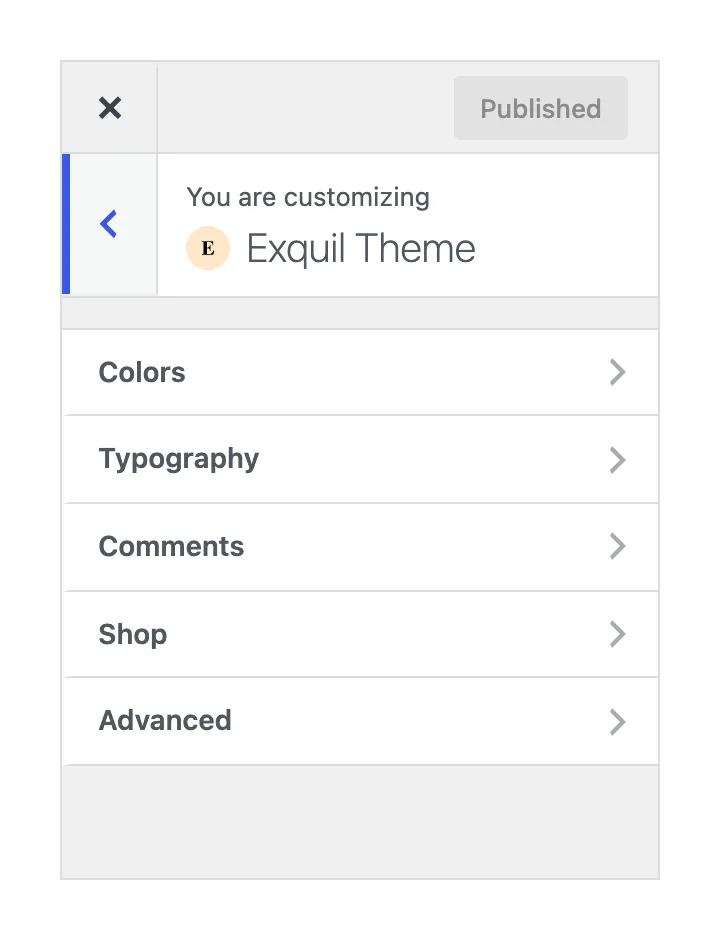
Colors, fonts, heading sizes, and comments are set at [[Appearance > Customize > Exquil Theme]]. They work with the theme alone, and changes show in the preview until you press **Publish**.
The theme panel in the Customizer.
## Colors
The **Colors** section holds the color scheme. Each color applies across the whole site.
:::options
- **Background Color** (default: #ffffff): The main background of the site.
- **Secondary Background Color** (default: #f1f1f1): Alternate blocks and sections.
- **Heading Color** (default: #000000): Headings and titles.
- **Dark Color** (default: #000000): Dark surfaces and buttons.
- **Inverted Color** (default: #ffffff): Text and icons placed on dark surfaces. Keep it in contrast with **Dark Color**.
- **Text Color** (default: #000000): Body text.
- **Border Color**: Borders and dividing lines. The default is a light gray at 30% opacity.
:::
## Fonts and heading sizes
**Typography** has two tabs.
On **Fonts**, **Heading Font** sets headings and titles (default STIX Two Text) and **Text Font** sets body text (default Lato). Both default fonts ship inside the theme, so they load from your own server. To use another family, see [Adding fonts to your site](/knowledge-base/jkd-toolkit/adding-fonts-to-your-site).
On **Heading sizes**, each level from H1 to H6 has a size in pixels for four screen sizes: **XL** is the base, **LG** applies at 1024px wide and below, **MD** at 768px and below, and **SM** at 576px and below. The defaults:
Level
XL
LG
MD
SM
H1
75.76
56.83
42.63
31.98
H2
56.83
42.63
31.98
24
H3
42.63
31.98
24
24
H4
31.98
24
24
24
H5
24
20
20
20
H6
18
18
18
18
## Comments
:::options
- **Ajax Submission** (default: on): Comments are sent without reloading the page.
- **Pagination Type** (default: Default): How long comment lists are split. **Default** shows page links, **Load More** shows a button. Comments are split only while **Break comments into pages** is on at [[Settings > Discussion]].
:::
## Widget areas
The theme registers three widget areas at [[Appearance > Widgets]]: **Shop filters sidebar** (shown on shop pages while WooCommerce is active), **Blog sidebar**, and **Footer sidebar**. What a widget area is and why one may be missing is in [Widget areas: what they are and why one is missing](/knowledge-base/configuration/wordpress-widget-areas).
I changed a setting and the site looks the same
Usually a page cache or an optimization plugin is serving the old page. Clear it and reload. More causes are in [Settings will not save, or changes are not visible](/knowledge-base/troubleshooting/settings-not-saving).