## Options on pages, posts, products, and menu items
Product: Exquil – Beauty Salon eCommerce Theme
URL: https://hub.jkdevstudio.com/docs/exquil/theme-settings/page-options
Updated: 2026-11-27
Summary: The Exquil options on single pages, posts, products, categories, brands, and menu items: page headers, transparent navigation, post reviews, megamenus, and badges.
Availability: Pro only.
Exquil Pro adds option boxes to the edit screens of pages, posts, products, categories, brands, and menu items. A value set there changes that one item only and wins over the site-wide setting. The boxes appear while Exquil Pro is active and licensed.
## Pages, posts, and other content
Every page and post (services aside) has three boxes in the editor sidebar: **Page header**, **Navigation**, and **Footer**.
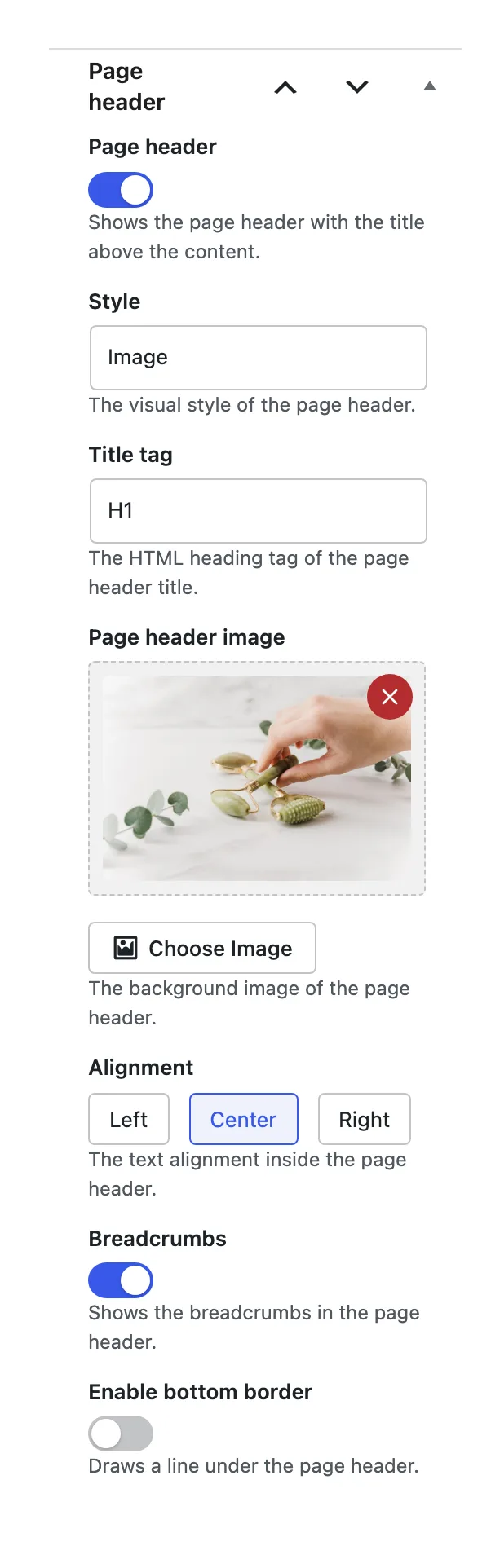
The Page header box on a page.
:::options
- **Page header** (default: off): A header with the title above the content. **Style** is **Default**, **Classic**, **Minimal**, or **Image** (which adds **Page header image**). **Title tag** defaults to H1, **Alignment** to center. The header also has **Breadcrumbs** (off) and **Enable bottom border** (on).
- **Navigation** (default: on): Shows the navigation bar on this page. **Navigation style** is **Default** or **Transparent**, which lays the bar over the content. Use it over a full-width hero.
- **Before content sections** (default: on): In the **Navigation** box. Shows the [page sections](https://hub.jkdevstudio.com/docs/exquil/theme-settings/theme-options-site) from Theme Options above the content of this page.
- **Footer** (default: on): Shows the footer on this page. **After content sections** in the same box shows the page sections below the content.
:::
## Posts
:::options
- **Post review** (default: off): A review box at the end of the post with an image, a title, a description, pros and cons lists, a button, and a rating. Fill **Review breakdown** with rated parts and their average becomes the rating, or set **Review rating** (1 to 100) yourself. **Review rating text variation** is a word shown with it, such as "Excellent".
- **Sponsored post label** (default: off): Marks the post as sponsored with your own **Sponsored label text**.
:::
## Products, categories, and brands
- **Product labels**, on a product: **New label** shows the **New** badge whatever the product's age. Newer products get it on their own, see **Newest Items Threshold** in [Shop settings](https://hub.jkdevstudio.com/docs/exquil/theme-settings/shop-settings).
- **Product options**, on a product category: an **Additional image** that the category widgets use.
- **Brand options**, on a brand at [[Products > Brands]]: the **Brand image**, the logo shown in the brands catalogue and the **Brands List** widget.
- **Category options**, on a blog category: a **Category color** for its accent and a **Category thumbnail**.
## Menu items
At [[Appearance > Menus]], open a menu item to see:
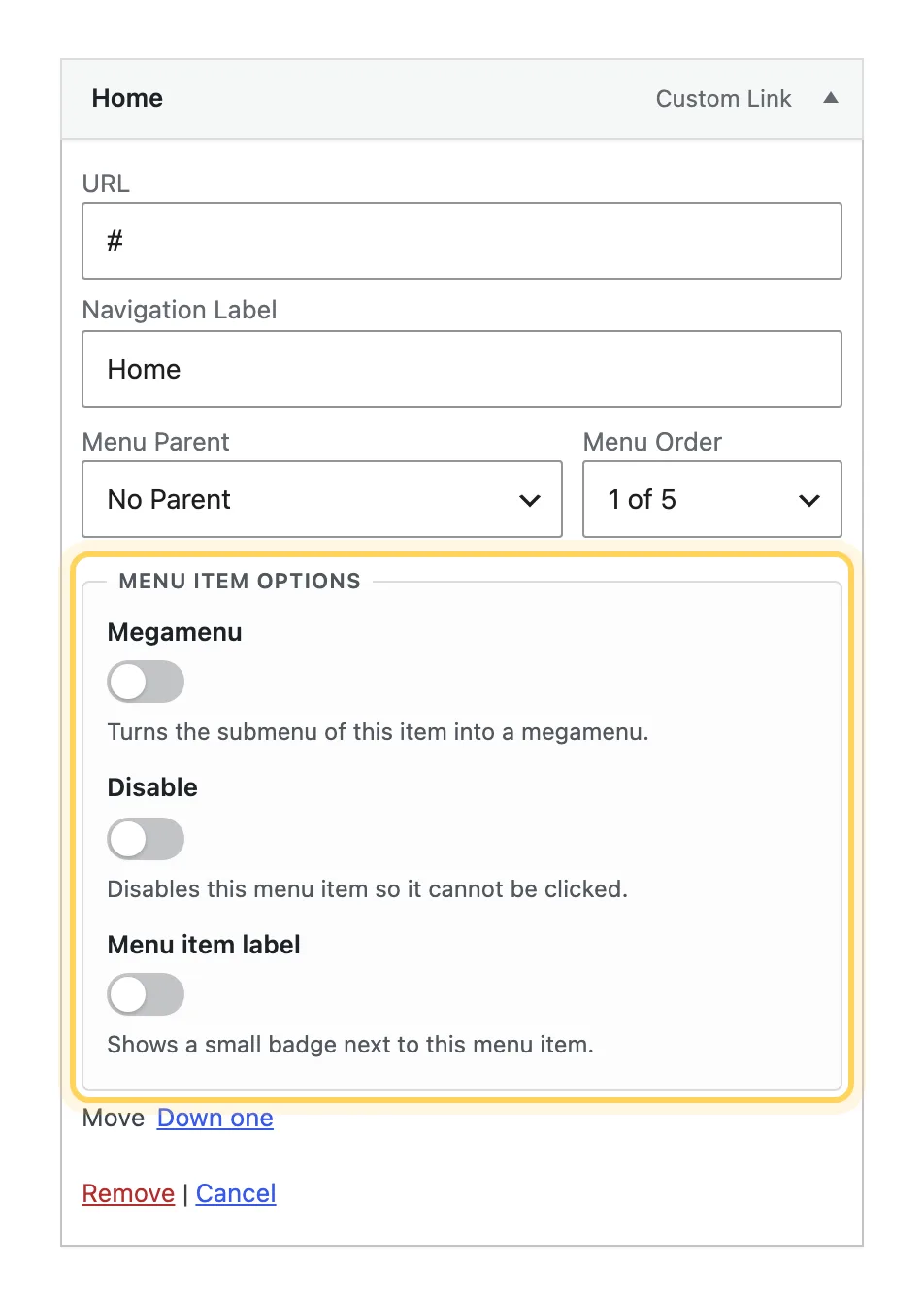
Menu item options inside a menu item.
:::options
- **Megamenu** (default: off): Turns the item's submenu into a megamenu.
- **Disable** (default: off): The item stays in the menu but cannot be clicked. Use it for a parent that only opens a submenu.
- **Menu item label** (default: off): A small badge next to the item with its own **Label text** and **Label color**.
:::
## Widgets
The **JKD Recent Posts** and **JKD Categories** widgets at [[Appearance > Widgets]] each get a count: posts listed (default 4) and categories listed (default 5).