## Theme Options: branding, header, and footer
Product: Exquil – Beauty Salon eCommerce Theme
URL: https://hub.jkdevstudio.com/docs/exquil/theme-settings/theme-options-site
Updated: 2026-11-27
Summary: Set the Exquil logo, navigation bar, catalogue megamenu, cart, top banner, footer parts, copyright, social profiles, and Elementor page sections.
Availability: Pro only.
The **Site** part of [[Exquil Pro > Theme Options]] holds the logo, the header, the footer, and the sections around page content. Theme Options appears once [Exquil Pro is installed](/knowledge-base/installation/install-pro-plugin) and [its license is active](/knowledge-base/licensing/activating-your-theme-license). Nothing here is live: change the values, then save.
Many settings depend on a switch above them and stay hidden while it is off.
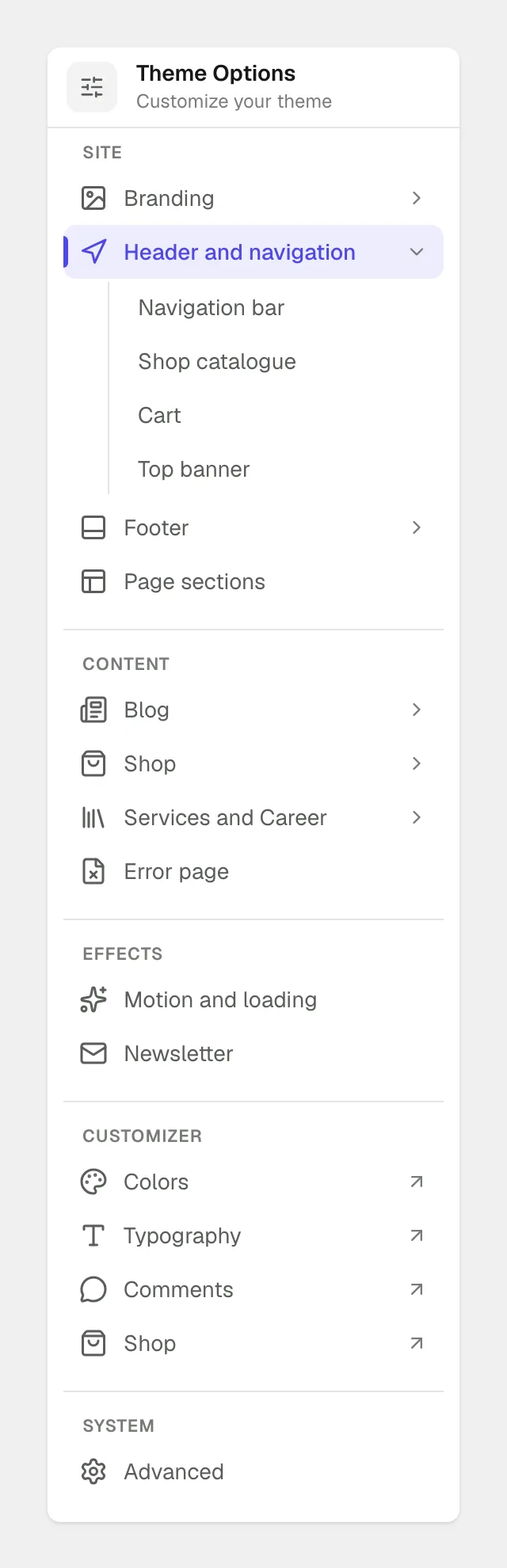
The Theme Options menu.
## Branding
[[Exquil Pro > Theme Options > Site > Branding]] has two tabs.
:::options
- **Logotype**: The logo in the desktop navigation. SVG or PNG with a transparent background works best.
- **Logotype dark**: The logo shown over dark backgrounds.
- **Logotype width** (default: 150): The logo width on desktop, in pixels.
- **Mini logotype**: A compact logo for the mobile navigation. **Mini logotype dark** is its version for dark backgrounds.
- **Mini logotype width** (default: 75): Its width, in pixels.
:::
## Header and navigation
[[Exquil Pro > Theme Options > Site > Header and navigation]] has four tabs. The menu itself is assigned to the **Navigation Menu** location at [[Appearance > Menus]].
**Navigation bar** tab:
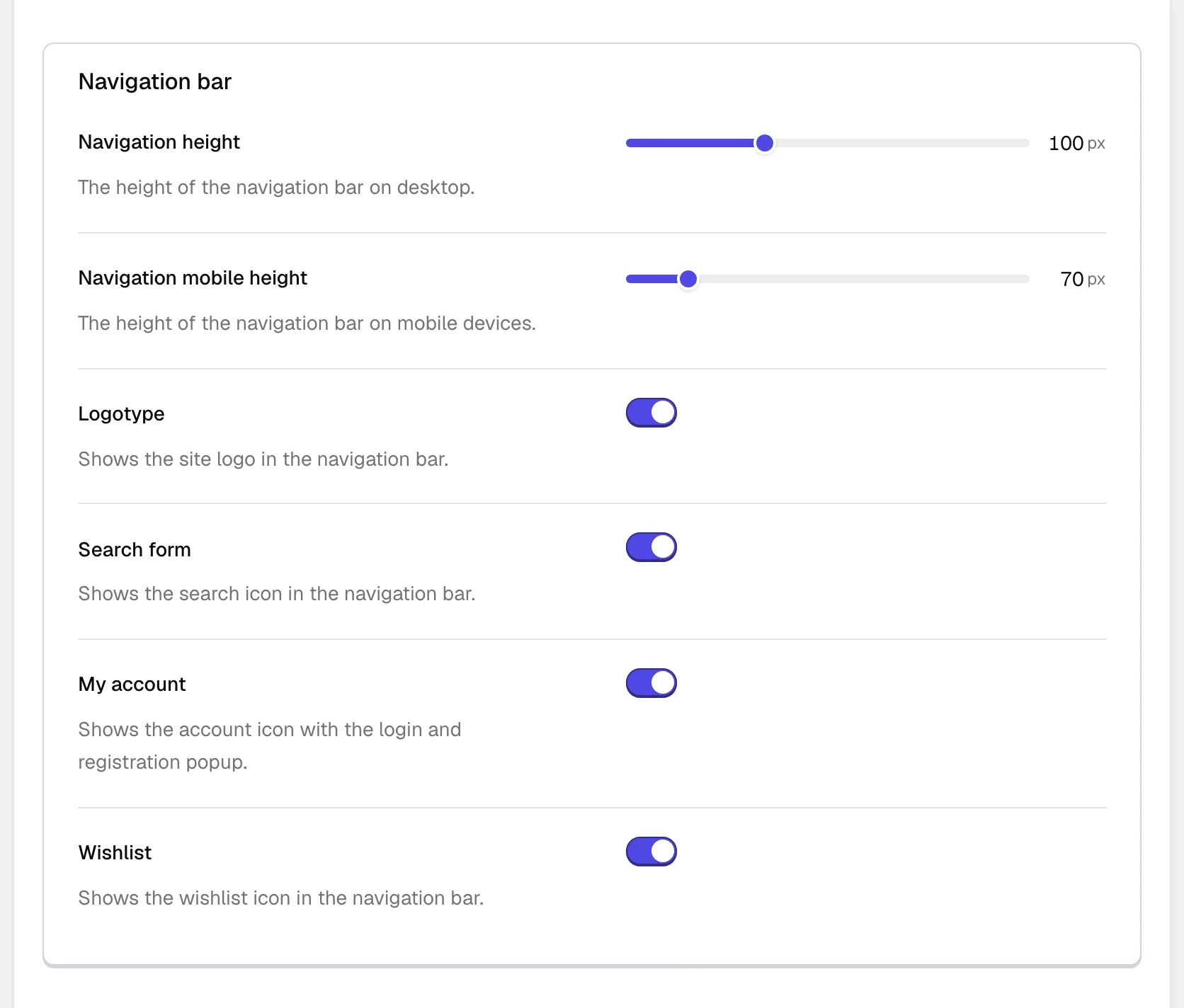
The Navigation bar tab.
:::options
- **Navigation height** (default: 100): The bar height on desktop, in pixels.
- **Navigation mobile height** (default: 70): The bar height on mobile.
- **Logotype** (default: on): The logo in the bar.
- **Search form** (default: on): The search icon.
- **My account** (default: on): The account icon with the login and registration popup.
- **Wishlist** (default: on): The wishlist icon. Shown while WooCommerce and TI WooCommerce Wishlist are active.
:::
**Shop catalogue** tab, for the product category megamenu in the main navigation:
:::options
- **Shop catalogue megamenu** (default: on): Turns the megamenu on.
- **AJAX mode** (default: on): Loads the product slides when a visitor opens a category, instead of with the page.
- **Categories count** (default: 8): Product categories the megamenu lists.
- **Posts count** (default: 12): Products shown per category.
:::
**Cart** tab, shown while WooCommerce is active:
:::options
- **Cart** (default: on): The cart icon in the bar.
- **AJAX cart** (default: on): Updates the cart contents without a reload.
- **Cart style** (default: Sub menu): **Sub menu** opens a dropdown, **Panel** a slide-out panel, **Default** links to the cart page.
:::
**Top banner** tab: a promotional strip above the navigation, on by default. It has an optional label badge (default text **New**), the message, and a button with its text and link. Replace the demo message before you go live.
To make one menu item a megamenu or give it a badge, use the menu item options in [Options on pages, posts, products, and menu items](https://hub.jkdevstudio.com/docs/exquil/theme-settings/page-options).
## Footer
[[Exquil Pro > Theme Options > Site > Footer]] has three tabs.
**Parts**: switches for the **Footer** as a whole, the **Social bar**, the **Widgets area** (filled from the **Footer sidebar** widget area), and the **Copyright bar**, all on by default. **Background color** is empty by default, which keeps the footer transparent.
**Copyright**: the copyright line, also used in the mobile menu. HTML links are kept, and `{year}` becomes the current year. The tab is shown while **Copyright bar** is on.
**Social profiles**: your profiles as rows of a title, an icon, and a URL. The list feeds the footer social bar and the **Social Icons** widget.
## Page sections
[[Exquil Pro > Theme Options > Site > Page sections]] appears while Elementor is active. **Before content sections** and **After content sections** each take a list of Elementor templates inserted on every page above or below the content, such as a newsletter strip or a contact block above the footer.
To leave them out on one page, turn off **Before content sections** or **After content sections** in that page's options.