## Archive styles, grids and pagination
Product: Fabula - News & Magazine WordPress Theme
URL: https://hub.jkdevstudio.com/docs/fabula/archives-and-listings/archive-styles-grids-pagination
Updated: 2026-11-28
Summary: Every option on the Fabula Pro Blog page: nine grid styles, columns, spacing, masonry, sidebar, archive header, post meta, and load more or infinite scroll.
Availability: Pro only.
With Fabula Pro active, the Pro **Blog** page draws your archives, and the free Customizer **Blog** section is hidden. Open [[Fabula Pro > Theme Options > Blog]]. It has four tabs: **Layout**, **Header**, **Meta**, and **SEO & Content**.
Theme Options need an active license. Without one the site shows defaults and saves are refused.
## Layout tab
:::options
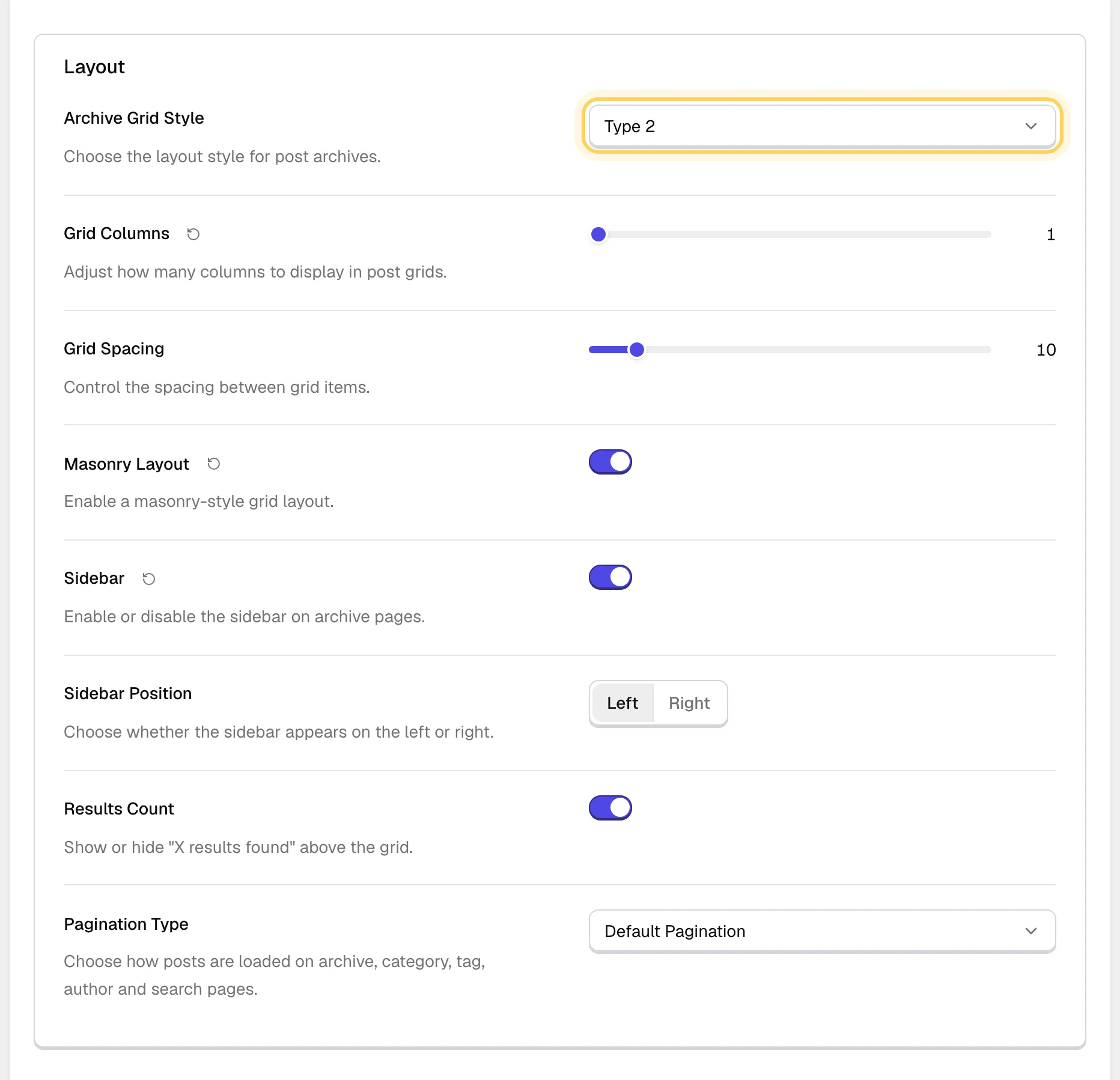
- **Archive Grid Style** (default: Type 2): One of nine card designs: `Type 1` to `Type 5`, then `Style 6` to `Style 9`.
- **Grid Columns** (default: 3): From 1 to 10.
- **Grid Spacing** (default: 10): The gap between cards, from 0 to 100.
- **Masonry Layout** (default: off): A masonry-style grid layout.
- **Sidebar** (default: off): Shows a sidebar on archive pages.
- **Sidebar Position** (default: Left): `Left` or `Right`. It appears once **Sidebar** is on.
- **Results Count** (default: on): Shows the "X results found" line above the grid.
- **Pagination Type** (default: Default Pagination): `Default Pagination`, `Load More Button`, or `Infinite Scroll`. It applies to archive, category, tag, author, and search pages.
:::
The Layout group of the Blog page.
## Header tab
The archive header is off until you turn it on. The three options below it appear only while **Archive Header** is on.
:::options
- **Archive Header** (default: off): Shows or hides the header band on archive pages.
- **Header Breadcrumbs** (default: off): Breadcrumbs inside the header.
- **Header Title** (default: off): The archive title inside the header.
- **Header Description** (default: off): The category or tag description under the title.
:::
## Meta tab
What each card shows.
:::options
- **Title Length** (default: 10): Maximum words in a card title, from 1 to 50.
- **Excerpt Length** (default: 30): Maximum words in the excerpt, from 5 to 100.
- **Post Thumbnail** (default: on): The featured image.
- **Category Label** (default: on): The category tag on the card.
- **Category Label Style** (default: Style 1): `Style 1` to `Style 6`. It appears while **Category Label** is on.
- **Post Title Tag** (default: H4): The heading level used for card titles, `H1` to `H6`.
- **Post Date** (default: on): The publication date.
- **Author Name** (default: on): The author's name.
- **Share Buttons** (default: on): Social share buttons.
- **Bookmark Button** (default: on): A bookmark button on each card.
- **Post Activity** (default: on): The group of comment, like, and view counts.
- **Comments Count**, **Likes Count**, **Views Count** (default: on): Each count on its own. They appear while **Post Activity** is on.
- **Review Score** (default: on): The score of a reviewed post.
- **Post Excerpt** (default: on): The short text under the title.
:::
## SEO & Content tab
Extra content for category pages. It turns on with **Enable Custom Category Content**, and the rest of the tab depends on that switch.
:::options
- **Enable Custom Category Content** (default: on): Activates the options below.
- **Top Content** (default: empty): HTML or shortcodes shown above the posts grid on category pages.
- **Bottom Content** (default: empty): HTML or shortcodes shown below the grid.
- **Enable FAQ Section** (default: on): A structured FAQ block at the bottom of category pages.
- **Content Position** (default: Below Posts): `Above Posts`, `Below Posts`, or `Both`.
:::
The free theme's version of these settings is covered in [The blog page and archives in the free theme](https://hub.jkdevstudio.com/docs/fabula/archives-and-listings/blog-page-and-archives).