## Sections above the post list: showcase, featured and carousel
Product: Fabula - News & Magazine WordPress Theme
URL: https://hub.jkdevstudio.com/docs/fabula/archives-and-listings/sections-above-the-post-list
Updated: 2026-11-28
Summary: Turn on the showcase slider, the featured block, and the carousel above your Fabula post list, and choose which posts each one shows and how many.
Three sections can sit above the post list on your blog page: a **Showcase** of large slides, a **Featured** block with one lead story, and a **Carousel** that scrolls sideways. All three are off until you turn them on, and each one has its own tab at [[Appearance > Customize > Fabula Theme > Blog]].
They show on the posts page only, and only on its first page. That is the page set under [[Settings > Reading]] as the **Posts page**, or the front page when it shows your latest posts. Category, tag, and author archives do not get them. Those have [one featured post of their own](https://hub.jkdevstudio.com/docs/fabula/archives-and-listings/featured-post-on-archives).
## Turn a section on
:::steps
### Open the tab
Go to [[Appearance > Customize > Fabula Theme > Blog]] and open **Showcase**, **Featured**, or **Carousel**.
### Switch it on
Turn on **Show on the posts page**. The section stays hidden while this is off.
### Choose the posts
Under **Posts**, pick `Latest posts`, `Sticky posts`, or `Most commented`. `Most commented` orders by comment count, and posts with the same count go newest first.
### Set the size and the title
Use the options below for the number of posts and the heading, then check the posts page.
:::
`Sticky posts` shows nothing while no post is marked sticky. That is expected, not an error. Mark a post sticky in the editor, or switch **Posts** to `Latest posts`.
## Showcase
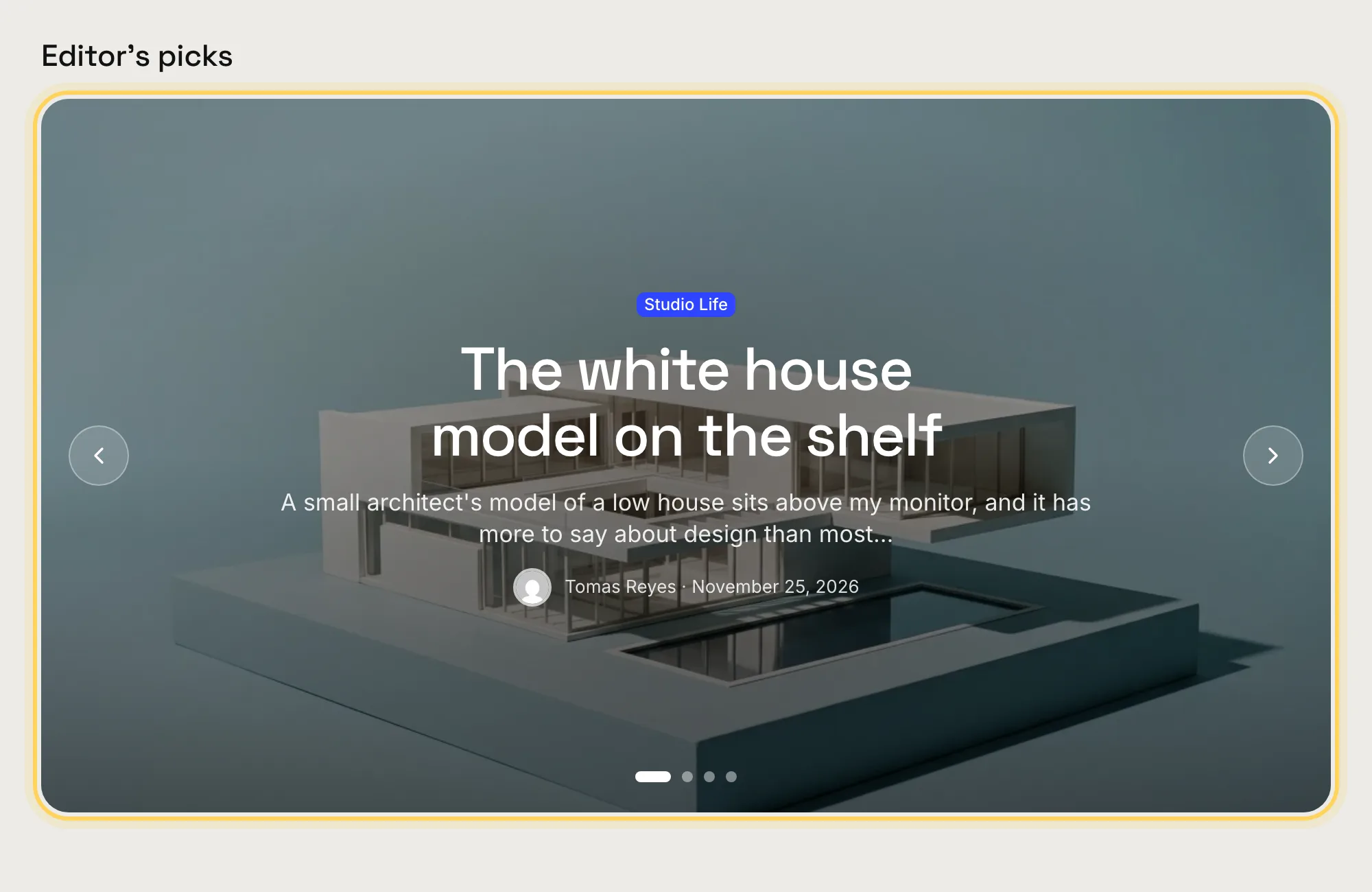
Large slides with the post title centered over the image. With two or more slides, arrows and dots appear.
:::options
- **Title above the showcase** (default: empty): A heading above the slides. Empty means no heading.
- **Number of slides** (default: 4): From 1 to 6. One slide shows as a single hero image with no arrows.
- **Change slides on their own** (default: on): Moves to the next slide every six seconds. It stops while the pointer is over the slider or a control inside it has focus, and it never runs for visitors whose device asks for reduced motion.
:::
The showcase above the post list.
## Featured
One lead story shown large, with more posts listed beside it.
:::options
- **Title above the featured posts** (default: empty): A heading above the block.
- **Style** (default: Text below images): `Text below images` or `Text over images`.
- **Posts beside the lead story** (default: 4): From 0 to 4. At 0 only the lead story shows.
:::
## Carousel
A row of post cards that scrolls sideways, with previous and next arrows.
:::options
- **Title** (default: More stories): The heading above the row. Clear it to show no heading.
- **Number of posts** (default: 8): From 3 to 12.
:::
## No post appears twice
The sections fill in order: showcase first, then featured, then carousel. A post already shown by an earlier section is skipped by the next one, so the carousel fills with posts you have not seen yet in the sections above it. If a section shows fewer posts than you asked for, the earlier sections have used them or the site does not have enough posts for that source.
By default these posts also leave the list below. Turn that off with **Leave section posts out of the list** on the **Layout** tab. See [The blog page and archives in the free theme](https://hub.jkdevstudio.com/docs/fabula/archives-and-listings/blog-page-and-archives).
While Fabula Pro is active, the Customizer **Blog** section is hidden and these sections do not run. Pro draws its own archive.