## The footer
Product: Fabula - News & Magazine WordPress Theme
URL: https://hub.jkdevstudio.com/docs/fabula/header-and-footer/the-footer
Updated: 2026-11-28
Summary: What the Fabula footer holds: the footer widget area, the copyright line and menu, and in Fabula Pro four styles, a subscribe form, contact details, and Instagram.
The free footer has two parts: a widget area and a copyright bar. Fabula Pro replaces it with a configurable footer. Pro-only parts are marked.
## The free footer
### Footer widget area
Widgets you add to the **Footer** widget area show above the copyright bar, under a line that spans the page. Add them at [[Appearance > Widgets]]. For how widget areas work in general, see [Widget areas: what they are and why one is missing](https://hub.jkdevstudio.com/knowledge-base/wordpress-widget-areas).
The widgets sit side by side in columns that wrap on narrow screens. Each column is at least 220 pixels wide. With exactly three widgets the columns are sized to what they hold: a narrow middle column, and a wide third one that suits a post list. On phones the widgets stack. An empty area prints nothing.
### Copyright bar
:::deflist
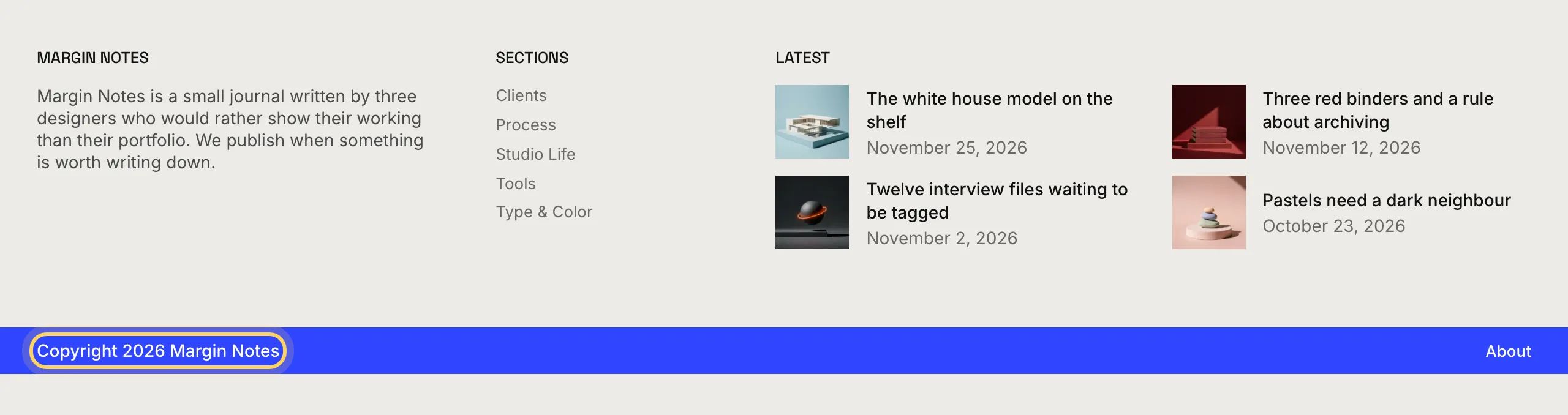
Copyright line
: Reads `Copyright`, the current year, and your site title. The free theme has no setting for this text. Change the site title at [[Appearance > Customize > Site Identity]]. Fabula Pro adds a **Copyright Notice** field. See [Logo and site identity](https://hub.jkdevstudio.com/docs/fabula/header-and-footer/logo-and-site-identity).
Copyright menu
: Assign a menu to the **Copyright Menu** location at [[Appearance > Menus]]. Its links sit next to the copyright line.
:::
The bar shows only when there is a copyright line, a copyright menu, or both. With a line and no menu, the line is centered.
Widgets above, the copyright bar below.
The [call to action band](https://hub.jkdevstudio.com/docs/fabula/header-and-footer/call-to-action-above-the-footer) sits just above the footer.
## Fabula Pro footer
Open [[Fabula Pro > Theme Options > Footer]]. These options replace the free footer while Pro is active.
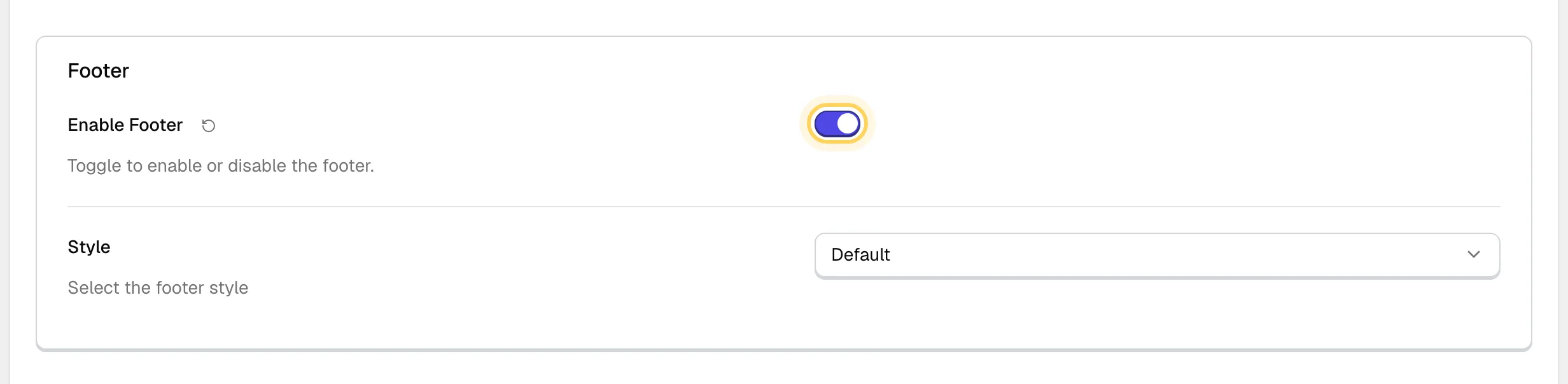
**Enable Footer** is off by default, and so is every section below. Turn on the footer first, then each section you want.
Enable Footer comes before every section.
:::options
- **Enable Footer** (default: off): Shows the footer.
- **Style** (default: Default): `Default`, `Minimal`, `Simple`, or `Classic`.
- **Footer logo** (default: none): Your footer logo.
- **Website Name** (default: empty): Used by the `Minimal` style. Empty uses your site title.
- **Website Info** (default: empty): Used by the `Minimal` style. Empty uses your tagline.
- **Enable Widgets Section** (default: off): Shows footer widgets. The `Default` and `Minimal` styles show the **Footer sidebar** widget area, and `Classic` shows **Footer sidebar 2**. The widget area must hold at least one widget.
- **Enable Copyright Section** (default: off): Shows the copyright line from **Copyright Notice** on the [[Fabula Pro > Theme Options > Branding]] page.
- **Enable Social Section** (default: off): Shows the links set on the [[Fabula Pro > Theme Options > Social]] page.
- **Enable Additional Menu** (default: off): Shows the menu assigned to the **Copyright Menu** location.
:::
### Subscribe form
:::options
- **Enable Form Section** (default: off): Shows a form area.
- **Form Title** (default: empty): The heading above the form.
- **Form Subtitle** (default: empty): Text under the heading. The `Default` style uses it.
- **Form Shortcode** (default: empty): The shortcode of your form or newsletter plugin. Paste the whole shortcode, brackets included.
:::
### Contact section
:::options
- **Contact Section** (default: off): Shows the contact area.
- **Contact Title** and **Contact Subtitle** (default: empty): The area's heading and text.
- **Additional Contact Icon 1**, **Title 1**, and **Subtitle 1** (default: empty): The first contact detail. The subtitle is a rich text field, so it can hold a phone number, an address, or links. Items 2 and 3 work the same way.
:::
### Instagram section
:::options
- **Enable Instagram Section** (default: off): Shows photos from a shortcode. It also needs the Smash Balloon Instagram Feed plugin to be active.
- **Instagram Shortcode** (default: empty): The feed's shortcode.
- **Enable Instagram Button** (default: off): A button next to the photos.
- **Instagram Button Text** and **Instagram Button Link** (default: empty): The button's words and address.
:::
### Change the footer on one page
Every post and page has a **Footer Settings** box. **Enable Footer** turns the footer off for that page, and **Footer Style** picks `Global`, `Default`, `Simple`, `Minimal`, or `Classic`. `Global` follows the setting above.