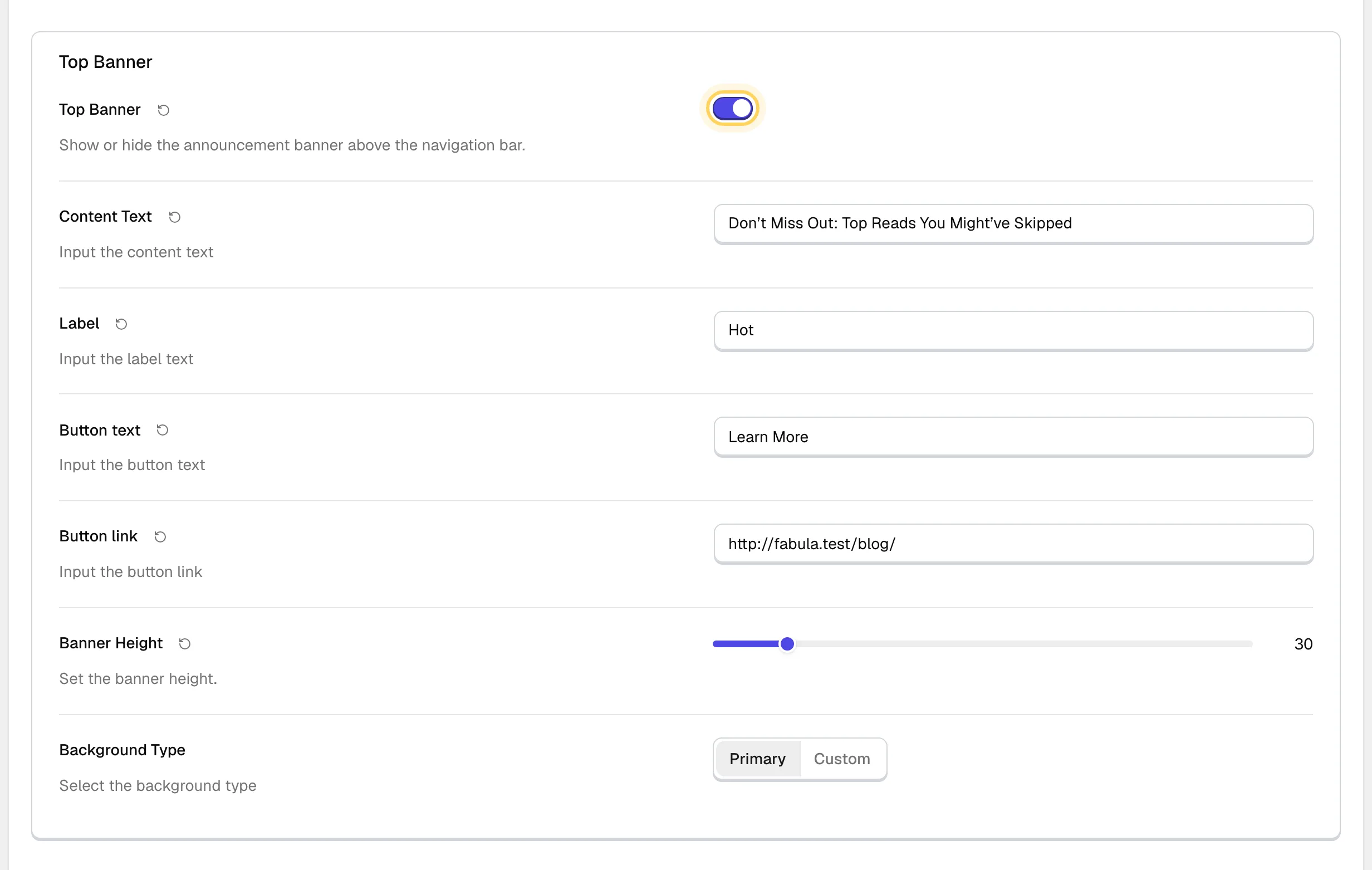
## Top banner
Product: Fabula - News & Magazine WordPress Theme
URL: https://hub.jkdevstudio.com/docs/fabula/header-and-footer/top-banner
Updated: 2026-11-28
Summary: Show an announcement bar above the Fabula Pro header with a label, text, and a button, pick its color and height, and hide it on single pages.
Availability: Pro only.
The top banner is a slim announcement bar above the header. It can carry a label, a line of text, and a link button, and visitors can close it.
The banner is part of the Pro header. It shows only while **Enable Navigation** is on, on the [[Fabula Pro > Theme Options > Navigation]] page.
## Turn the banner on
:::steps
### Open the Top Banner page
Go to [[Fabula Pro > Theme Options > Top Banner]].
### Switch it on
Turn on **Top Banner**. The other fields appear.
### Write the message
Fill in **Content Text**, and **Label** if you want a small badge before it. For a link, fill in both **Button text** and **Button link**. The button needs both to show.
### Choose the look
Set **Banner Height** and **Background Type**, then open your site to check the result.
:::
The switch opens the banner fields.
:::options
- **Top Banner** (default: off): Shows or hides the bar.
- **Content Text** (default: empty): The message. Basic formatting and links are allowed.
- **Label** (default: empty): A small badge before the message.
- **Button text** (default: empty): The link's words.
- **Button link** (default: empty): The link's address. Without it, the button does not show.
- **Banner Height** (default: 33): From 20 to 100.
- **Background Type** (default: Primary): `Primary` uses your primary color. `Custom` uses the color below.
- **Custom Color** (default: #1abc9c): It appears while **Background Type** is `Custom`.
:::
## Hide the banner on one page
Posts and pages have a **Navigation Settings** box. Turn off **Enable Top Banner** in it to hide the banner on that page only. It is on by default.
The banner never shows on the 404 page.
## What visitors see
The bar has a close button. After a visitor closes it, the banner stays hidden for them on the pages that follow. To see it again while testing, use a private window.
Related: [Menus and the header](https://hub.jkdevstudio.com/docs/fabula/header-and-footer/menus-and-the-header).