## Add key points to a post
Product: Fabula - News & Magazine WordPress Theme
URL: https://hub.jkdevstudio.com/docs/fabula/the-single-post/key-points
Updated: 2026-11-28
Summary: Add a Key Points summary above the text of a post, with a label, icon, color, description, and link for each point. Set per post in the editor, with Fabula Pro.
Availability: Pro only.
Key points put a short list of takeaways above the text of a post, so a reader sees the gist before they scroll. Each point has a label and can carry an icon, a color, a description, and a link. You set them per post. They need the Pro plugin with an active license.
## Add the key points
:::steps
### Open the post
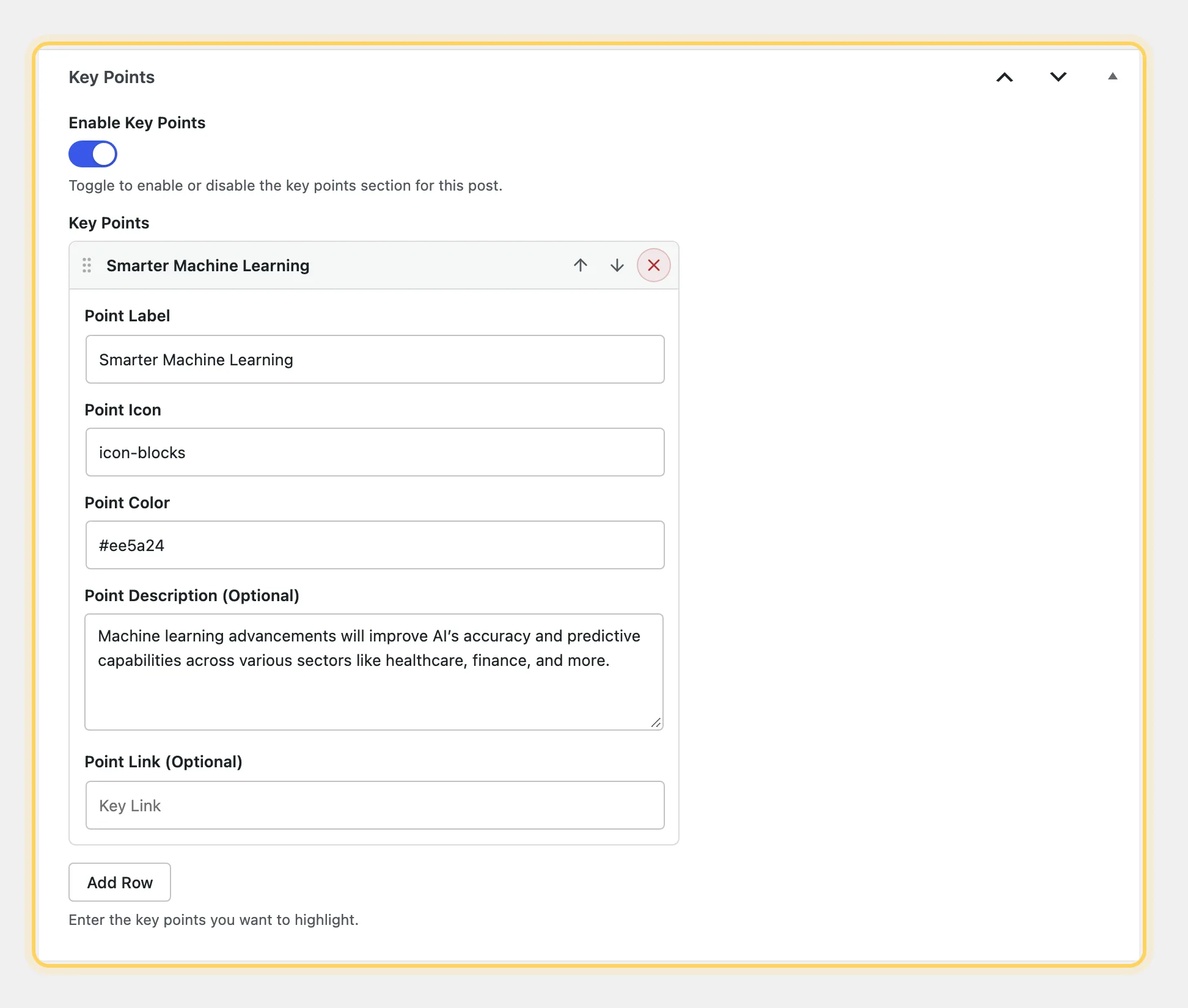
Edit the post. Below the editor, find the **Key Points** box.
### Turn the box on
Turn on **Enable Key Points** (default: off). The list field appears below it.
The Key Points box below the editor.
### Add points
Add a row in **Key Points** for each point and fill in its fields.
### Update the post
Update the post and open it on your site. The **Key Points:** block sits above the text, after a disclaimer box if the post has one.
The block above the text of the post.
:::
## Fields of a point
:::options
- **Point Label**: The point itself. A row with an empty label does not show at all.
- **Point Icon**: The class of an icon from the [Lucide icon list](https://lucide.dev/icons), written as `icon-` followed by the icon name, for example `icon-star`. Leave it empty for no icon.
- **Point Color**: The color of the icon.
- **Point Description (Optional)**: A line of plain text under the label.
- **Point Link (Optional)**: A URL. It shows as a **Learn More** link under the point and opens in a new tab.
:::
Keep the label short enough to read at a glance and move the detail to the description. Three to five points read better than a long list.
## Questions
Can I set key points for all posts at once?
No. Key points belong to one post. Each post has its own switch and its own list.
The block does not show on my post
Check that **Enable Key Points** is on, that at least one row has a **Point Label**, and that you updated the post. The Pro plugin needs an active license, because it draws the single post.