## Add a review and score to a post
Product: Fabula - News & Magazine WordPress Theme
URL: https://hub.jkdevstudio.com/docs/fabula/the-single-post/reviews-and-scorecards
Updated: 2026-11-28
Summary: Add a review box with a score, criteria, pros, and cons to a post, then set its style, score titles, colors, schema markup, and who may edit reviews. Fabula Pro.
Availability: Pro only.
A review adds a scorecard to a post: a score out of 5, optional criteria with their own scores, and lists of pros and cons. You fill it in per post, and you choose how every review looks in Theme Options. Reviews need the Pro plugin with an active license.
## Add a review to a post
:::steps
### Turn the review on
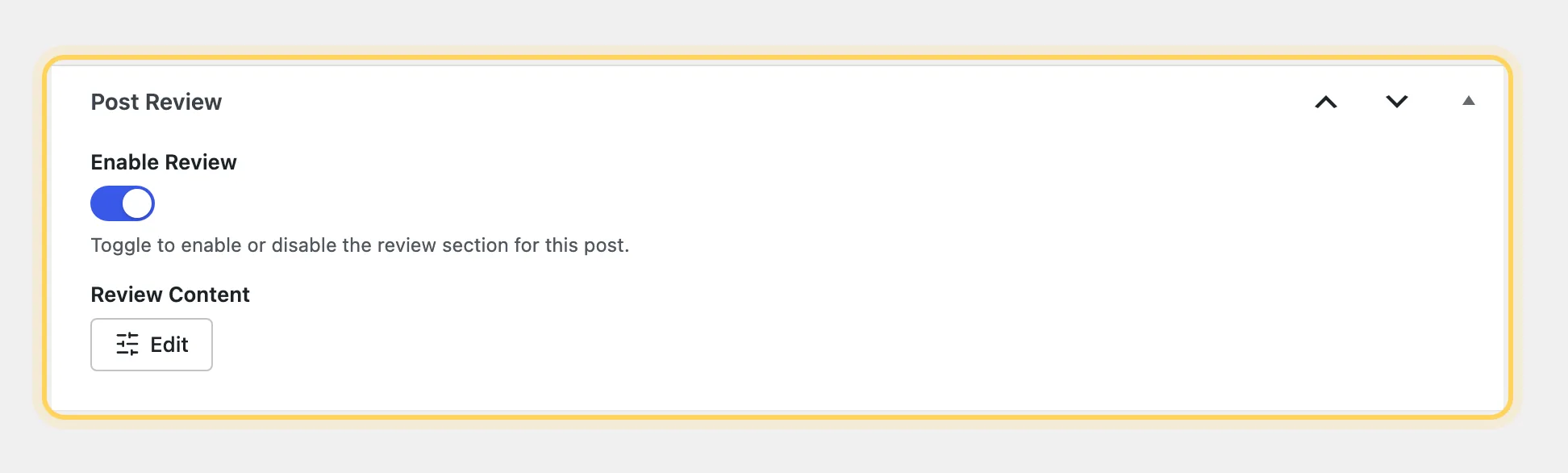
Edit the post. Below the editor, find the **Post Review** box and turn on **Enable Review** (default: off).
The Post Review box below the editor.
### Open the review content
Next to **Review Content**, click **Edit**. A window titled **Review Content** opens.
### Fill in the review
Complete the fields listed below, then close the window.
### Update the post
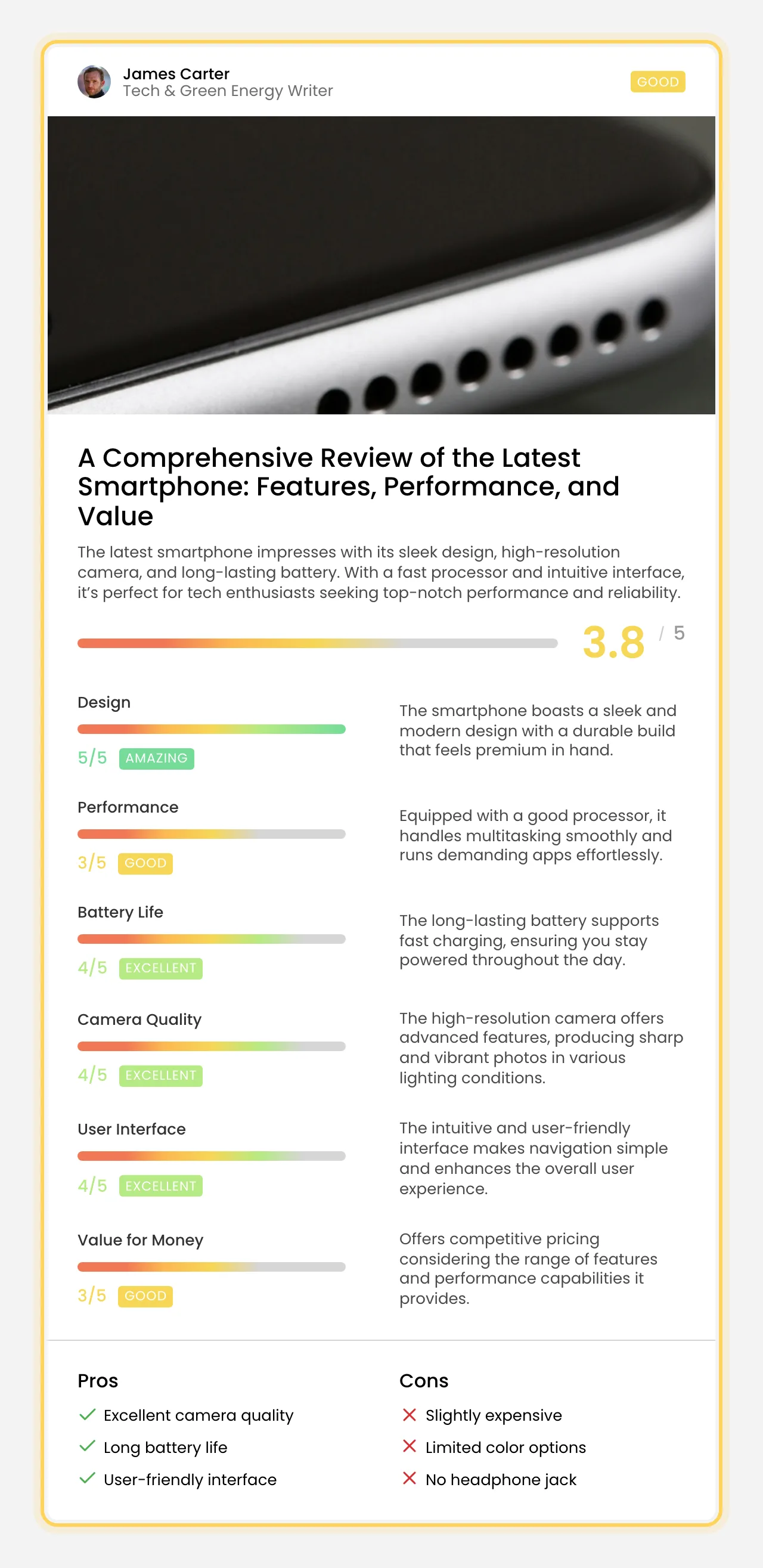
Update the post. The review box sits under the text of the post, after the source line if there is one.
A finished review under the post text.
:::
## Fields of a review
:::options
- **Review Title**: The heading of the review box.
- **Review Author** (default: Current): **Current** shows the author of the post. **Custom** lets you pick someone else in **Custom Author**.
- **Review Summary**: The text of the review.
- **Review Image**: A picture shown at the top of the box.
- **Score Type** (default: Single): **Single** uses one score. **Criteria** scores each criterion separately.
- **Score** (default: 5): The overall score for a single score, from 1 to 5 in steps of 0.1.
- **Criteria**: Rows with a **Criteria Title**, a **Criteria Description**, and a **Criteria Score** from 1 to 5 in whole steps (default: 5).
- **Pros List** and **Cons List**: One row per point. They show as two columns under the review.
:::
With **Criteria**, the overall score is the average of the criteria scores, shown with one decimal. You do not enter it yourself.
## Choose how reviews look
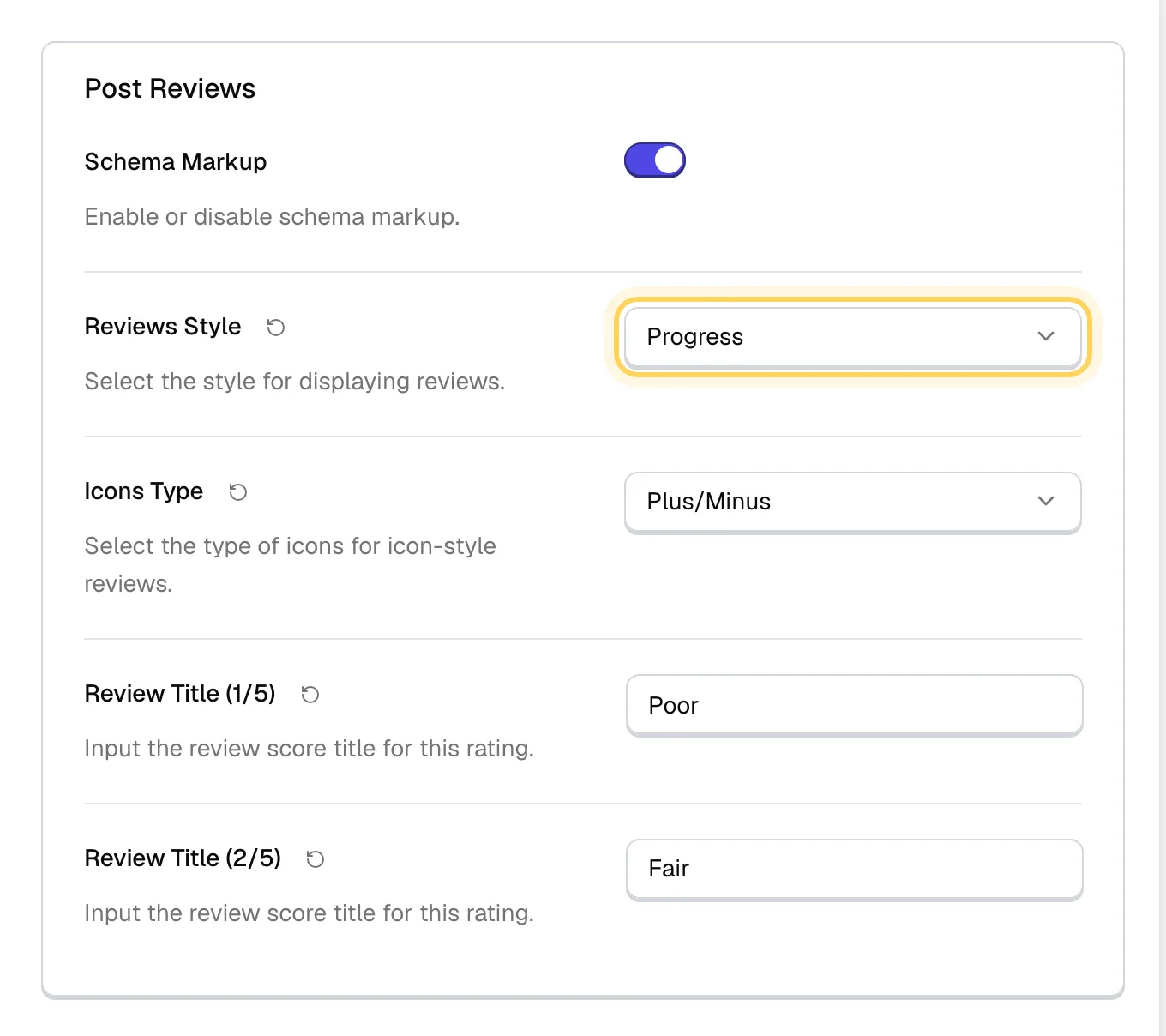
All reviews share the settings in [[Fabula Pro > Theme Options > Post Reviews]].
The style and score titles for every review.
:::options
- **Schema Markup** (default: on): Adds review structured data to the page, which search engines can read.
- **Reviews Style** (default: Points): How a score is drawn. Choose **Points**, **Progress**, **Reaction**, or **Icons**.
- **Review Emoji**: An image used by the **Reaction** style.
- **Icons Type** (default: Star): The icon used by the **Icons** style. Choose **Star**, **Heart**, **Shining**, **Checkbox**, or **Plus/Minus**.
- **Review Title (1/5)** to **Review Title (5/5)**: A word or phrase for each score, such as "Poor" or "Excellent". The review box shows the one matching the whole-number part of the score. All five are empty by default, so no label shows until you fill them in.
:::
The **Review Colors** group sets the **Icon Color** (default: `#f6d757`) and one color per score. The defaults are `#f17955` for 1/5, `#fbb851` for 2/5, `#f6d757` for 3/5, `#b6ea83` for 4/5, and `#75dc99` for 5/5.
## Limit who can edit reviews
By default, anyone who can edit a post can edit its review. To change that, turn on **Restrict Review Access** (default: off) in [[Fabula Pro > Theme Options > Post Reviews]]. **Allowed Roles** then lists the roles that may manage reviews, starting with administrator, editor, author, and contributor. Administrators always keep access.
## Show the score elsewhere
Two switches in [[Fabula Pro > Theme Options > Single Post]] on the **Meta** tab decide where else a score appears. **Display Review Score** (default: on) shows it in the post activity block, and the **Recent Posts** tab has **Review Score** (default: on) for the cards under a post.
## Questions
The review does not show on my post
Check that **Enable Review** is on in the **Post Review** box and that you updated the post. The review box needs an active Pro license, because Pro draws the single post.
Can I score out of 10 or 100?
No. Scores run from 1 to 5.