## Add a table of contents to posts
Product: Fabula - News & Magazine WordPress Theme
URL: https://hub.jkdevstudio.com/docs/fabula/the-single-post/table-of-contents
Updated: 2026-11-28
Summary: Show a table of contents beside long posts, choose the heading levels, hide it per post, leave headings out, or print it anywhere with the [fabula_toc] shortcode.
Availability: Pro only.
Fabula builds a table of contents from the headings in a post and shows it in the sticky column beside the text. Readers click an entry to jump to that section. The table needs the Pro plugin with an active license.
## Turn it on
:::steps
### Open the single post settings
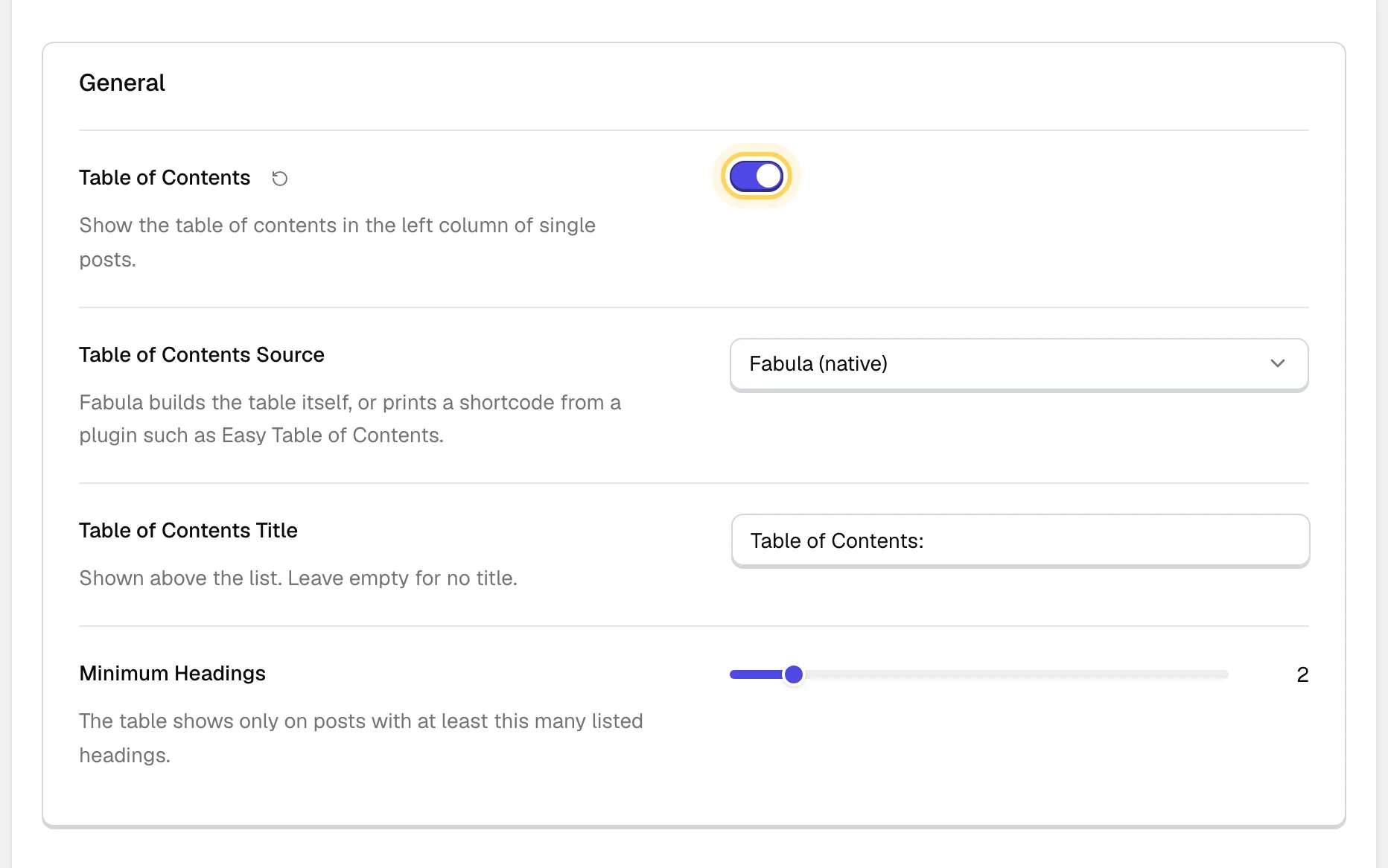
Go to [[Fabula Pro > Theme Options > Single Post]] and open the **General** tab.
### Switch the table on
Turn on **Table of Contents** (default: off).
The switch sits at the top of the group.
### Pick the source
**Table of Contents Source** (default: **Fabula (native)**) decides who builds the table. **Fabula (native)** builds it from the post's headings. **Shortcode** prints the output of another plugin's shortcode instead, see the last section below.
:::
The native table appears only on posts that have enough headings. A post with fewer listed headings than the minimum shows no table.
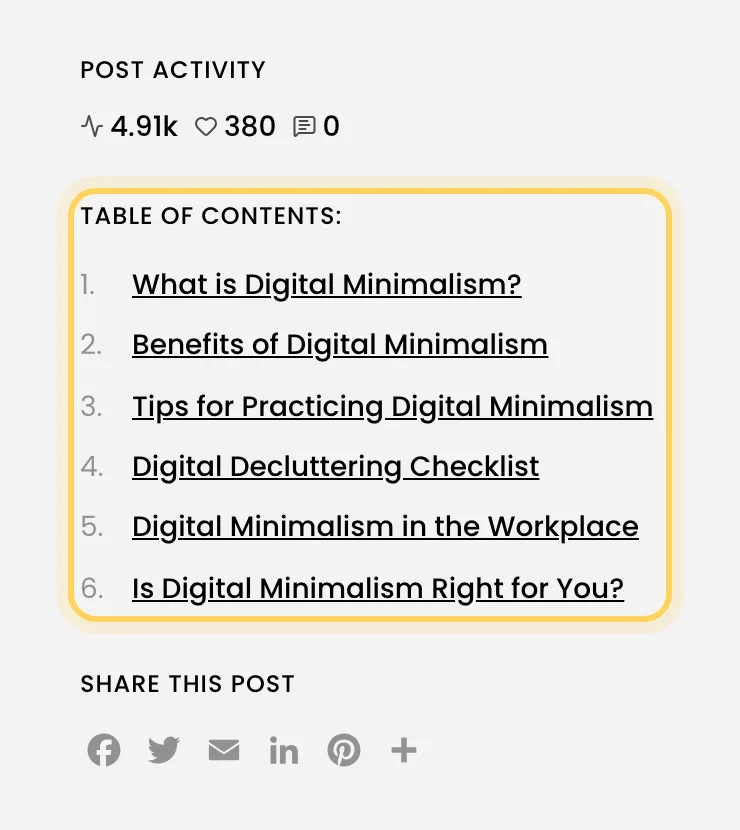
The table in the sticky column of a post.
## Tune the native table
These settings show while the source is **Fabula (native)**.
:::options
- **Table of Contents Title** (default: Table of Contents:): The text above the list. Leave it empty for no title.
- **Heading Levels** (default: H2 to H6): Which headings the table lists. You can pick any of H1 to H6.
- **Minimum Headings** (default: 2): The table shows only on posts with at least this many listed headings. Range 1 to 10.
- **Numbered Entries** (default: on): Numbers the entries as 1, 1.1, 1.2.
- **Keep Browser History Clean** (default: on): Clicking an entry scrolls to the section without adding a step to the browser's Back button.
- **Highlight the Current Section** (default: on): Marks the entry of the section being read.
- **Skip Containers With Class** (default: empty): CSS classes, separated by commas. Headings inside an element with one of these classes stay out of the table.
- **Skip Headings by Text** (default: empty): Headings whose text matches stay out of the table. See the next section.
:::
Entries are indented against the shallowest heading in the post, one level at a time. Every listed heading gets an anchor so the links work. A heading that already has an ID keeps it.
## Leave headings out
Five ways, from the widest to the narrowest.
**Hide the table on one post.** Open the post, find the **Post Settings** box, and turn on **Hide Table of Contents**. The native table is left out of that post only.
**Skip a container by class.** Any element with the class `fabula-toc-exclude` keeps its headings out, whatever the settings say. Add your own classes to **Skip Containers With Class**, for example `promo-box, sidebar-note`. A leading dot is ignored. The headings inside the element are skipped along with everything else in it. Content already marked with `ez-toc-exclude-headings` for Easy Table of Contents also works.
**Skip a container in Elementor.** Select the element, open **Advanced**, then **Responsive**, and turn on **Hide from Table of Contents**. It prints the `fabula-toc-exclude` class for you.
**Skip headings by their text.** In **Skip Headings by Text**, separate entries with `|` and use `*` as a wildcard. Case does not matter, and an entry must match the whole heading:
```text
Related*|*sponsored*
```
**Rely on the built-in skips.** Headings inside `nav` and `aside` elements, hidden elements, Fabula's quote titles, Elementor's own table of contents, posts, and loop grid widgets, and the WordPress query loop, latest posts, and RSS blocks never appear in the table.
## Print the table anywhere
The shortcode `[fabula_toc]` prints the native table wherever you put it in a single post: in the content, in a widget, or in an Elementor block. It uses the same levels, numbering, and exclusions as the column.
It prints nothing outside a single post, and nothing while **Table of Contents Source** is set to **Shortcode**.
If **Table of Contents** is also on, the post shows the table in the column and wherever you placed the shortcode.
## Use another plugin's table
Set **Table of Contents Source** to **Shortcode**. The field **Table of Contents Shortcode** (default: `[ez-toc]`) appears. Enter the shortcode of the plugin you use, such as Easy Table of Contents.
The column shows the shortcode's output, and shows nothing when the shortcode prints nothing. The title, levels, minimum, numbering, history, highlight, exclusion settings and the per-post **Hide Table of Contents** switch belong to the native table. They do not change what another plugin prints.
## Questions
The table does not show on a post
Check these in order. **Table of Contents** is on. The post has at least as many listed headings as **Minimum Headings**. **Hide Table of Contents** is off in the post's **Post Settings** box. The headings use a level selected in **Heading Levels**, and they are not inside an excluded container. The Pro plugin has an active license.
Does it need JavaScript?
No. The server builds the table and its anchors, so the links work without scripts. The script adds smooth scrolling, the clean browser history, and the highlight of the current section.
Where does the table sit in the column?
Below the post activity block and above the share buttons. Widgets you add to the left column of a post sit under it.