## Dashboard Overview
Product: Lazyline – Innovative Lazy-Load & LQIP WordPress Plugin
URL: https://hub.jkdevstudio.com/docs/lazyline/getting-started/dashboard-overview
Updated: 2026-04-05
Summary: A live snapshot of your lazy loading setup — active element types, placeholder method, current LQIP status, and quick links to each settings page.
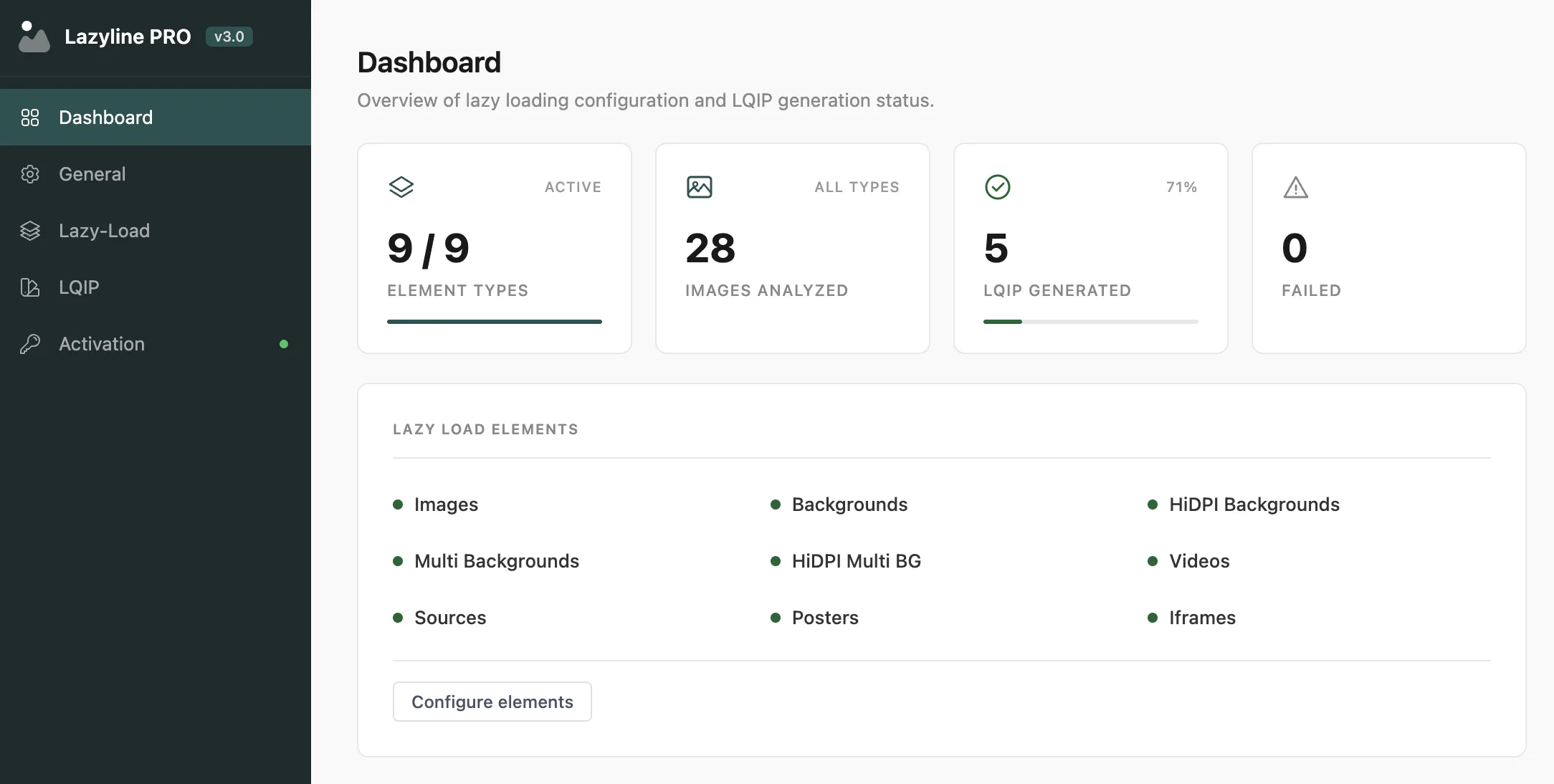
The Dashboard is the first thing you see after activation. It gives you a live snapshot of your lazy loading setup and LQIP generation status - no digging through settings required.
## Stat Cards
Four summary cards at the top of the page:
Card
What it shows
Element Types
Active lazy load element types out of 9 total, with a progress bar
Images Analyzed
Total images scanned across all LQIP types
LQIP Generated
Number of placeholders created, with completion percentage
Failed
Images that couldn't be processed during generation
If the **Failed** count is non-zero, head to **LQIP Settings > Batch Generation** to see which images failed. Common causes: unsupported format, missing file, or memory limit.
## Lazy Load Elements
A grid showing which of the 9 element types are currently enabled (green dot) or disabled (gray dot). Click **Configure elements** to jump directly to the Lazy Load settings page.
## LQIP Generation Table
A per-type breakdown of LQIP generation status across all four methods:
- **Progress** - visual progress bar with percentage complete
- **Generated / Failed / Pending** - exact counts for each state
- **Status** - one of: Complete, In progress, Has errors, Not analyzed, or Not generated
- The currently **active** type is highlighted with a pill badge
You can generate LQIP data for all four types and switch between them freely. Only the active type is shown to visitors.
## Configuration Summary
Key settings shown at a glance so you don't have to open each settings page:
- Plugin version and license status
- Active LQIP mode
- Viewport threshold
- Native lazy loading on/off
- Preloader type
- Dev mode status