## Customizer settings: logos, colors, and fonts
Product: Maniel - Blog & Magazine WordPress Theme
URL: https://hub.jkdevstudio.com/docs/maniel/theme-settings/customizer
Updated: 2026-11-27
Summary: The four Customizer sections Maniel Pro adds: logos and their widths, navigation height, the light and dark color schemes, and fonts with heading sizes.
Availability: Pro only.
The look of the site lives in [[Appearance > Customize > Maniel Theme]], in four sections that Maniel Pro adds: **Branding**, **Navigation**, **Color Scheme** and **Typography**. Changes preview live and apply when you press **Publish**.
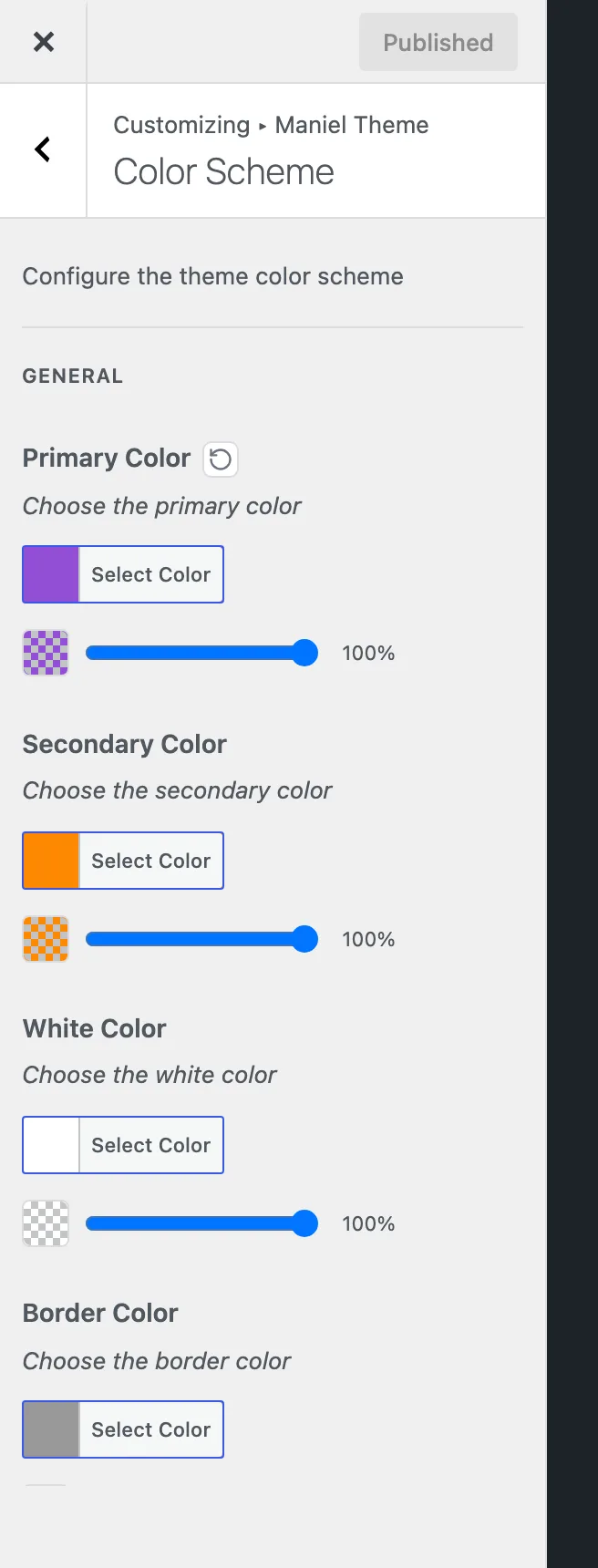
The general colors at the top of Color Scheme.
## Branding
:::options
- **Logotype**: Logo in the header. Without one, the header shows the site title.
- **Logotype Dark**: Logo used in the dark scheme.
- **Logotype Width** (default: 150): Width in pixels, from 20 to 300.
- **Mini Logotype**: Small logo for compact places such as the mobile header.
- **Mini Logotype Dark**: Small logo in the dark scheme.
- **Mini Logotype Width** (default: 35): Width in pixels, from 20 to 300.
:::
## Navigation
:::options
- **Navigation Height** (default: 80): Desktop header height in pixels.
- **Navigation Mobile Height** (default: 70): Header height on phones and tablets.
:::
## Color scheme
Four general colors apply everywhere: **Primary Color** (default `#924ed5`), **Secondary Color** (default `#fe8901`), **White Color** and **Border Color**. Each has an opacity slider under the color.
Below them come two sets of seven colors, **Default Scheme** and **Dark Scheme**: background, secondary background, text, heading, dark, inverted, and placeholder. Visitors switch schemes with the switch in the header, and the site follows their system setting until they do.
## Typography
**Heading Font** (default Nunito) and **Text Font** (default Rubik) pick the two families. Both defaults are served from your own site; another family is added through the font library, see [Adding fonts to your site](/knowledge-base/jkd-toolkit/adding-fonts-to-your-site).
Each heading from H1 to H6 has a size and letter spacing for four screen widths: **XL** (large desktop), **LG**, **MD** (tablet) and **SM** (phone).
## Questions
The color I set does not show in one place
Category and tag colors come from the fields on each category and tag, not from the Customizer. See [Fields on categories, tags, authors, menus, and pages](https://hub.jkdevstudio.com/docs/maniel/theme-settings/fields).