## Blog Settings
Product: Monogram - Personal Portfolio WordPress Theme
URL: https://hub.jkdevstudio.com/docs/monogram/customization/blog-settings
Updated: 2026-09-06
Summary: Every Customizer setting for the blog archive, single posts and post date formatting in Monogram, with defaults and what each one changes.
Monogram keeps blog settings in three Customizer sections: one for archive listings, one for individual posts, and one for the date format they share with the rest of the site.
## Blog archive
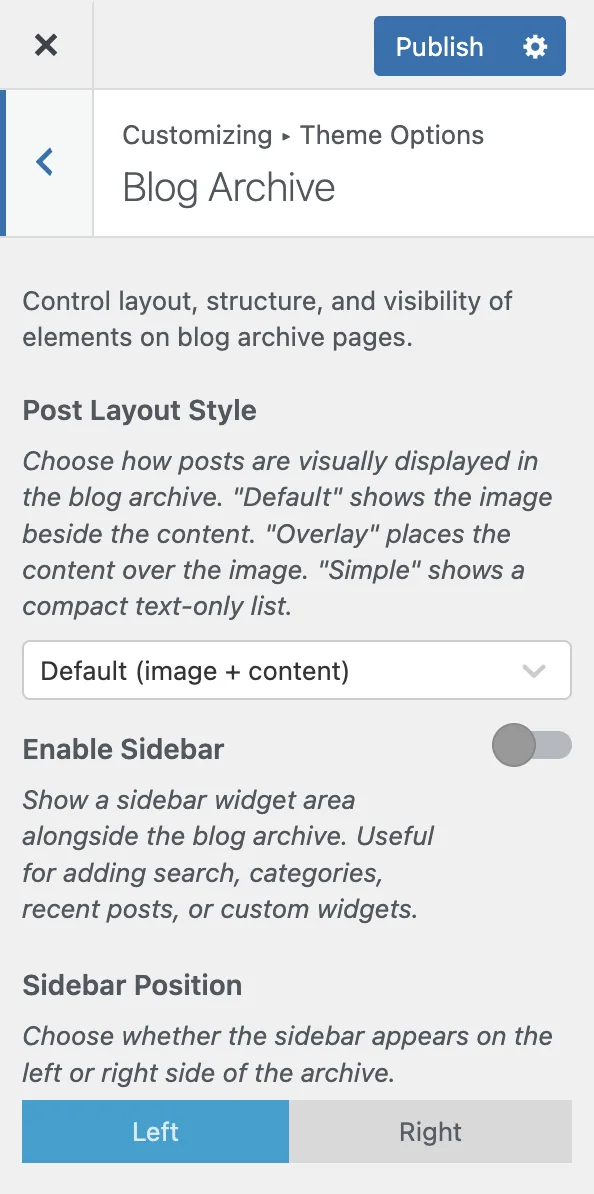
Open [[Appearance > Customize > Blog Archive]] to control how posts appear on listing pages.
:::options
- **Post layout style** (select, default: Default): How posts are displayed. `Default` puts the image beside the content, `Overlay` places the content over the image, `Simple` is a compact text-only list.
- **Enable sidebar** (toggle, default: on): Shows a widget area alongside the archive, for search, categories, recent posts or your own widgets.
- **Sidebar position** (radio, default: right): Which side the sidebar sits on. Only appears when the sidebar is enabled.
- **Column count** (slider, default: 3): Columns on desktop, from 1 to 4.
- **Category filter** (toggle, default: on): A row of clickable category links above the post list.
- **Featured image** (toggle, default: on): The post thumbnail on archive cards.
- **Featured label** (toggle, default: on): A badge on sticky posts, so they stand out from the rest.
- **Excerpt length** (number, default: 20): Words shown in the excerpt, from 5 to 60. Around 15 to 25 keeps cards compact.
- **Card thumbnail ratio** (select, default: 16/10): Aspect ratio for archive thumbnails.
:::
### What the three layout styles look like
`Default` is the standard blog layout: a featured image on one side, and the title, excerpt, categories and date on the other.
`Overlay` positions the post content over the featured image with a dark overlay behind the text, for a more visual, magazine-like listing.
`Simple` drops the images and leaves a minimal text list, which suits a content-heavy blog where readers scan by title.
The category filter renders as a row of buttons above your posts. Clicking one filters the archive without a page reload.
## Date format
Open [[Appearance > Customize > Theme Options > Date Format]]. This section controls the date printed across blog cards, single posts, search results, the custom post type list, portfolio cards and the Elementor posts list widget.
:::options
- **Date format** (select, default: WordPress setting): Where the format comes from. `WordPress setting` follows \[\[Settings > General\]\], so the date reads correctly in your site language. `Theme style` keeps the compact format each template shipped with before version 1.3.8. `Custom format` takes a format string of your own.
- **Custom format** (text, default: M j): A PHP date format string, the same syntax \[\[Settings > General\]\] uses. `d.m.Y` gives `31.07.2026`, and `j. F Y` gives `31. Juli 2026`. Only appears when the format is set to custom. Left empty, it falls back to the theme style.
:::
Month and weekday names are translated by WordPress from your site language, so a German site prints `Juli` without any translation file. The format decides the word order, which is why a site in a language that puts the day first needs this set to the WordPress setting or a custom format.
`Theme style` is not one format. Blog areas keep `Jul 31, 2026` and portfolio cards keep `2026.07.31`, which is what each of them looked like before the setting existed. The other two choices apply the same format everywhere.
Portfolio cards ignored this section until version 1.3.8.1 and always printed `2026.07.31`. If your project cards still show that date on a site set to the WordPress setting, update the theme and the JKD Theme Core Plugin.
## Single post
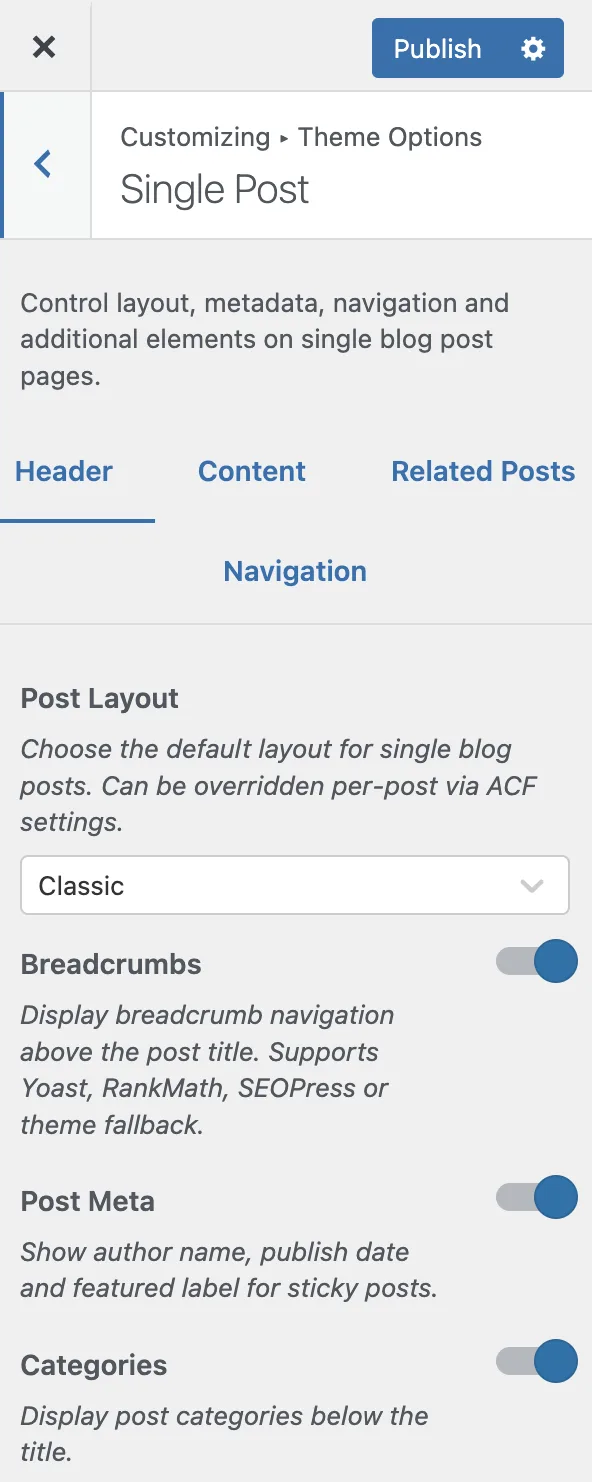
Open [[Appearance > Customize > Single Post]] to configure individual post pages. Its settings are grouped into three tabs.
### Header tab
:::options
- **Post layout** (select, default: Classic): `Classic` is a traditional top-to-bottom layout. `Split` puts the header on one side and the content on the other. A per-post ACF setting overrides this.
- **Breadcrumbs** (toggle, default: on): Breadcrumb navigation above the title. Reads from Yoast, Rank Math or SEOPress when one is active, and falls back to the theme breadcrumbs.
- **Post meta** (toggle, default: on): Author name, publish date, and the featured label on sticky posts.
- **Categories** (toggle, default: on): Post categories below the title.
:::
### Content tab
:::options
- **Featured image** (toggle, default: on): The featured image below the header, with parallax as you scroll.
- **Tags** (toggle, default: on): The tag list below the content.
- **Share section** (toggle, default: on): Social sharing buttons.
- **Share shortcode** (text, default: empty): The shortcode that renders those buttons, such as the AddToAny one. Only appears when the share section is enabled.
- **Comments** (toggle, default: on): The comment list and form at the end of the post.
:::
### Navigation tab
:::options
- **Post navigation** (toggle, default: on): Previous and next post links at the end of the post.
- **Navigation thumbnails** (toggle, default: on): Featured image thumbnails inside those links. Only appears when navigation is enabled.
- **Auto load next post** (toggle, default: off): Loads the next post when the reader reaches the end of the current one, for continuous reading.
:::
Auto load next post appends the next post over AJAX as you scroll, and updates the browser address bar as each one comes into view, so bookmarking and sharing still land on the right post.