## Theme Options Overview

Product: Monogram - Personal Portfolio WordPress Theme
URL: https://hub.jkdevstudio.com/docs/monogram/customization/theme-options-overview
Updated: 2026-04-14
Summary: Theme Options Overview
Monogram gives you full control over every visual detail of your site through the WordPress Customizer. All theme settings live in one place: Appearance &gt; Customize in your W

# Theme Options Overview

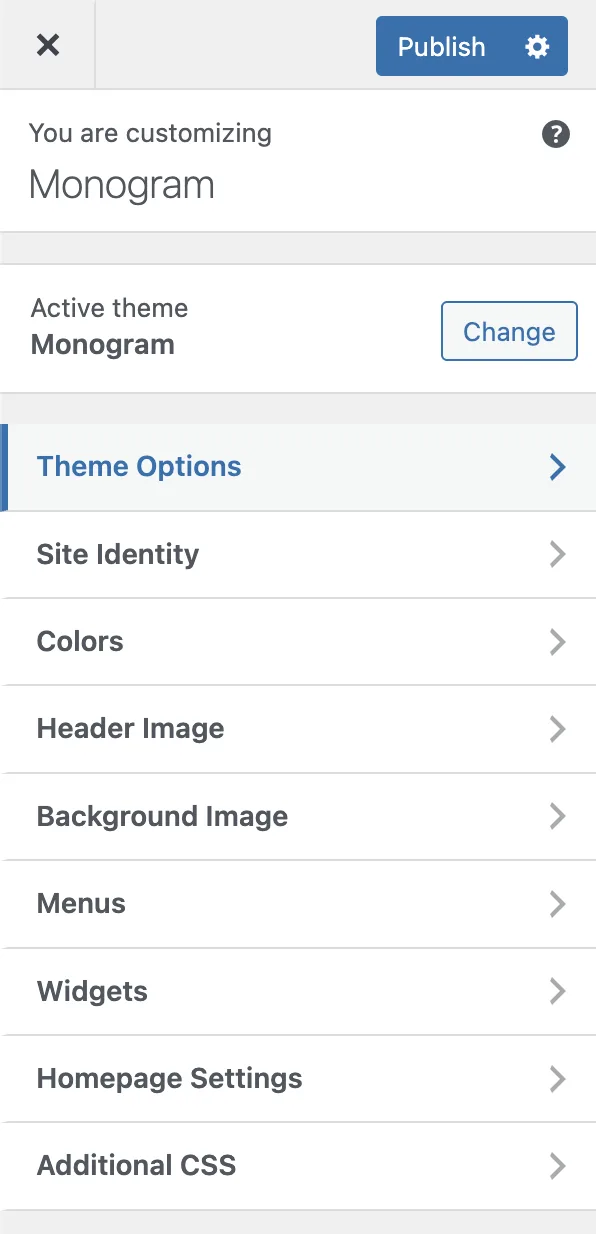
Monogram gives you full control over every visual detail of your site through the WordPress Customizer. All theme settings live in one place: **Appearance &gt; Customize** in your WordPress dashboard.

<figure class="doc-figure" data-width="25%" data-align="left" style="max-width: 25%; width: 100%; margin-left: 0px; margin-right: auto;"><img src="https://hub.jkdevstudio.com/storage/docs/2026/04/49227627-db57-4c89-9db1-2f68745971c4.webp" alt="" class="doc-image rounded-xl max-w-full"></figure>

## How the Customizer Works

The Customizer is a built-in WordPress feature that lets you tweak settings and see changes in real time. Monogram extends it with a rich set of panels powered by the **Kirki framework**, giving you sliders, color pickers, toggles, image uploaders, and more - all with instant live preview.

To open the Customizer:

1. Log in to your WordPress admin dashboard.
2. Go to **Appearance &gt; Customize**.
3. You will see a sidebar on the left with all available panels.
4. Click any panel to expand it and adjust settings.
5. Click **Publish** when you are happy with your changes.

<div data-callout="tip">

Changes are not saved until you click **Publish**. You can experiment freely and discard changes by closing the Customizer without publishing.

</div>

## Available Panels

Monogram organizes all theme options into the following panels. Each panel groups related settings together so you can find what you need quickly.

<table style="min-width: 50px;"><colgroup><col style="min-width: 25px;"><col style="min-width: 25px;"></colgroup><tbody><tr><th colspan="1" rowspan="1"><p>Panel</p></th><th colspan="1" rowspan="1"><p>What It Controls</p></th></tr><tr><td colspan="1" rowspan="1"><p><strong>Color Scheme</strong></p></td><td colspan="1" rowspan="1"><p>Dark/light mode toggle, accent color, background, text, border, and surface colors for both schemes</p></td></tr><tr><td colspan="1" rowspan="1"><p><strong>Typography</strong></p></td><td colspan="1" rowspan="1"><p>Font family, body text sizes, heading sizes (H1–H6), line heights, letter spacing, and font weights</p></td></tr><tr><td colspan="1" rowspan="1"><p><strong>Header &amp; Navigation</strong></p></td><td colspan="1" rowspan="1"><p>Sticky header, logo uploads, navbar dimensions, CTA button, search icon, mobile overlay, social links</p></td></tr><tr><td colspan="1" rowspan="1"><p><strong>Footer</strong></p></td><td colspan="1" rowspan="1"><p>Footer style (Classic or Creative Minimal), contact info, menus, social links, copyright text, before-footer template</p></td></tr><tr><td colspan="1" rowspan="1"><p><strong>Preloader</strong></p></td><td colspan="1" rowspan="1"><p>Page loading animation style and behavior</p></td></tr><tr><td colspan="1" rowspan="1"><p><strong>Page Transitions</strong></p></td><td colspan="1" rowspan="1"><p>Barba.js SPA-style transitions, loader settings, scroll behavior between pages</p></td></tr><tr><td colspan="1" rowspan="1"><p><strong>Animations</strong></p></td><td colspan="1" rowspan="1"><p>GSAP-based scroll and entrance animation settings</p></td></tr><tr><td colspan="1" rowspan="1"><p><strong>Smooth Scroll</strong></p></td><td colspan="1" rowspan="1"><p>Custom scroll speed, easing, and Elementor compatibility</p></td></tr><tr><td colspan="1" rowspan="1"><p><strong>Grain Overlay</strong></p></td><td colspan="1" rowspan="1"><p>Animated film grain texture effect (desktop only)</p></td></tr><tr><td colspan="1" rowspan="1"><p><strong>Sound &amp; Audio</strong></p></td><td colspan="1" rowspan="1"><p>Interactive sound effects for clicks and hover (desktop only)</p></td></tr><tr><td colspan="1" rowspan="1"><p><strong>Blog Archive</strong></p></td><td colspan="1" rowspan="1"><p>Post layout style, sidebar, columns, category filter, excerpt length</p></td></tr><tr><td colspan="1" rowspan="1"><p><strong>Single Post</strong></p></td><td colspan="1" rowspan="1"><p>Post layout, featured image, meta, tags, share buttons, comments, navigation</p></td></tr><tr><td colspan="1" rowspan="1"><p><strong>Portfolio</strong></p></td><td colspan="1" rowspan="1"><p>Archive layout type, grid settings, pagination, filter, intro text, single page settings</p></td></tr><tr><td colspan="1" rowspan="1"><p><strong>Breadcrumbs</strong></p></td><td colspan="1" rowspan="1"><p>Global breadcrumb toggle and source selection (Yoast, Rank Math, SEOPress, or theme default)</p></td></tr><tr><td colspan="1" rowspan="1"><p><strong>FAQ</strong></p></td><td colspan="1" rowspan="1"><p>FAQ page header configuration - background, height, breadcrumbs, text color</p></td></tr><tr><td colspan="1" rowspan="1"><p><strong>Scroll to Top</strong></p></td><td colspan="1" rowspan="1"><p>Scroll-to-top button visibility and behavior</p></td></tr><tr><td colspan="1" rowspan="1"><p><strong>404 Page</strong></p></td><td colspan="1" rowspan="1"><p>Error page title, description, mask visual, and CTA button</p></td></tr><tr><td colspan="1" rowspan="1"><p><strong>API Keys</strong></p></td><td colspan="1" rowspan="1"><p>Google Maps key, Algolia search credentials</p></td></tr><tr><td colspan="1" rowspan="1"><p><strong>Permalinks</strong></p></td><td colspan="1" rowspan="1"><p>Custom permalink structure options</p></td></tr><tr><td colspan="1" rowspan="1"><p><strong>Custom Post Types</strong></p></td><td colspan="1" rowspan="1"><p>CPT-related display settings</p></td></tr></tbody></table>

## Live Preview

Every setting in the Customizer updates the preview panel on the right side of your screen instantly. This means you can:

- Adjust a color and see how it looks across your entire page.
- Change font sizes and watch headings resize in real time.
- Toggle elements on or off without reloading.

<div data-callout="info">

Some settings (like footer style changes) may require a save and page reload to fully take effect. The Customizer will indicate this with a notice when applicable.

</div>

## Settings Storage

All Monogram theme settings are stored in a single WordPress option called `jkd_kirki`. This clean approach means your settings are portable and easy to back up. When you import a demo or migrate your site, all customizer values travel with the database.

The following articles in this section walk you through each panel in detail, with every setting explained.