## The Customizer has no color or font settings
URL: https://hub.jkdevstudio.com/knowledge-base/full-site-editing/block-theme-colors-and-fonts
Updated: 2026-10-26
Summary: Find colors, fonts and layout in a block theme: open Styles in the Site Editor, change them for the whole site, switch style variations or reset.
If [[Appearance > Customize]] opens without any color or font settings, or is not in the menu at all, your theme is a block theme. Its design lives in Styles, inside the Site Editor, and every change there applies to the whole site at once.
## Change colors and fonts in Styles
:::steps
### Open Styles
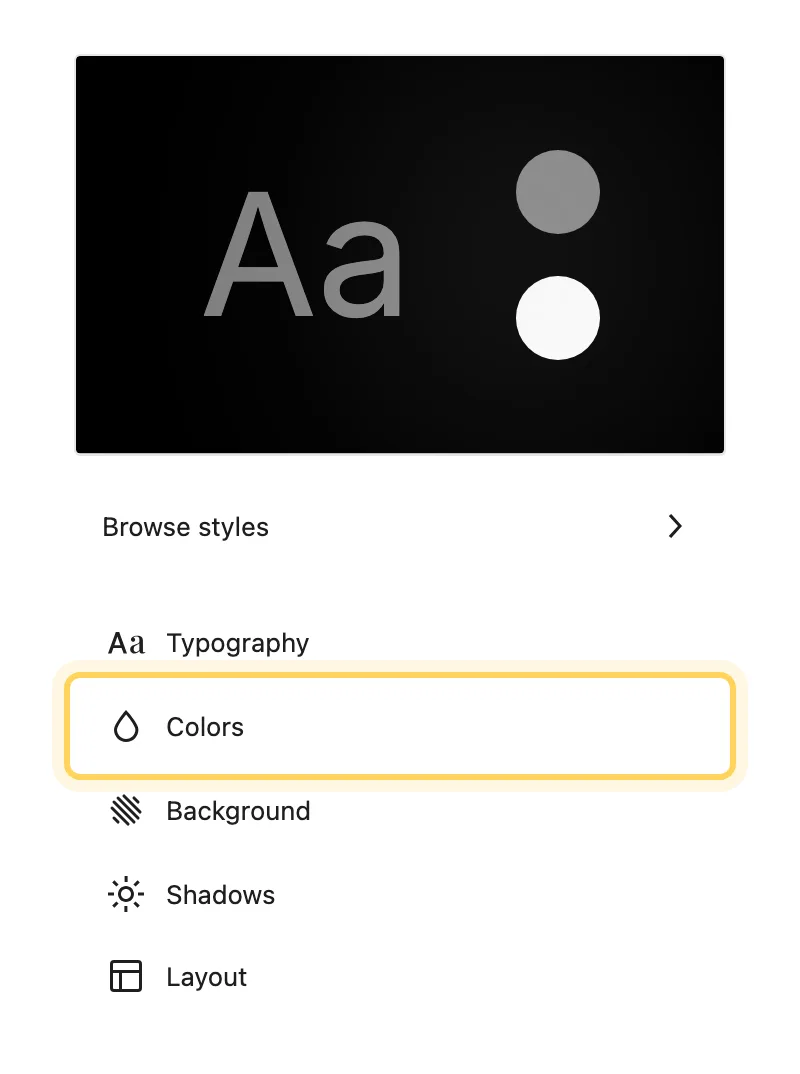
Go to [[Appearance > Editor > Styles]]. The panel lists **Browse styles**, **Typography**, **Colors**, **Background styles**, **Shadows**, **Layout** and **Blocks**, and the preview on the right shows the site.
Colors, fonts and layout, all in Styles.
### Change the color palette
Open **Colors**, then the palette, and click a swatch to change it. Every block that uses that color changes with it in the preview.
### Change the fonts
Open **Typography** and pick the element: **Text**, **Links**, **Headings**, **Captions** or **Buttons**. Choose the font, size and weight. To use a font the site does not have yet, see [adding a font to a block theme](/knowledge-base/full-site-editing/add-a-font-to-a-block-theme).
### Save
Click **Save** at the top. The front end shows the new colors and fonts on the next page load.
:::
To change one block type only, every heading or every button for example, open **Blocks** in Styles and pick the block. Its settings override the site-wide ones for that block alone.
## Try a style variation
**Browse styles** lists the theme's style variations, each a complete set of colors and fonts. Click one to preview it and **Save** to keep it. Everything stays editable after you apply it, so a variation is a starting point rather than a lock.
## Where these settings are stored
A block theme describes its design in a `theme.json` file: the palette, the font families, the type scale, the spacing and the layout widths. What you change in Styles is saved in the database on top of that file, so a theme update can bring new defaults without touching the values you set yourself. The [WordPress developer handbook on global settings and styles](https://developer.wordpress.org/themes/global-settings-and-styles/) describes the file.
## Questions
How do I undo my changes?
Open the **More** menu (the three dots) at the top of Styles and choose **Reset styles**. The site goes back to the theme's own design. Reset removes every change made in Styles, so note the values you want to keep first.
Where do I add custom CSS?
In the same **More** menu, choose **Additional CSS**. Before adding any, read [where to put custom CSS and JavaScript](/knowledge-base/customization/where-to-put-custom-css-and-javascript).
Do my styles survive a theme update?
Yes, they are stored apart from the theme files. Switching to a different theme does change them: styles are saved per theme, so a new theme, a child theme included, starts from its own design.
The theme's Customizer still has a few settings. Which ones belong there?
A block theme can keep behavior in the Customizer, such as animations or a color scheme switch. Anything that sets how the site looks, colors, fonts, spacing and widths, belongs in Styles.
## If a change does not show
Clear any page cache or caching plugin first, then reload the page while signed out. If the old design still shows, [settings will not save, or changes are not visible](/knowledge-base/troubleshooting/settings-not-saving) walks through the remaining causes, and you can [open a support request](/knowledge-base/support/getting-help-with-your-theme) from there.