## Weglot language switcher
URL: https://hub.jkdevstudio.com/knowledge-base/integration/weglot-language-switcher
Updated: 2026-11-06
Summary: A Weglot language switcher drawn in your jkdevstudio theme's style. It needs the Weglot plugin and an account, and you place it in the navigation settings.
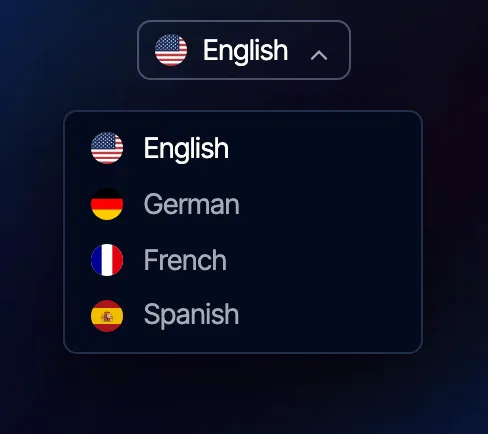
This integration renders a language switcher in the theme's style, instead of the one [Weglot](https://weglot.com/) draws itself.
In practice, the switcher looks like part of the header rather than an insert from elsewhere, and it behaves the same way on every screen size. Flags and language names come from Weglot.
The theme's switcher, the same for every provider.
## What we actually provide
Native support for Weglot inside our own markup.
Weglot does not store translations in your database. It translates through its own service and swaps the text on the way to the visitor, which means it has to find and replace content in a page the theme rendered. Anything the theme injects late, or draws in an unusual place, is where a proxy translation layer normally goes wrong.
So the integration does two things:
- puts the switcher where the theme controls it, drawn with the theme's own components, in the header slot the theme declares
- removes Weglot's own switcher stylesheets, so they cannot fight the theme's
Translating your site and setting up RTL
## What it does not do
The integration does not translate, and it does not change how translation happens or how translated content is displayed.
All of the multilingual work stays with Weglot and is configured there. Our part is exactly one thing: the switcher.
## What you need
Two things, both from Weglot. This integration sits on top of them.
:::deflist
The official Weglot plugin
: [Weglot](https://wordpress.org/plugins/weglot/) on wordpress.org, published by Weglot. Our integration expects that plugin specifically, and a third party plugin that talks to the same service is not a substitute.
A Weglot account with a plan
: The plugin is only a connector. The translations, the languages and the word allowance live in your Weglot account.
:::
The order: install Weglot first and configure your languages there, then enable our integration.
**Weglot is a paid hosted service, and the plugin alone does nothing without an account.**
A free tier exists and it is small, so a real site normally ends up on a paid plan. That subscription is between you and Weglot: we do not resell it, and it is not part of any theme license.
**The switcher lists what your Weglot account holds.**
A language that has not been added in your account will not appear in the switcher, whatever the site is doing. That is the difference from a plugin that stores everything locally. Their [setup guide](https://support.weglot.com/), plans and limits are theirs, and they change without our involvement.
## Where it is configured
This integration has no settings page of its own, because there is nothing in it to configure.
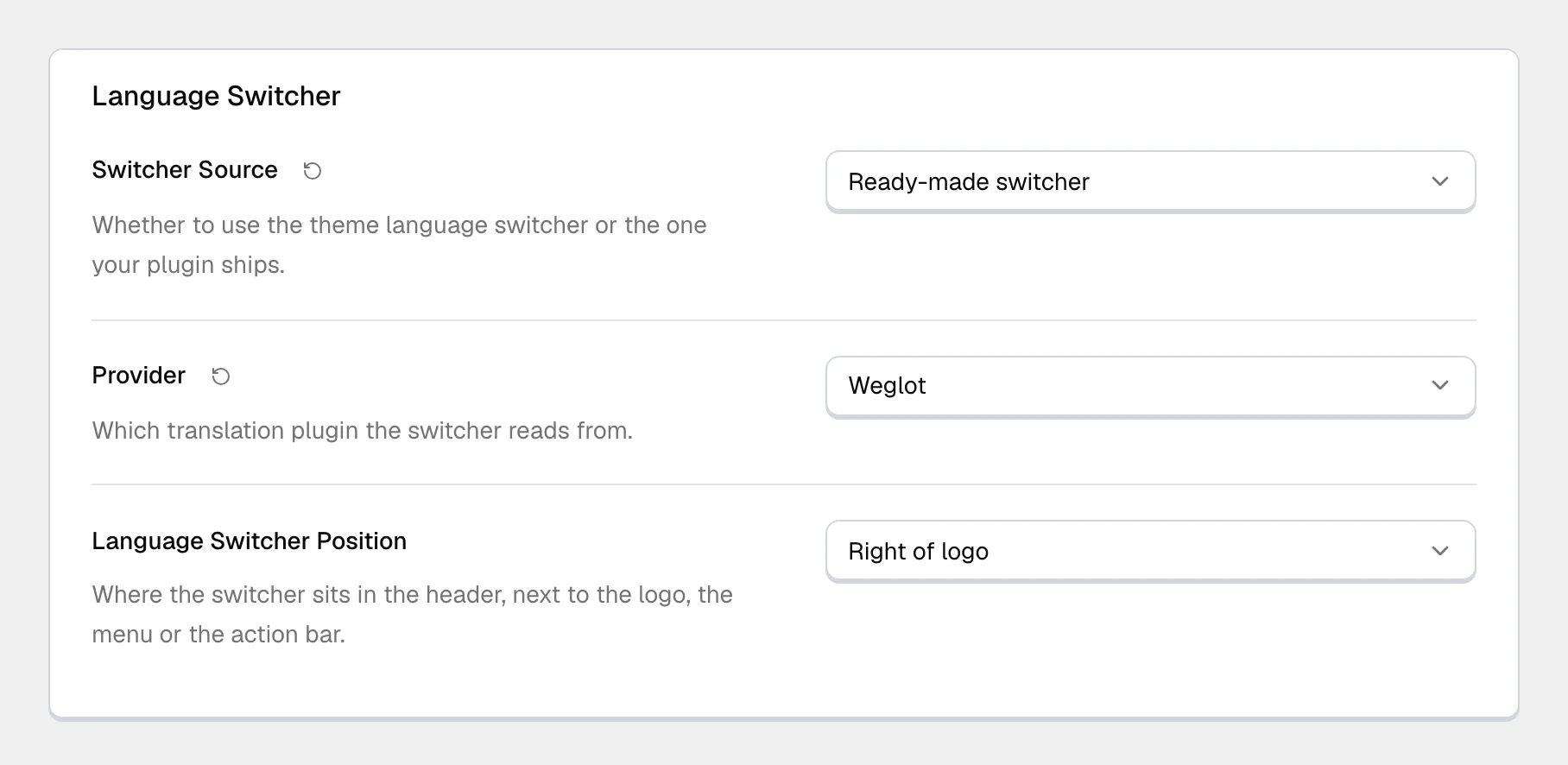
Every switcher setting lives where the switcher is rendered, in the theme's navigation settings: the switcher source, the provider, and its position in the header.
The switcher settings with Weglot as the provider.
The connection to the service is identical across all our themes. Where the switcher sits is different in each one.
The Weglot plugin itself is theirs. If a translation is wrong, slow or missing, that is a question for Weglot support. If the switcher is in the wrong place or looks wrong, that is ours.
**This integration is licensed with the theme, not on its own.**
Integrations are premium functionality for customers running a Pro license of one of our themes. They are written against our themes and expect them, and we cannot support or take responsibility for what one does inside somebody else's theme. See [how theme integrations work](/knowledge-base/jkd-toolkit/how-theme-integrations-work).
## Common questions
A language is missing from the switcher
Check your Weglot account rather than the theme. The switcher lists exactly what Weglot reports, so a language missing there is missing here.
Can I use the Weglot switcher instead?
Yes, and you do not have to deactivate anything. In the navigation settings, set **Switcher Source** to **Shortcode** and paste the shortcode of the Weglot switcher: Weglot then draws its own switcher with its own styling. Deactivating this integration brings Weglot's switcher and stylesheets back as well.
Does the theme affect my Weglot word count?
No. Translation volume is between you and Weglot, and the switcher adds nothing to it.
Do I need a Weglot subscription?
Yes, for anything past their free allowance. Weglot is a hosted service: the translations are produced and served by it, not by the plugin. Which plan you need is a question for Weglot.
The switcher does not appear at all
Check that Weglot is active and that the account holds more than one language. Then check the navigation settings where the switcher is enabled and positioned. If both look right, clear any page cache: a cached header is the usual reason a correct configuration shows nothing.