## Typography
Product: Elisen – Blog & Magazine WordPress Theme
URL: https://hub.jkdevstudio.com/docs/elisen/customizer/typography
Updated: 2026-11-27
Summary: Choose the heading and text fonts for Elisen and scale heading, body, and meta text sizes from the Typography section of the Customizer.
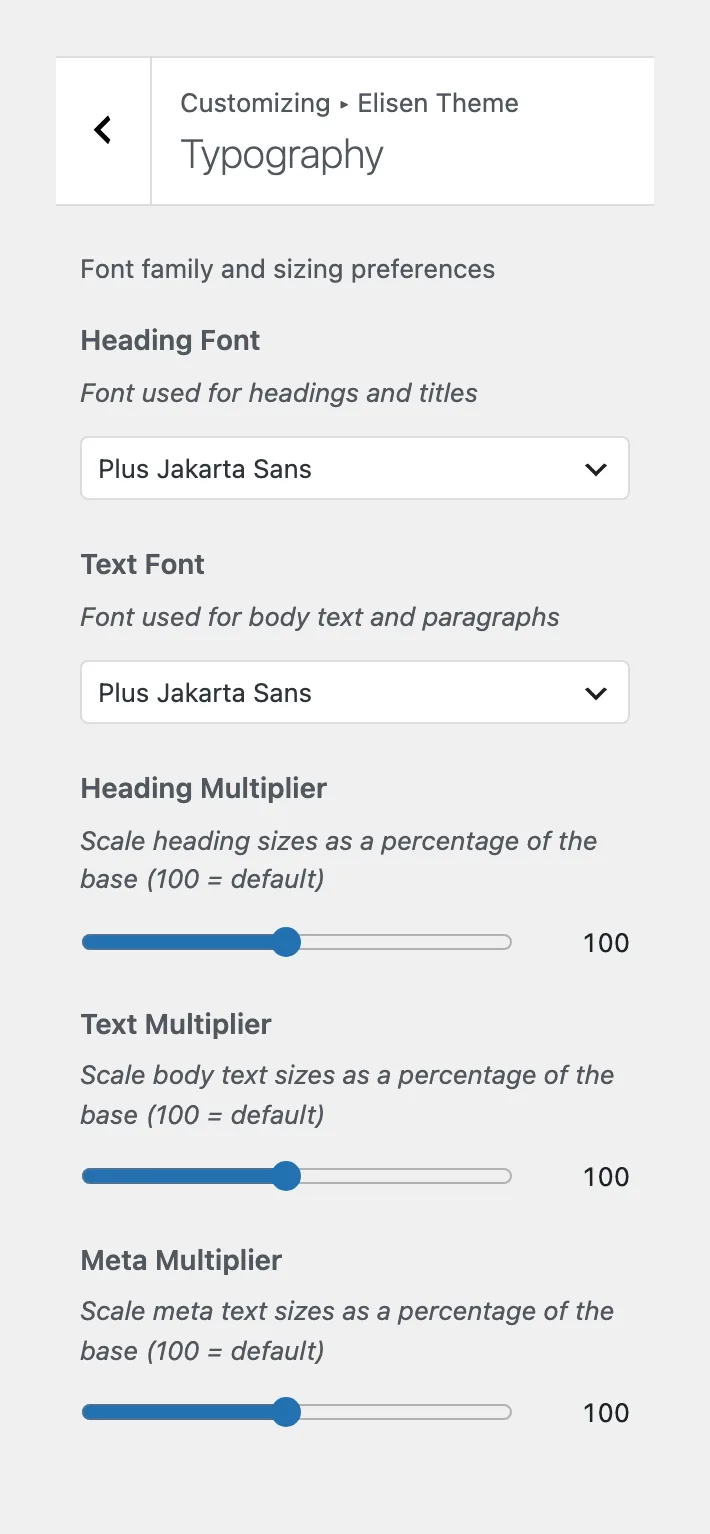
The Typography section sets two fonts and three size multipliers. Open it at [[Appearance > Customize > Elisen Theme > Typography]]. The section needs the Elisen Pro plugin with an active license.
## Two font pickers set the headings and the body text
Two fonts and three size multipliers.
:::options
- **Heading Font** (default: Plus Jakarta Sans): Font for headings and titles. The default loads weights 400 to 800.
- **Text Font** (default: Plus Jakarta Sans): Font for body text and paragraphs. The default loads weights 400 to 800.
:::
Plus Jakarta Sans ships with the theme, so the defaults load from your own site and make no request to Google. Adding other families, trimming the weights that load, and serving files locally is covered in Adding fonts to your site.
## Three multipliers scale the type without touching each size
Each multiplier is a percentage of the theme's base size, from 10 to 200 in steps of 1. At 100 nothing changes.
:::options
- **Heading Multiplier** (default: 100): Scales heading sizes.
- **Text Multiplier** (default: 100): Scales body text sizes.
- **Meta Multiplier** (default: 100): Scales meta text sizes.
:::