
A block theme takes its fonts from the WordPress Font Library. Add the font there once, and it becomes a choice for text, headings and buttons in Styles.
#Add a font and use it
Open the Font Library
Go to AppearanceFonts. The screen has three tabs: Library (the fonts the site already has, grouped under Theme and Custom), Upload and Install Fonts.
Upload the font, or install it from Google
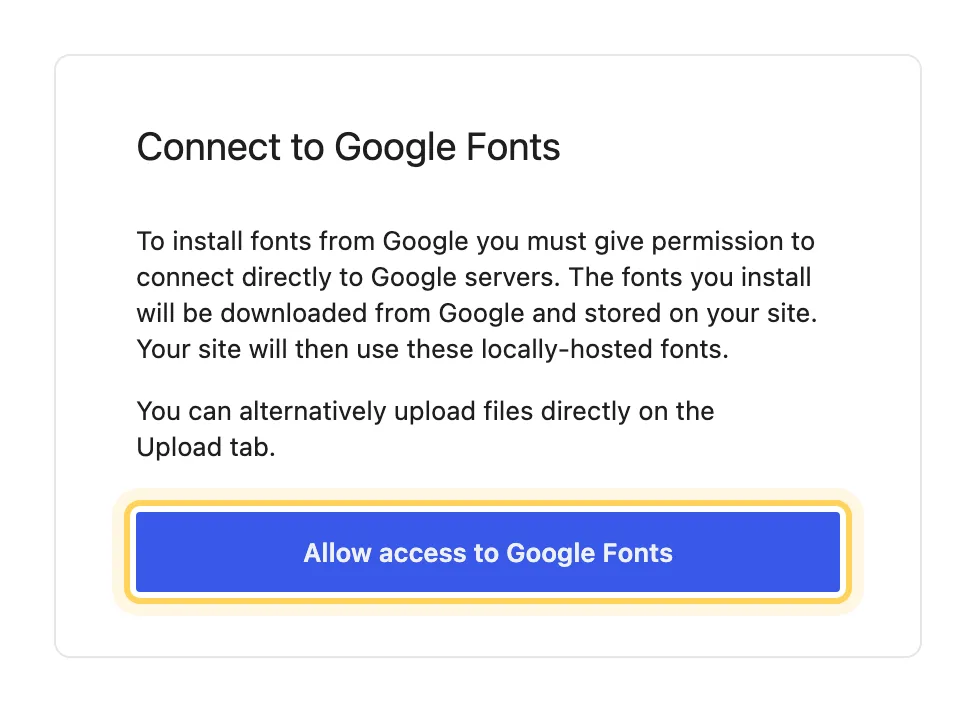
On Upload, drop the font files you own, such as .woff2 or .ttf. On Install Fonts, click Allow access to Google Fonts, search for the family and install the weights you need. Either way the files are stored on your own site, and the font appears in Library under Custom.
Choose it in Styles
Go to AppearanceEditorStyles, open Typography and pick the element, Text or Headings for example. Choose the new font and click Save. The front end uses it on the next page load.
The same Font Library opens from Styles too: Typography has a Manage fonts button.
#Why the fonts are stored on your site
Fonts installed through Install Fonts are downloaded from Google once and then served from your own server, so a visitor's browser never contacts Google to show your pages. That is what the permission step asks you to allow, and it is why uploading the files yourself is offered right next to it.
#Questions
How many weights should I install?
The ones the design uses, often a regular and a bold. A browser downloads only the weights a page actually shows, so extra ones cost no speed, but every installed weight is another entry in the lists Styles offers.
My theme's dashboard has its own fonts screen. Which one do I use?
For a block theme, fonts that Styles can use come from AppearanceFonts. Add them there and pick them in Styles.
Can I remove a font?
Open the font in Library and delete it. If a block or a Styles setting still uses it, that text falls back to the next font in its list, so choose a replacement in Styles first.
#If the font does not show up
Check that the font appears in Library and that you saved Styles after choosing it. Then clear the page cache and reload while signed out. If an uploaded file is refused, the server may block that file type; open a support request with the file name and the message you saw.
#Still stuck
Open a support ticket and say what you tried and where it stopped. Your product, your domain, a screenshot and the exact message you saw are usually enough to settle it in one reply.
Last updated
