
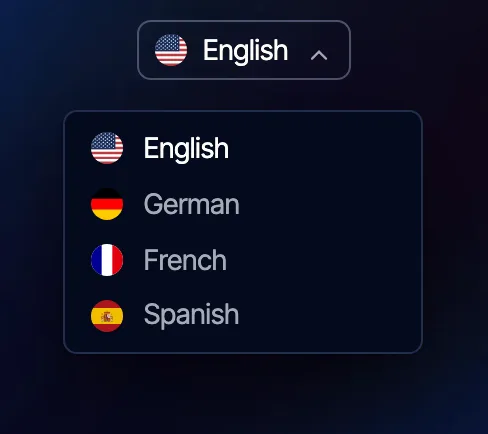
This integration renders a language switcher in the theme's style, in place of the one WPML draws itself.
In practice, the switcher looks like part of the header and behaves the same way on every screen size. Flags and language names still come from WPML.
The WPML switcher stylesheets are also removed, so they cannot conflict with the theme.
#What it does not do
The integration does not translate. It does not touch how translation happens or how translated content is displayed.
All of the multilingual work, the languages, the translations and the page addresses, stays with WPML and is configured as described in its own documentation.
Our part is exactly one thing: the switcher.
#What you need
WPML is commercial software, and this integration needs a working copy of it.
That means two things: the plugin installed and active, and a current WPML license registered on the site. WPML has no free edition, and an unregistered or expired copy stops receiving updates. Buy it from wpml.org, and register the site key in WPMLSupportRegistration.
We do not resell WPML, and a WPML license is not part of any theme license. That side of it is between you and OnTheGoSystems.
The order: WPML first, registered, with your languages configured in it, then our integration. Without languages there is nothing for a switcher to show.
#Where it is configured
This integration has no page in the Integrations block, because there is nothing in it to configure.
Every switcher setting lives where the switcher is rendered, in the theme's navigation settings: the switcher source, the provider, and its position in the header.
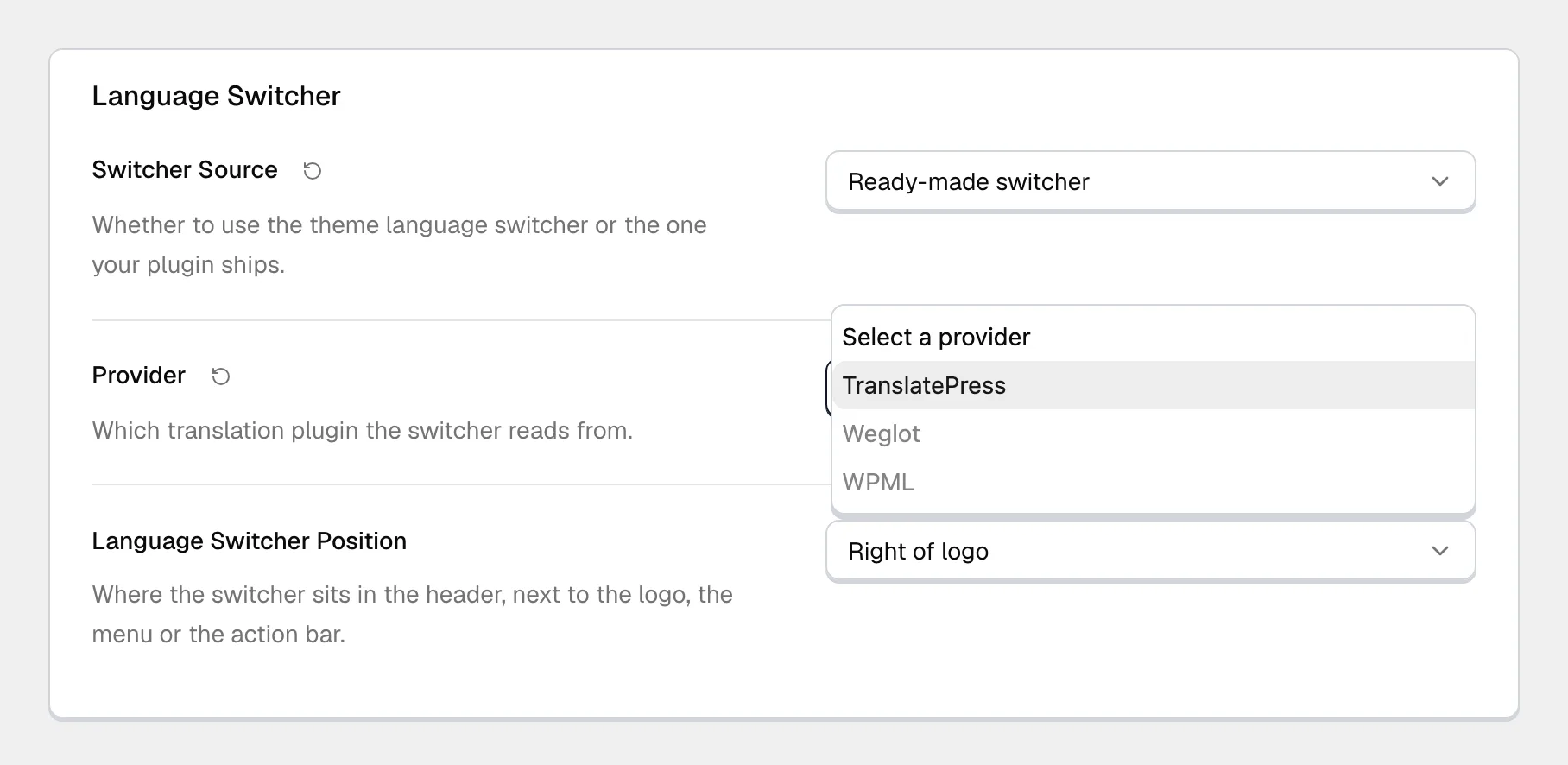
The connection to the service is identical across all our themes, while the switcher's placement is different in each one. That is why the settings sit with the navigation.
This integration is licensed with the theme, not on its own.
Integrations are premium functionality for customers running a Pro license of one of our themes. They are written against our themes and expect them, and we cannot support or take responsibility for what one does inside somebody else's theme. See how theme integrations work.
#Common questions
Why is my switcher empty?
No languages are configured in WPML, or only one is. The switcher shows exactly what WPML hands it and adds no entries of its own.
Can I use the WPML switcher instead?
Yes, and you do not have to deactivate anything. In the navigation settings, set Switcher Source to Shortcode and paste the shortcode of the WPML switcher: WPML then draws its own switcher with its own styling. Deactivating this integration brings the WPML switcher and its stylesheets back as well, since we remove them only while ours is on.
My WPML license expired. Does the switcher stop?
The switcher keeps rendering whatever WPML still hands it, so an expired registration does not switch it off on its own. WPML itself stops updating, and the parts of it tied to a paid account are no longer available to you. That is a WPML matter, not a theme one, and it is resolved on wpml.org.
Does this handle translating the admin interface?
No. That is a different job, done by the translation plugin reading our text domains. This integration is only about the control your visitors click.
Do I need this if my site is in one language?
No. A single-language site needs neither WPML nor this integration.
The switcher does not appear at all
Check that WPML is active, registered and has more than one language. Then check the navigation settings where the switcher is enabled and positioned. If both look right, clear any page cache, because a cached header is the most common reason a correctly configured switcher stays invisible.
#Still stuck
Open a support ticket and say what you tried and where it stopped. Your product, your domain, a screenshot and the exact message you saw are usually enough to settle it in one reply.
Last updated
