
Fields on posts, pages, categories, and products - Osmond
Fields change one object without touching the rest of the site: one post gets its own layout, one category its own color, one product a video. They come with Osmond Pro and need an active license. Each group appears in a box below the editor, or on the edit screen of the category, user, or menu item.
A field left empty or on Default uses the setting from Theme Options.
#Posts
In the post editor, the boxes sit in the sidebar under the post settings.
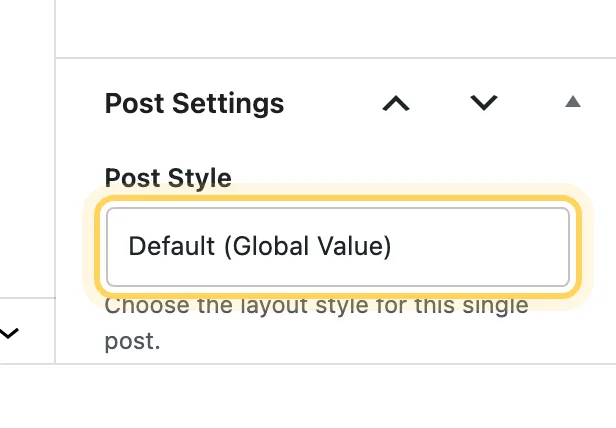
- Post Settings
Post Style picks one of the single post layouts for this post: simple, boxed, full width, two-side boxed or wide, background boxed or full width, parallax boxed or full width, sticky left or right. Default follows the global value.
- Meta Post Settings
Post Subtitle, a line under the title.
- Post Review Settings
Turns the post into a review: an image, an overall rating, pros and cons lists, a breakdown of rated parts, and a button with its own link.
- Sponsored Post Settings
Marks the post as sponsored and sets the label text.
- Gallery, Audio, Video, and Link Settings
Appear when the post uses that format. The video can be a file you host or a link.
#Pages and every other post type
- Page Header
Turns the title area on or off for this page and sets its style (default, classic, minimal, or image), the title tag, a header image with optional parallax, the alignment, breadcrumbs, and a bottom border.
- Navigation and Footer
Hide the header or the footer on this page, for example on a landing page.
#Categories, tags, and authors
- Category Options
Category Color for labels and highlights, and Category Thumbnail for archives, the mega menu, and widgets. Edit them at PostsCategories.
- Tag Options
Tag Color.
- User Options
An Avatar used wherever the author's picture shows (empty means Gravatar), a color, and social links for the author box. Edit them on the user's profile.
#Menu items
In AppearanceMenus each item gets three options:
- Megamenu
Opens a full-width mega menu from this item. Works on top-level items only.
- Category Sub-Menu
Opens a sub-menu panel for this category. Works on category links only.
- Menu Item Label
A small colored label beside the item, with its own text and color.
#Products and careers
- Product Labels
New Label shows a New badge on the product in shop listings.
- Video Gallery
Adds videos to the product gallery, each with a preview image, a position among the images, and a hosted file or a link.
- Position Options
For career positions: location, working hours, category, and the apply button text and link.
Last updated
Was this article helpful?

- Installing from a zip
- Installing over FTP
- Server requirements
- Choosing hosting
- Domain and HTTPS
- Preparing WordPress
- Before you install
- Installing the Pro plugin
- Activating your license
- Deactivating a license
- Moving a license, and staging
- How the license check works
- What survives a theme change
- Removing the theme cleanly
On this page
