
Theme Options - Osmond
Theme Options control what Osmond does: the header and its tools, the footer, the newsletter pop-up, posts, the shop, and the product page. They come with Osmond Pro and need an active license. Open them at Osmond ProTheme Options.
Each page below lists its settings with the default. Logos, fonts, and colors are in the Customizer. One post, page, or product can override some of these defaults with its own fields.
#Navigation
The header and everything in it. The page is split into groups: Layout, Features, Categories megamenu, Cart and wishlist, and Top banner.
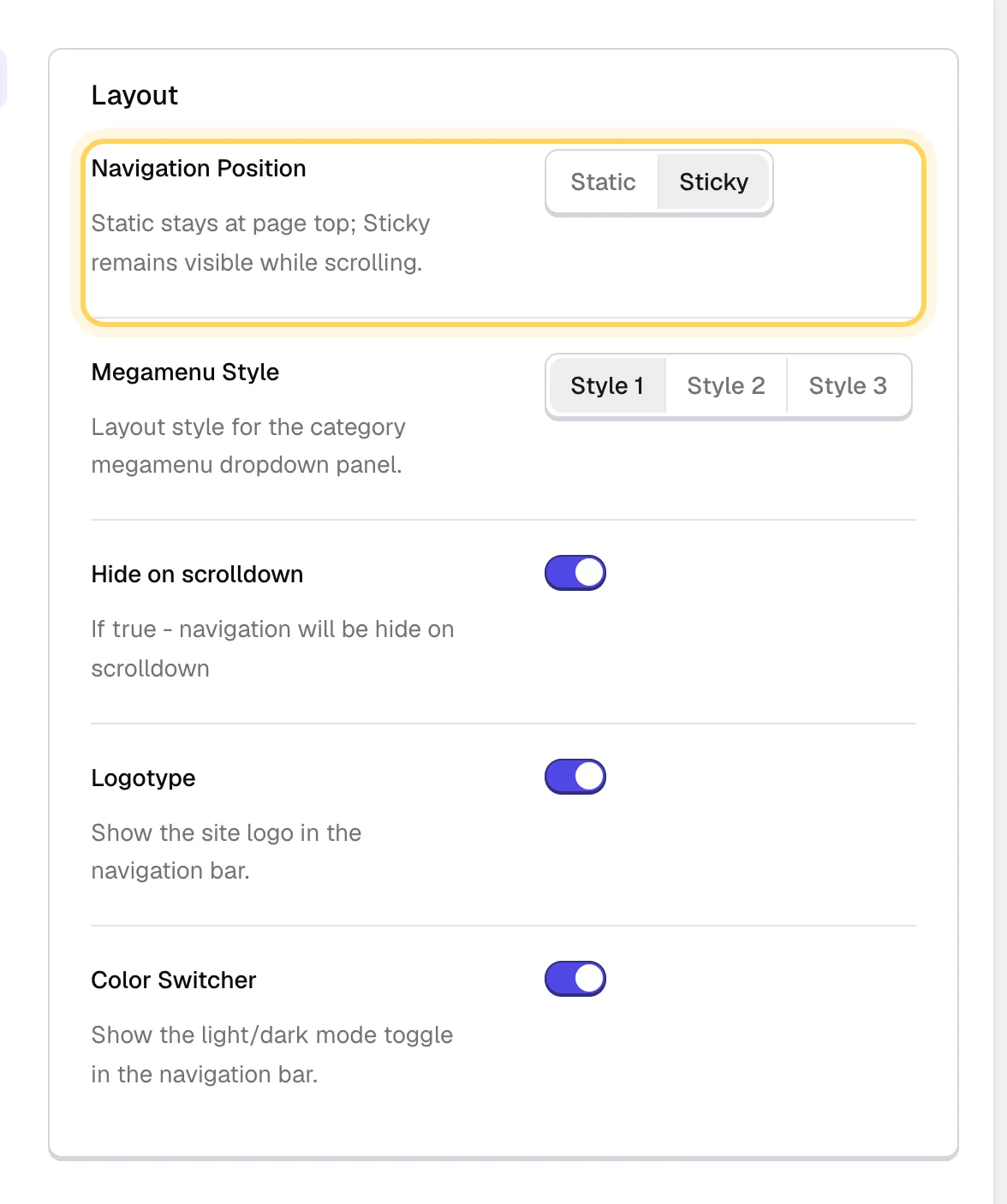
Whether the header stays at the top while scrolling.
The look of the category mega menu, one of three styles.
The header slides away while the visitor scrolls down and returns on scroll up.
Shows the logo.
Shows the light and dark switch.
Turn each header item on or off. Search AJAX shows results while the visitor types.
Lists the visitor's saved posts in the header.
The category panel that shows the latest posts on hover. Categories Count (default: 12) sets how many categories it lists, and Show Author adds the author's name and avatar to each post card.
The cart in the header. Cart Style (default: sub-menu) is an icon only, a drop-down mini cart, or a panel that slides out from the side. AJAX Cart updates quantities without a reload.
The wishlist link, shown when the TI WooCommerce Wishlist plugin is active.
The strip above the header, with its own text, button text, and button link.
#Footer
Turn each footer row on or off.
The copyright text is on the Branding page. Write {year} where the current year should appear. Social links for the header and footer are on the Social page.
#Newsletter
A pop-up that invites visitors to subscribe.
Turns the pop-up on.
Wait time in milliseconds before it opens.
The text above the form.
Paste the form shortcode from Mailchimp for WordPress or Contact Form 7 here. The pop-up stays empty without it.
The picture beside the form.
Adds a checkbox that lets a visitor turn the pop-up off for good.
#Blog and comments
The page that lists every category.
Pagination under post listings. Pagination Type switches between numbered pages, a load more button, and infinite loading. Pagination Alignment (default: center) places it.
Comments post without a page reload. Pagination Type splits long threads into numbered pages or a load more button.
#Single post
These are the defaults for every post. A single post picks its own layout in its Post Style field.
The reading tools around the post.
A row of more posts below the article. Recent Posts Style (default: list), Recent By (default: categories) and Number of Posts (default: 6) shape it.
Links to the previous and next post. Navigation Style (default: simple).
Each with its own style setting.
The share buttons. Share List Style chooses between the default row and a bar that sticks to the side.
A promo strip on the post with background, text, and button. Banner Alignment (default: top) places it.
#Shop
The default or minimal product grid.
Products per row and per page.
Numbered pages, load more, or infinite loading.
Products newer than this many days get the New label.
The title area above the products.
The filter panel. Filter Sidebar Type (default: fixed) opens it as a side panel; inline keeps it beside the products. Its contents are the widgets in the Shop filters sidebar area at AppearanceWidgets.
Suggestions in the cart. Cross-Sells Items Limit (default: 5).
A promo strip on the shop. Banner Alignment (default: bottom).
#Product page
The default or two-side layout.
Which side the product details sit on.
The image zooms where the cursor points.
Each with an item limit (default: 5) and Related Items Columns (default: 4).
#Other pages
General turns on a custom cursor that follows the mouse. Error Page sets the title, subtitle, and links on the 404 page.
To change these settings by talking to your site, see Connect Claude or another AI assistant to your site.
Last updated
Was this article helpful?

- Installing from a zip
- Installing over FTP
- Server requirements
- Choosing hosting
- Domain and HTTPS
- Preparing WordPress
- Before you install
- Installing the Pro plugin
- Activating your license
- Deactivating a license
- Moving a license, and staging
- How the license check works
- What survives a theme change
- Removing the theme cleanly
On this page
