
Elementor widgets and sidebar widgets - Osmond
Osmond Pro adds its own widgets to Elementor and to the WordPress sidebars. The plugins the demo uses (Elementor, WooCommerce, Contact Form 7, Mailchimp for WordPress, and TI WooCommerce Wishlist) are the standard plugins from wordpress.org, and the demo import installs them for you.
#Elementor widgets
In the Elementor panel, search for the widget by name.
- Posts Grid
Posts in grid layouts, with columns, content, and pagination options.
- Posts Slider
Posts in a slider with several layout styles.
- Posts Packery
Posts in a masonry grid.
- Posts Tabs
Posts grouped by category, one tab per category.
- Categories slider
Categories in a horizontal slider with their images and colors.
- Category List
A list of categories with post counts.
- Tags Cloud
Post tags as a cloud or a list.
- Author Box and User List
One author's card, or a grid of authors, with avatars and social links.
- Career List
Open positions from the Careers section.
- CF7 Contact Form
A Contact Form 7 form styled to match the theme.
- Accordions and Button
Collapsible sections and a styled button.
#Sidebar widgets
At AppearanceWidgets, Osmond Pro adds JKD About Author, JKD Recent Posts, and JKD Categories. The theme has three widget areas: Blog sidebar, Footer sidebar, and Shop filters sidebar.
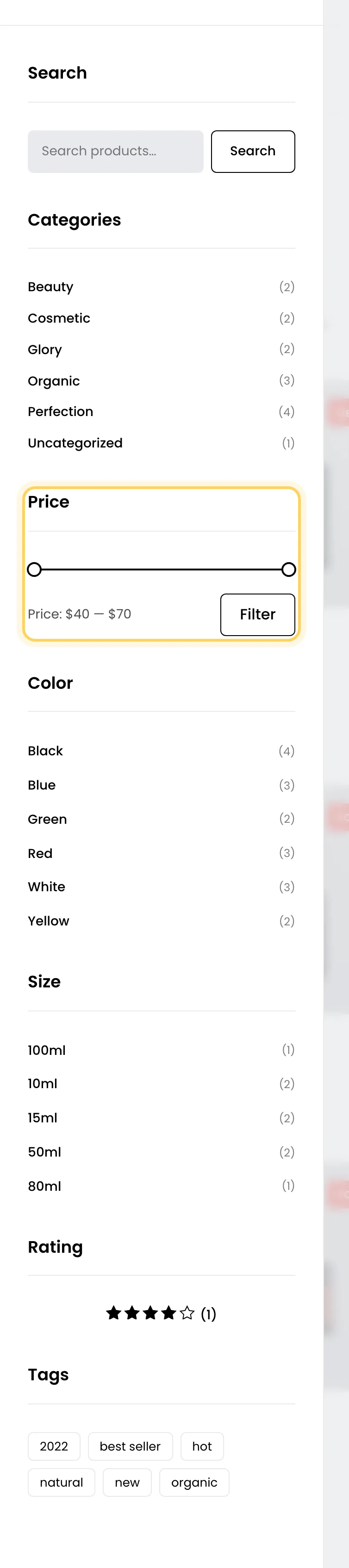
The shop filters area holds the WooCommerce filter widgets, such as product search, categories, price, attributes, rating, and tags. They open from the Filter button in the shop.
Why an area is empty or missing is covered in Widget areas: what they are and why one is missing.
Last updated
Was this article helpful?

- Installing from a zip
- Installing over FTP
- Server requirements
- Choosing hosting
- Domain and HTTPS
- Preparing WordPress
- Before you install
- Installing the Pro plugin
- Activating your license
- Deactivating a license
- Moving a license, and staging
- How the license check works
- What survives a theme change
- Removing the theme cleanly
On this page
