
This integration connects your Mailchimp account to the signup form on your site. People who use the form go into your Mailchimp audience.
It is self-contained: the theme calls the Mailchimp API itself, so there is no third-party plugin to install.
#What you need from Mailchimp
Three things: an account, an audience, and an API key. All three are created inside Mailchimp, and Mailchimp's own help explains each step. Their interface changes without our involvement, so we link their pages instead of repeating them:
A Mailchimp API key ends with a hyphen and a short data center code, such as -us21. Copy the whole key, including that ending: the integration reads the data center from it, and a key without it is treated as no key at all.
An API key grants access to your whole Mailchimp account.
Do not share or publish it. The setting stores it as a password and never displays it in plain text again. If a key ever leaks, revoke it in Mailchimp.
#Connecting
Open Theme OptionsIntegrationsMailchimp. The Credentials group holds the API key and Audience ID fields. Fill both and save.
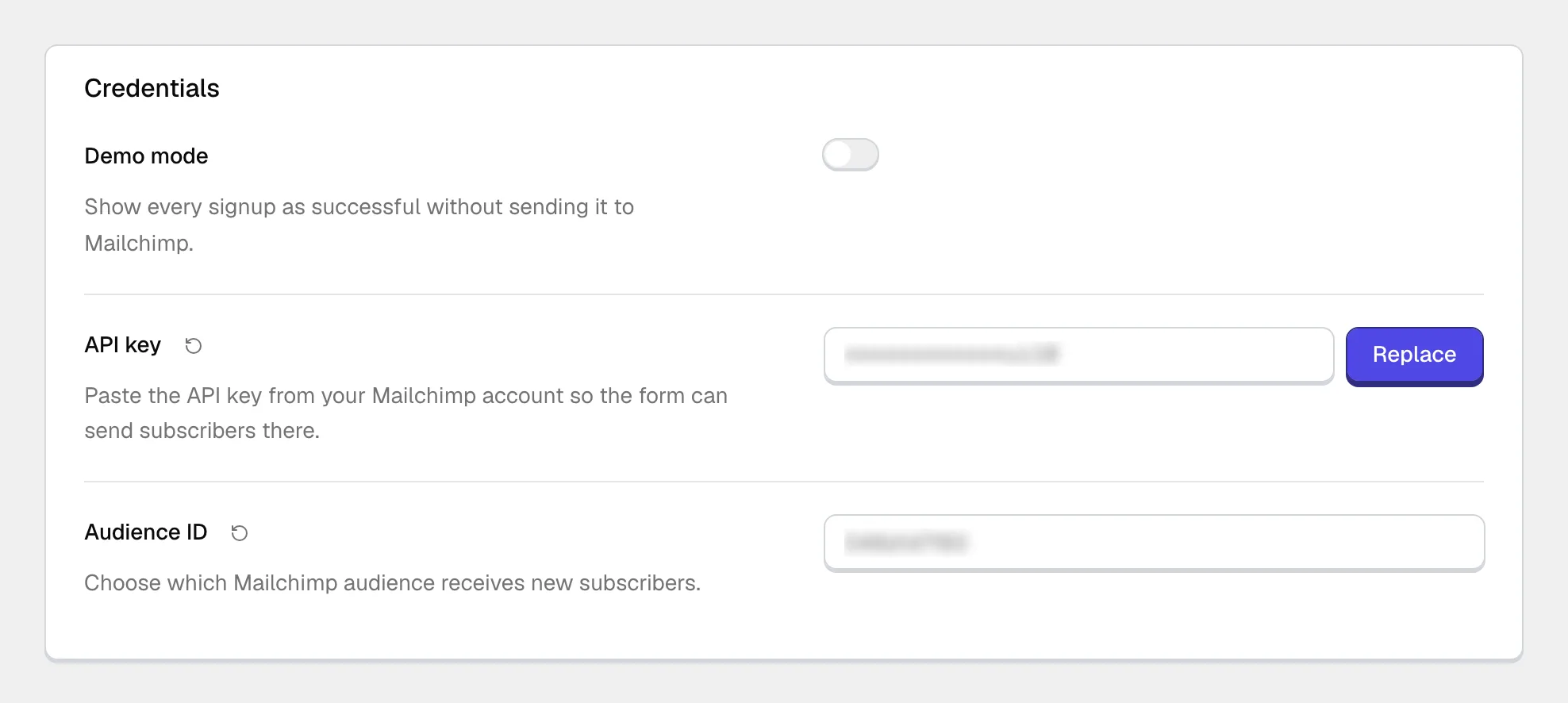
Above them sits Demo mode, for a preview site that has no Mailchimp account yet. While it is on, every signup shows as successful and nothing is sent to Mailchimp. Turn it off before the site goes live, or real visitors will see a success message and never reach your audience.
While either field is missing or the key has no data center ending, administrators see a notice in the WordPress admin saying that Mailchimp forms cannot subscribe anyone yet.
#The other settings
Most are clear from their labels, so this is a short list.
Which fields visitors see: Name, Email and Consent checkbox. Email and the consent checkbox are selected by default.
The wording next to the consent checkbox. Only shown while the checkbox is one of the form fields.
A label above each field, with its own text for the name and the email field.
Hint text inside each empty field, again with its own text per field. Labels and placeholders are independent switches and can both be on.
The wording on the button.
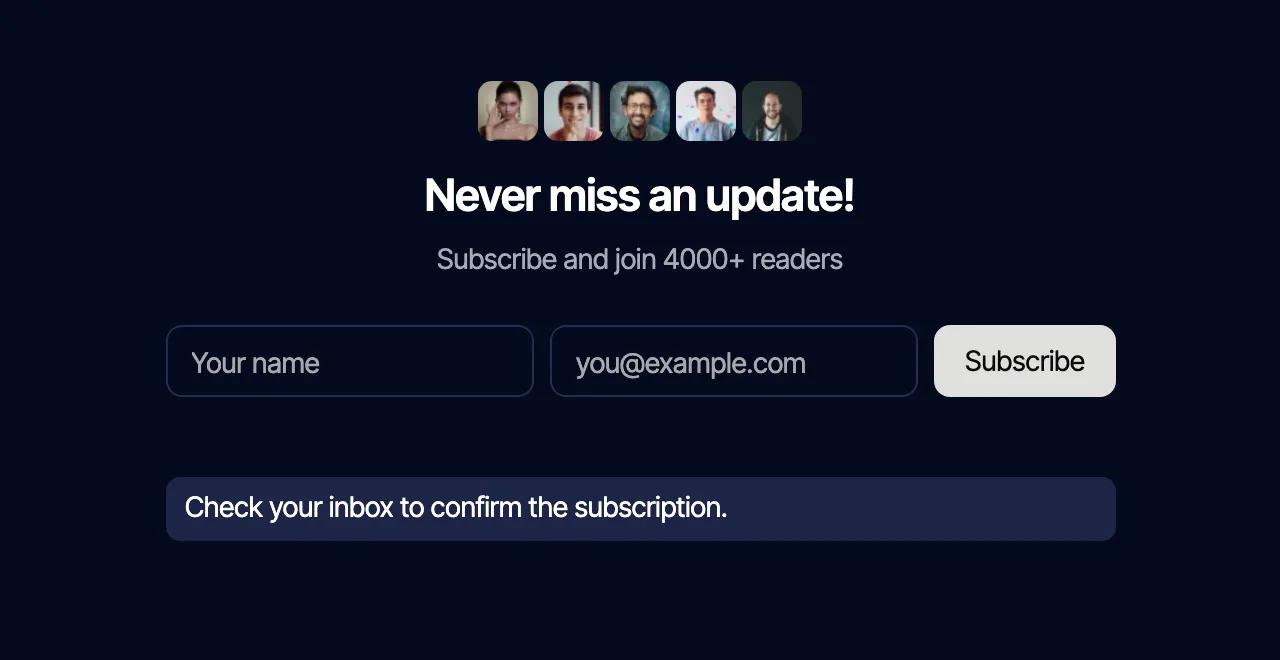
New subscribers receive an email and have to confirm before they join your audience.
Column (stacked) puts the fields one under another, which suits a narrow space such as a sidebar or a modal. Row (inline) puts them side by side, which suits a full-width strip.
Shown on the form once someone has subscribed.
Shown on the form when a subscription does not go through.
#Placing the form
There are four ways, all equally valid. Use whichever matches how that page was built.
- the Mailchimp Form block in the WordPress editor, which is the route on our themes
- the shortcode
[jkdmc_form], anywhere text is accepted - the classic widget, for sidebars
- an Elementor widget, if you happen to run Elementor. It is optional and the integration does not need it
You can have as many forms as you like, and they all write to the same audience.
Submissions are rate limited, which keeps a signup form from becoming a spam target.
Ten attempts per five minutes from one IP address, after which the form asks the visitor to wait. Both numbers are adjustable with a filter, so a developer is not stuck with them.
#Global values and per-form overrides
Everything set on the Mailchimp page in Theme Options is the default for every form on the site. One form can deviate without touching the rest.
Exactly four things can be overridden on a single form: the layout, the button text, whether labels show, and whether placeholders show. The block and the Elementor widget offer those overrides.
The shortcode and the classic widget take no attributes and always render the global values, so there are no shortcode attributes to look for.
An empty local value means "use the global one", not "show nothing".
Clearing a field in the block is safe: the form falls back to what the Mailchimp page says instead of rendering a gap.
Field choice, consent, messages, keys and double opt-in are always global, because they are about the subscription itself and not about how one form looks.
#Consent and what the form collects
The consent checkbox and its text are yours to write, because what you must ask for depends on where your readers are. If the site also runs a consent banner, the two are separate mechanisms and both belong on a site that needs them.
#When the form fails or the key is rejected
Check the API key and the audience ID first.
A wrongly created or wrongly copied key is by far the usual cause of a form that will not subscribe anyone: a key copied without its data center ending, a key revoked in Mailchimp, or an audience ID from a different audience or account. Create a fresh key, paste it whole, and confirm the audience ID against your audience's settings. How to create a key is explained in Mailchimp's own documentation, not by our support.
What visitors see depends on the problem. A few cases get their own message: an address that is already subscribed, an address Mailchimp considers invalid, and an address that unsubscribed before and cannot be re-added automatically. Everything else, including a rejected key or a wrong audience ID, shows your Error message. The exact reason Mailchimp gave is not shown to visitors; it is written to the site's PHP error log, which your host can show you.
This integration is licensed with the theme, not on its own.
Integrations are premium functionality for customers running a Pro license of one of our themes. They are written against our themes and expect them, and we cannot support or take responsibility for what one does inside somebody else's theme. See how theme integrations work.
#Common questions
Can I connect more than one audience?
One audience per site, and every form on the site writes into it.
Where do the subscribers go?
Into your Mailchimp audience. The site keeps no copy of the list itself, which is also why removing the integration does not lose you any subscribers.
Somebody signed up and is not in the audience
Double opt-in is on by default, so they sit in pending status until they click the confirmation email. Mailchimp lists them as pending, not in your subscribed count.
Can I add custom fields to the form?
The form covers email, name and consent, and fields beyond those are outside what this integration does. That is a feature request, not a support case.
Every signup shows the error message
Start with the key and the audience ID, as described above: a missing data center ending, a revoked key and a wrong audience ID all look exactly like this. If both are correct, the PHP error log holds the reason Mailchimp returned. Problems with your Mailchimp account itself are for Mailchimp's support.
Signups are not arriving at all
First check that Demo mode is off: while it is on, the form reports success and sends nothing. Then check whether the people are sitting in pending status from double opt-in before assuming the form is broken. If they are not in Mailchimp at all and the form showed an error, go through the key and audience checks above. If the form shows success and nothing arrives, open a support request with the page address.
#Still stuck
Open a support ticket and say what you tried and where it stopped. Your product, your domain, a screenshot and the exact message you saw are usually enough to settle it in one reply.
Last updated
