
The Integrations tab lists the integrations available for the theme you are running. Open a different jkdevstudio theme and the list is different. That is intended, and this page explains the rule behind it.
#Each integration names its themes
Every integration carries its own list of products it supports. Your theme shows only the ones that work with it.
So the case people ask about, seeing integration A in one of our themes and not in another, is the system working. The other theme has B instead.
The reason is fit. An integration built around a magazine layout has nowhere to render in a portfolio theme, and shipping it there would create a setting that does nothing.
#Translation is the default
The one integration category present in every one of our themes is translation, through two integrations: WPML and Polylang. Everything else is opt-in.
Those two integrations make the theme's own custom settings and texts translatable on a multilingual site: what you type into the theme's settings and fields gets translated in WPML or Polylang, like the rest of your content. The free edition includes this through the free companion plugin, and Pro includes it too.
The language switcher is a separate Pro integration.
Posts, pages and menus are translated by the translation plugin itself. The switcher your visitors use, styled by the theme and shown in its navigation, comes as one integration per provider, such as the WPML language switcher.
#Telling what an integration needs
Where a card sits in the list does not tell you whether it needs another plugin. The card does: its Requires: row names any plugin or theme the integration depends on, and a requirement that is not met yet is highlighted there.
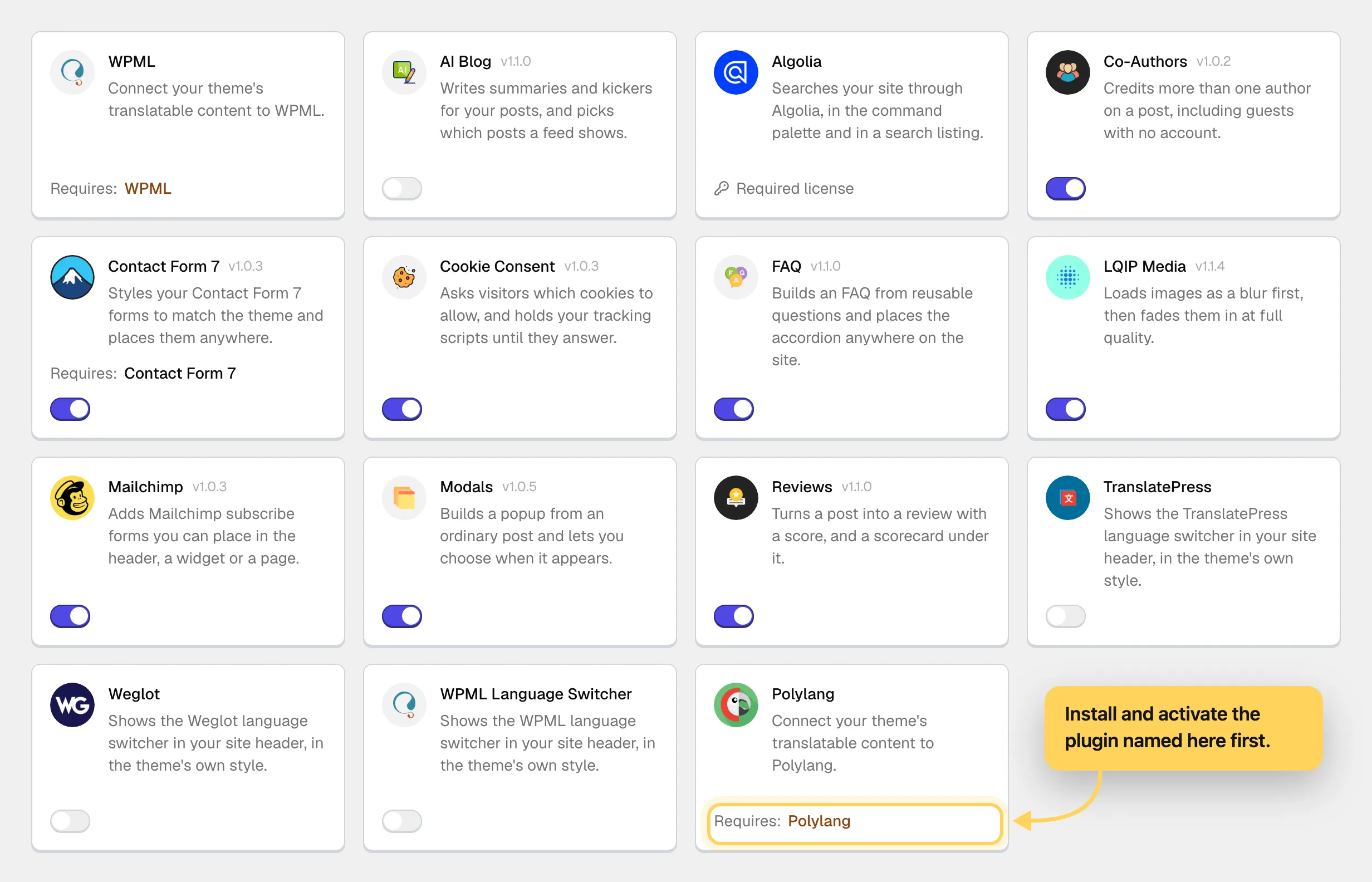
That is the first thing to check, because it tells you whether using an integration means installing something else as well.
#What each integration page tells you
The format is the same throughout, so you can skim it:
- what it adds
- where it is switched on
- what it requires
If an integration needs a third-party plugin, that is stated on its row and on its page.
#Common questions
Why do WPML and Polylang appear even though my site is in one language?
They are the translation layer for the theme's own settings, so they are listed for every theme. On a single-language site you leave them off.
Can I request an integration for my theme?
Yes, as a feature request and not a support ticket, because it is a roadmap question. Feature requests come with a direct license; on a Regular key you can still vote on published roadmap entries.
Will the list grow?
It does over time, and new integrations appear in the tab on their own with nothing to reinstall.
I use a service you do not have an integration for
Its own plugin usually works. What you lose is the theme-level styling and placement that an integration provides.
Does an integration work on the free edition?
The registry and the screen are visible on a free edition, but the catalog they install from comes with the Pro plugin and an active license. WPML and Polylang translation support is the exception: it comes with the free companion plugin.
I expected an integration and it is not listed
First check that the theme and the Pro plugin are both up to date, since the list is served against the current pair. If it is still absent, it is not supported for this theme, and a feature request is the right channel.
#Still stuck
Open a support ticket and say what you tried and where it stopped. Your product, your domain, a screenshot and the exact message you saw are usually enough to settle it in one reply.
Last updated
