
Theme Options: content and effects - Exquil
The Content and Effects parts of Exquil ProTheme Options cover the blog, the shop banner and brands, sharing on service and career pages, the 404 page, motion, and the newsletter popup. Save after each change.
#Blog
Exquil ProTheme OptionsContentBlog, Archive tab:
Shows the Blog sidebar widget area beside the posts.
Left or right.
Words in each post excerpt.
Splits the archive into pages.
Page links, Load more, or Infinite load.
Left, center, or right.
Single post tab:
How many times the post was viewed.
A like button with its counter.
Sharing buttons. Sharing list picks the services offered.
Related posts below the article. Recent style is List by default, or Slider or Minimal. Recent by matches by Categories or Tags. Number of posts defaults to 6.
Links to the previous and next post. Navigation style is Simple (inline) or Fixed (at the screen edges).
A promotional banner on every post, placed at the Top or Bottom of the content, with a background image, text, and a button. Replace the demo text before you go live.
A review box and a sponsored label are set per post, see Options on pages, posts, products, and menu items.
#Shop banner and brands
Exquil ProTheme OptionsContentShop appears while WooCommerce is active. The shop layout itself is in the Customizer, see Shop settings.
Banner: off by default. Turned on, it shows a promotional banner above or below the products on shop and product pages, with a background image, text, and a button.
Brands: Brands catalogue page is the page that lists all your brands. See Services, career positions, and brands.
#Services and career
Exquil ProTheme OptionsContentServices and Career: Share buttons (default on) and a Sharing list for service pages, and the same pair for career positions.
#Error page
Exquil ProTheme OptionsContentError page: the 404 heading (Error title), Additional links to other pages of the site (default on), and a background image.
#Motion and loading
Exquil ProTheme OptionsEffectsMotion and loading:
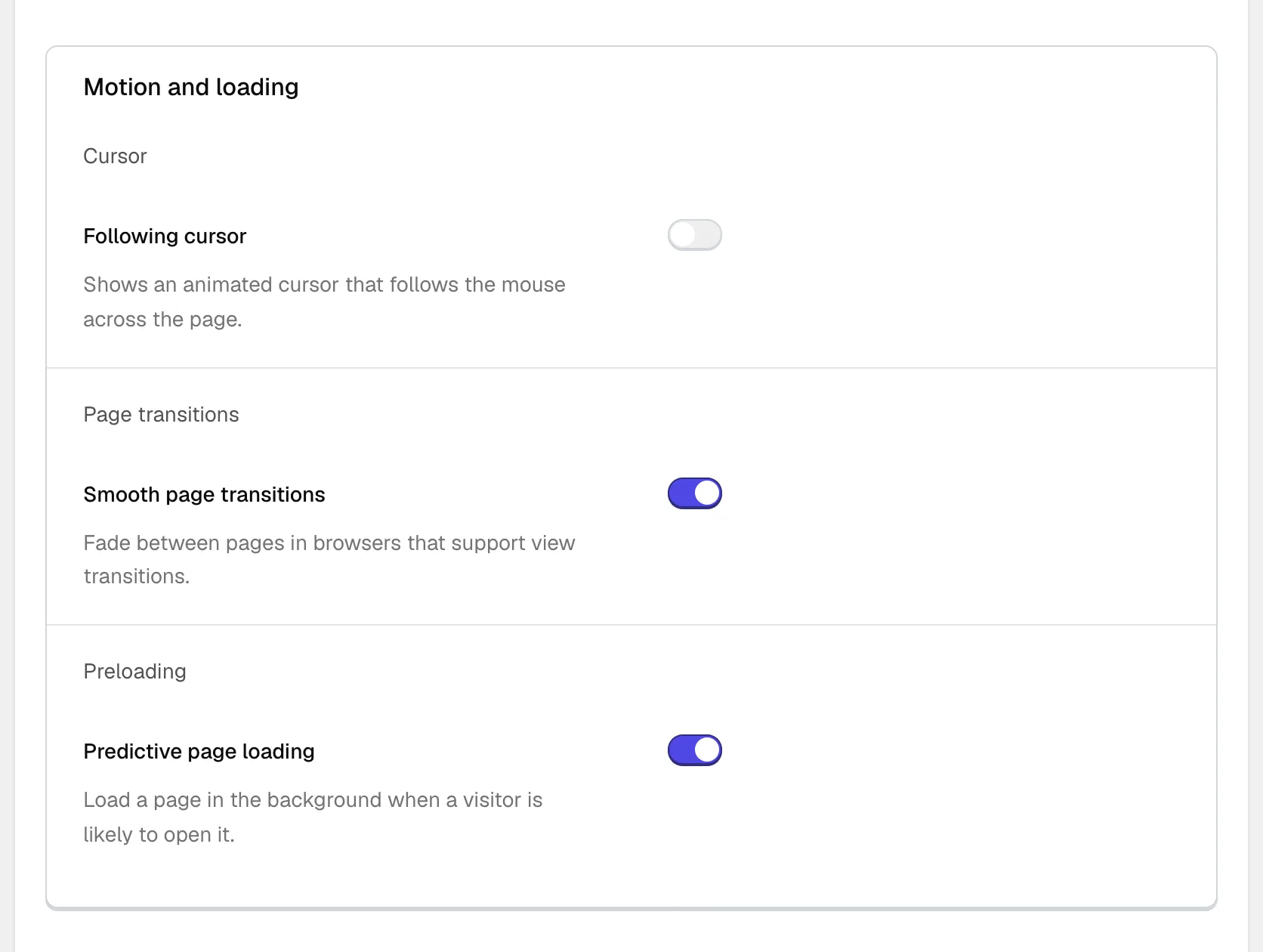
An animated cursor that follows the mouse.
Pages fade into each other in browsers that support view transitions. Other browsers load pages as usual.
A page loads in the background when a visitor is likely to open it, so it opens faster. Links to the admin, cart, checkout, and account pages are left out, and logged-in visitors do not get it.
#Newsletter popup
Exquil ProTheme OptionsEffectsNewsletter shows a subscription popup, on by default.
Milliseconds before the popup appears.
The headline. Form subtitle is the text under it.
The shortcode of your signup form, for example one from MC4WP: Mailchimp for WordPress. Without it the popup has no form.
Lets visitors opt out of seeing the popup again.
The image beside the form.
Last updated
Was this article helpful?

On this page
