
Options on pages, posts, products, and menu items - Exquil
Exquil Pro adds option boxes to the edit screens of pages, posts, products, categories, brands, and menu items. A value set there changes that one item only and wins over the site-wide setting. The boxes appear while Exquil Pro is active and licensed.
#Pages, posts, and other content
Every page and post (services aside) has three boxes in the editor sidebar: Page header, Navigation, and Footer.
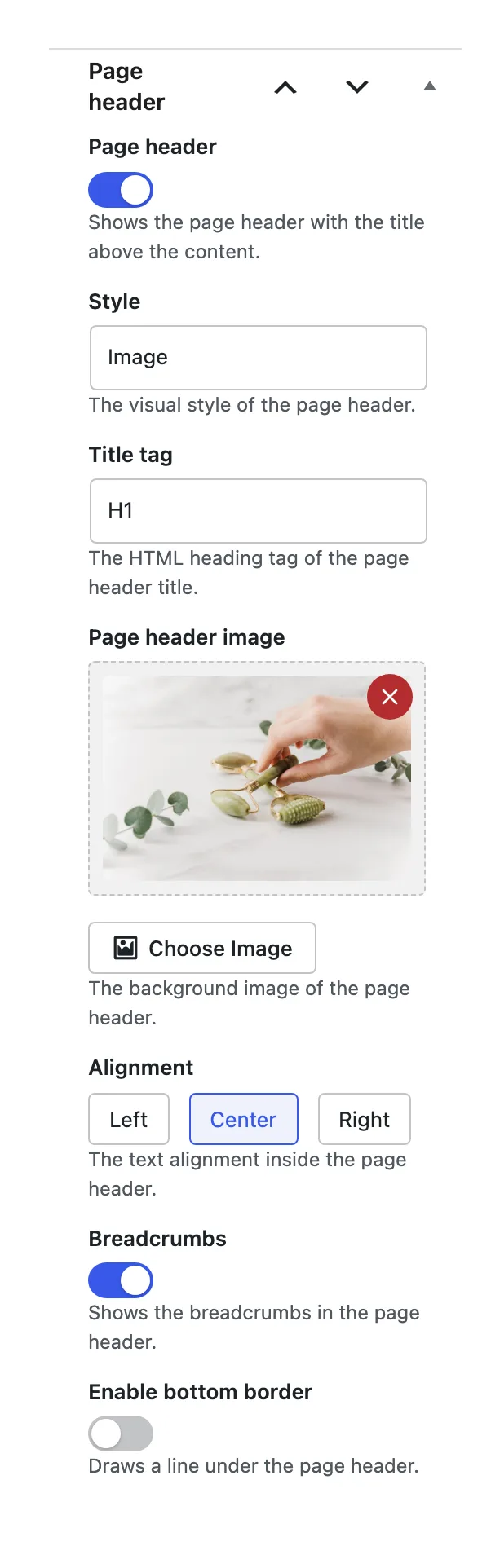
A header with the title above the content. Style is Default, Classic, Minimal, or Image (which adds Page header image). Title tag defaults to H1, Alignment to center. The header also has Breadcrumbs (off) and Enable bottom border (on).
Shows the navigation bar on this page. Navigation style is Default or Transparent, which lays the bar over the content. Use it over a full-width hero.
In the Navigation box. Shows the page sections from Theme Options above the content of this page.
Shows the footer on this page. After content sections in the same box shows the page sections below the content.
#Posts
A review box at the end of the post with an image, a title, a description, pros and cons lists, a button, and a rating. Fill Review breakdown with rated parts and their average becomes the rating, or set Review rating (1 to 100) yourself. Review rating text variation is a word shown with it, such as "Excellent".
Marks the post as sponsored with your own Sponsored label text.
#Products, categories, and brands
- Product labels, on a product: New label shows the New badge whatever the product's age. Newer products get it on their own, see Newest Items Threshold in Shop settings.
- Product options, on a product category: an Additional image that the category widgets use.
- Brand options, on a brand at ProductsBrands: the Brand image, the logo shown in the brands catalogue and the Brands List widget.
- Category options, on a blog category: a Category color for its accent and a Category thumbnail.
#Menu items
At AppearanceMenus, open a menu item to see:
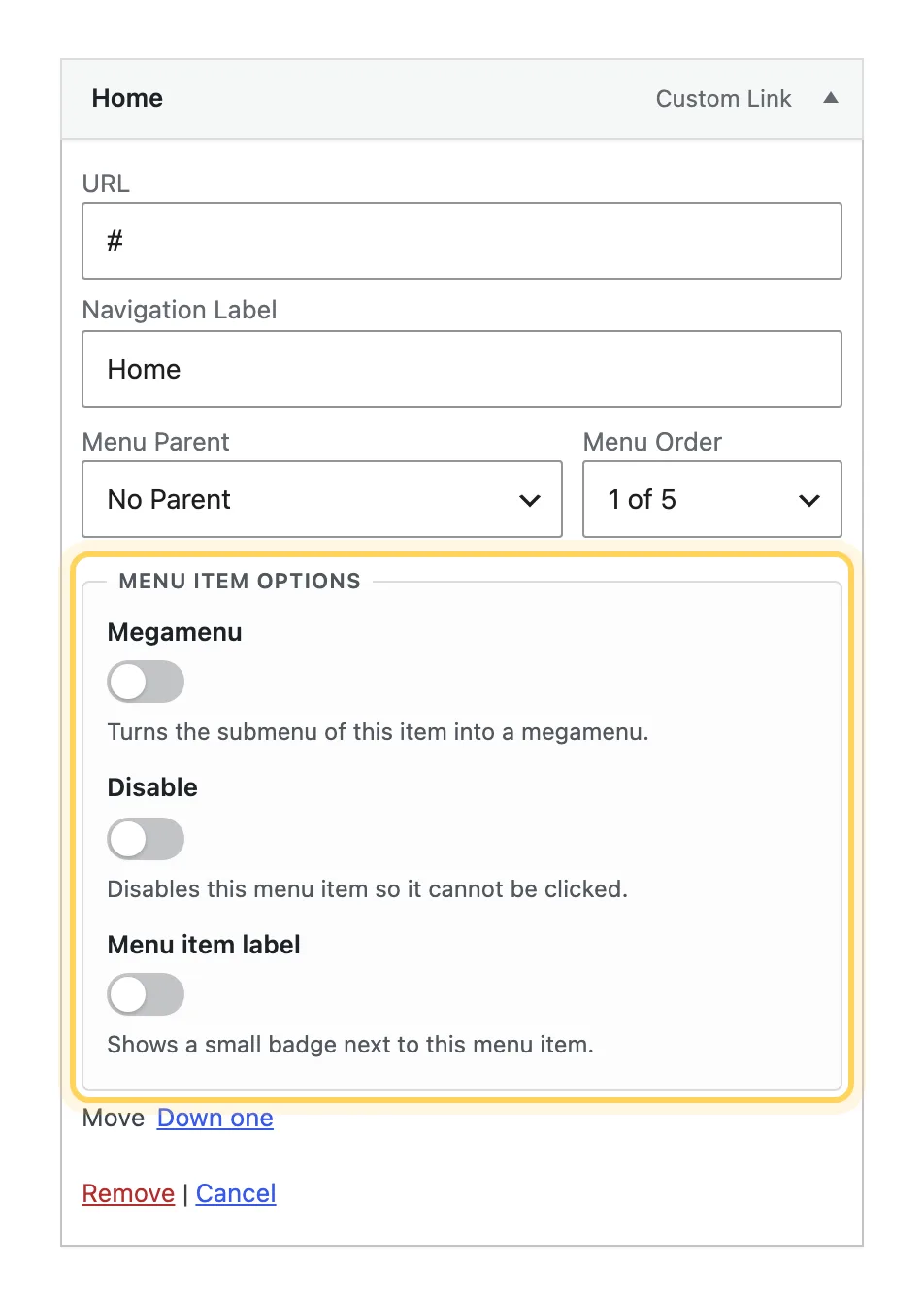
Turns the item's submenu into a megamenu.
The item stays in the menu but cannot be clicked. Use it for a parent that only opens a submenu.
A small badge next to the item with its own Label text and Label color.
#Widgets
The JKD Recent Posts and JKD Categories widgets at AppearanceWidgets each get a count: posts listed (default 4) and categories listed (default 5).
Last updated
Was this article helpful?

On this page
