
Integrations install, switch on and update from one place: the Integrations page of the theme dashboard. That page knows which build matches your theme, whether your license includes it, and when an update is safe to apply.
#Where the Integrations page is
Open the menu named after your theme in the WordPress sidebar. That is the theme dashboard, and Integrations is one of the items in its navigation, next to License, Tools and System Info.
The page lists the integrations available for your theme as cards. Each card shows the integration's name, its installed version, a description, and a Requires: row naming any plugin or theme it depends on.
Installing integrations needs the Pro plugin and an active license.
The catalog is served by Hub, and every download is authorized against your license. Without them the cards are still listed, locked, so you can see what exists. How a license is activated is covered in activating your theme license.
#What a card can show
- Install
The integration is available and not on the site yet. The button downloads it from Hub, installs it and activates it, with the progress shown on the button.
- A switch
The integration is installed. The switch turns it on and off. For an integration whose plugin is on the site but not active, turning the switch on activates the plugin.
- Update to a version number
A newer version is available. The button checks for the latest version and installs it.
- Update held back
A newer version exists but needs a newer JKD Toolkit than the site runs. Update the theme first, and the integration update becomes available.
- Required license
The site has no active license the catalog recognizes. Activate one, then click Refresh at the top of the page.
- Pro plugin required
A license is active but the Pro plugin is not. Install and activate the Pro plugin.
- Not in your license
Your license does not include this integration, with an Upgrade license link next to it. See the license section below.

#Installing an integration
Check what it requires
Read the Requires: row on the card. An overlay integration, such as Contact Form 7, WPML, Weglot or TranslatePress, styles and places what another plugin provides, so that plugin has to be installed and active first. Unmet requirements are highlighted in the row.
Click Install
The integration downloads from Hub, installs and activates. The card then shows its switch, turned on.
Configure it
Integrations with settings get their own page in the Theme Options sidebar. Some integrations have nothing to configure and no page.
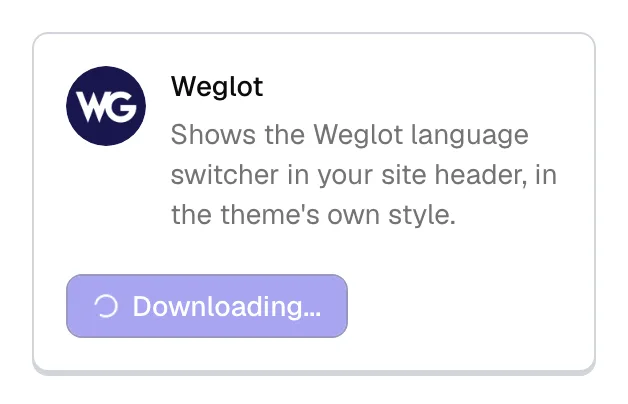
After installing, the integration also appears on the WordPress Plugins screen. That is expected: it is a real plugin, delivered through the theme dashboard. Keep managing it from the Integrations page all the same.
The host has to let WordPress install plugins.
Installing downloads a package and unpacks it into the plugins folder, so the page warns you when the server falls short, for example when folders are not writable. On multisite only a Super Admin can install plugins.
#Updating
Integration updates arrive through WordPress's own plugin update system, the same one the Plugins screen uses, so an available update shows on the card as Update to followed by the version number. Clicking it runs the update in place.
Keep integrations current. They are built and tested against current versions of the theme and JKD Toolkit. That is also why an update that needs a newer toolkit is held back instead of installed: applying it to an older framework would break the site.
The Refresh button at the top of the page re-reads the catalog from Hub. Use it after activating a license or when a card looks out of date.
#Integrations a demo import needs
A demo can depend on integrations. When you import one, the import stops at a requirements step that lists the plugins and integrations the demo needs, each with a button: plugins get Install or Activate, integrations get Turn on. Continue anyway is always available, but a demo imported without its integrations is missing the parts of its pages that relied on them.
#Removing an integration
Switch it off on the Integrations page first. To remove its files completely, deactivate and delete its plugin on the WordPress Plugins screen.
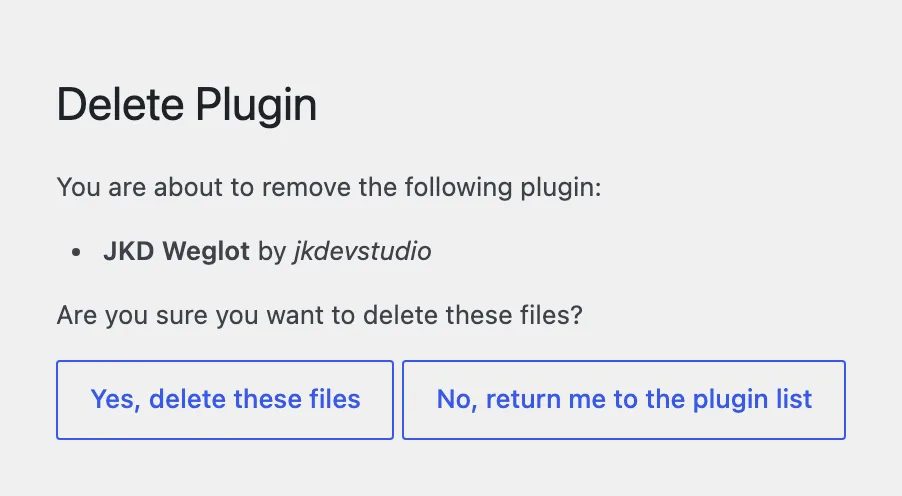
Deleting the plugin does not erase its settings or anything it created, such as modal entries or guest author profiles. Installing it again brings you back to where you were.
#Licenses and the integration list
A license bought directly from us, with the Pro plugin, opens every integration. A Regular license, which is what an Envato purchase carries, covers the theme and the Pro plugin and only the integrations marked available to Envato; the cards of the rest show Not in your license. If none of the integrations for a theme are included, the page says so in one message instead of showing a grid of locked cards.
Integrations are not the only difference. A Regular key also has no automatic updates, gets only the demos marked available to Envato where a direct license gets every demo, has no priority support and no feature requests (voting on published roadmap entries stays open to everyone), and the list may grow.
A card that does not appear at all is a different matter: each integration lists the themes it works with, and the page shows only those. Why the integration list differs between themes explains it.
#Copies from anywhere else
Our integrations are not in the WordPress.org directory, and the Integrations page is the only source for them. A copy installed from an archive somebody sent you gets no updates, and a plugin that does not carry our integration declaration is flagged on its card as not a verified integration. We do not support those installs, because we cannot know what is in them, as the Support Policy sets out.
You can install any other plugin you like. The theme is built around its own integrations, and a general-purpose plugin doing the same job will look and behave the way its author intended, which is yours to own.
#Common questions
Can I install an integration from the Plugins screen instead?
No. Integrations are not in the WordPress plugin directory, and the Integrations page is the only place they install from. That is also what keeps them on the right version for your theme.
An integration is missing from my list
It does not support your theme. Each integration carries its own list of supported themes, and the page only shows the ones that match. Why the integration list differs between themes explains it.
Every card says Required license
The site has no active license, or the catalog has not synced since you activated one. Check the License page in the theme dashboard, then click Refresh on the Integrations page.
Can I turn an integration off without removing it?
Yes. The switch on the card turns it off and leaves the plugin and its settings in place, so turning it back on returns you to where you were.
A card says the integration requires a different active theme
That integration only works with a specific theme, and the active theme is not it. It cannot be switched on until that theme is active.
An install fails partway
The page has to reach Hub to download anything, so start with the Hub connectivity check on the System Info and Diagnostics screen. After that the usual local causes apply: the plugins folder is not writable, or the memory limit is too low to unpack the package.
If it still fails, open a support request with the integration's name and the message the card showed.
#Still stuck
Open a support ticket and say what you tried and where it stopped. Your product, your domain, a screenshot and the exact message you saw are usually enough to settle it in one reply.
Last updated
