
General - Elisen
The General section sets the two content widths and the reading speed used to estimate reading time. Open it at AppearanceCustomizeElisen ThemeGeneral. The section needs the Elisen Pro plugin with an active license.
#Two width sliders control how wide the content runs
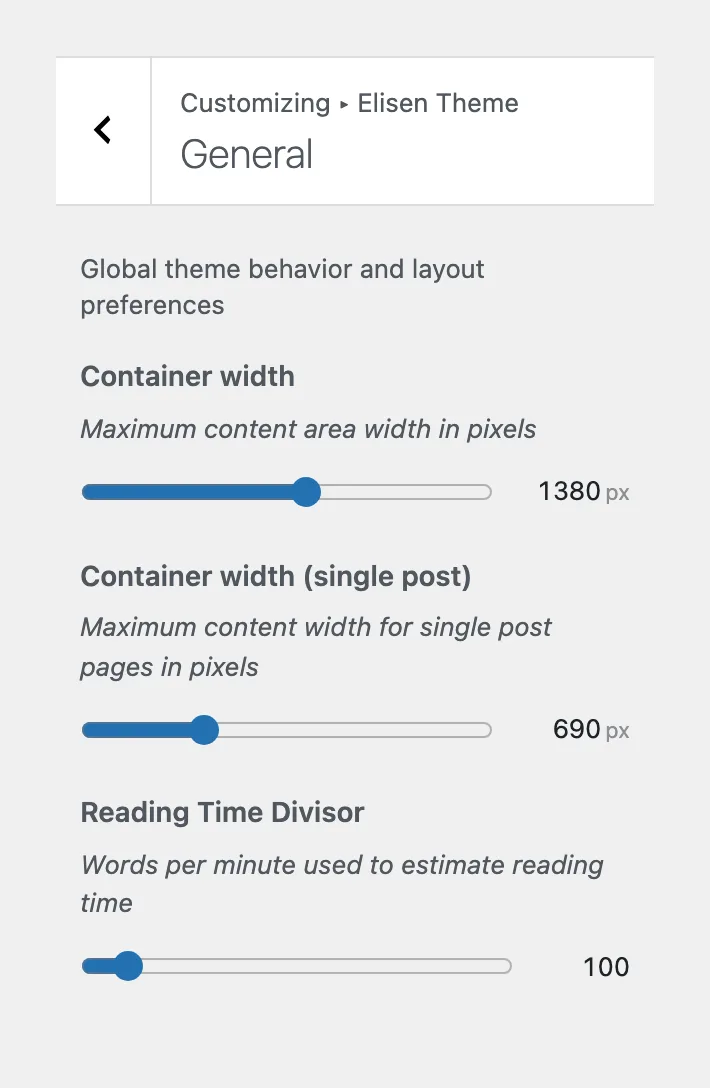
Maximum width of the content area, from 720 to 1920 px in steps of 1.
Maximum content width on single post pages, from 200 to 1920 px in steps of 1.
#One setting decides how long a post reads
Words per minute used to estimate reading time, from 20 to 1000 in steps of 1. A higher number shortens the estimate for the same post.
Settings that switch features on or off, such as the post meta shown on a single post, live in Theme Options, not in the Customizer. Open them at Elisen ProTheme Options.
Last updated
Was this article helpful?

On this page
