
Single Post - Elisen
The Single Post section has two settings, and both apply only to the Style 2 post header. Open it at AppearanceCustomizeElisen ThemeSingle Post. The section needs the Elisen Pro plugin with an active license.
The post style itself, Style 1 to Style 7, is chosen in Elisen ProTheme Options under Single Post. A single post can override it with the Post Style field in its own Post Settings box, described in Post.
#Two settings shape the Style 2 featured image
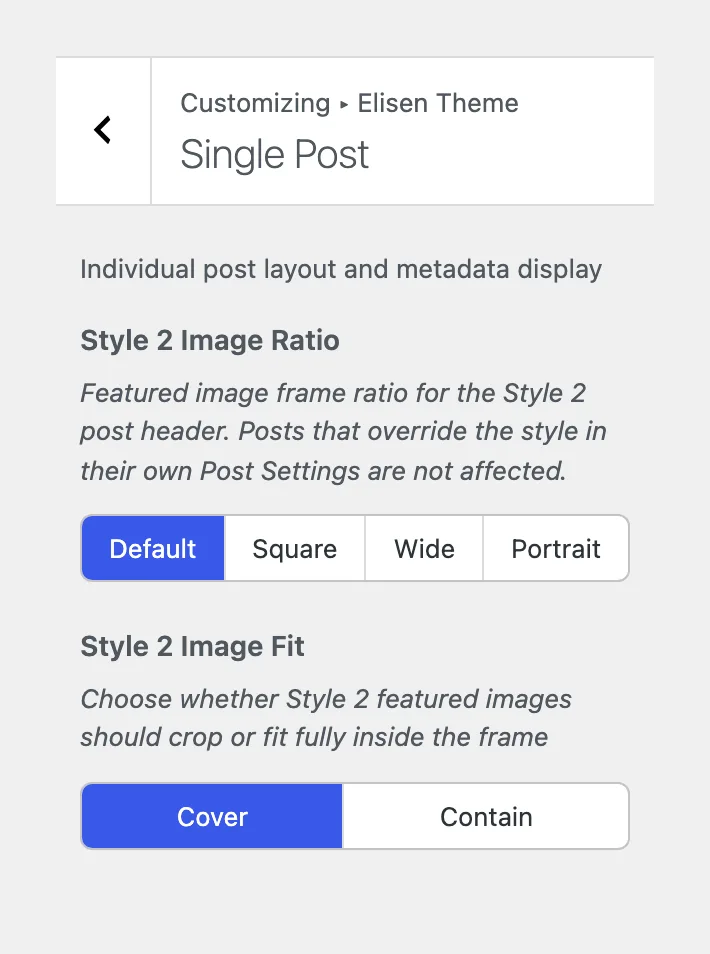
The frame ratio of the featured image in the Style 2 post header. Choose Default, Square, Wide, or Portrait. Posts that override the style in their own Post Settings are not affected.
Whether the featured image crops to fill the frame (Cover) or fits fully inside it (Contain).
If a featured image is cut off in the wrong place, Contain shows the whole image. covers the other causes.
Last updated
Was this article helpful?

On this page
