
The Search modal block - Enardo
This is a Pro feature. The Search modal is a search button that opens a panel over the page. Before the visitor types, it offers suggested searches, their recent searches and your latest stories. As they type, results appear grouped by content type, and the keyboard does the rest.
With Pro active, the search button in the header becomes this modal by itself, as an icon. Without Pro, the header keeps the theme's plain search box.
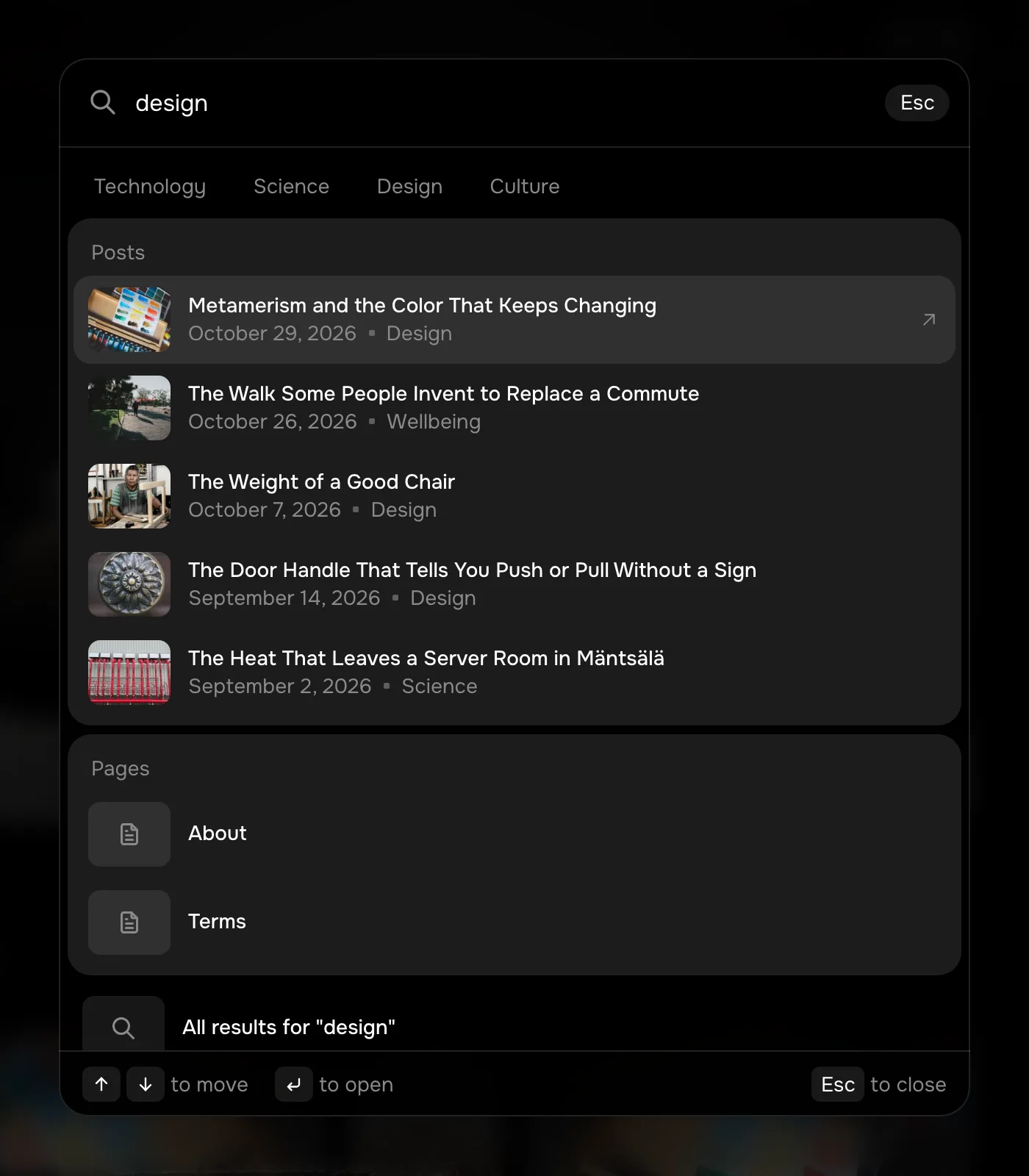
#Use it in the header with your own settings
The header's search keeps its icon look and takes its label and placeholder from the original Search block. To change any other setting, replace that block.
Open the header
Open the Header template part in the Site Editor.
Swap the block
Select the Search block on the right of the header and delete it. Insert Search modal from the Enardo block category in the same place.
Set it up
Choose the settings below in the block sidebar and save the header.
You can also place the block anywhere else: a page, a post, or the footer.
#Button
Icon, Label or Field, a box that looks like a search field.
The button text. Screen readers also read it when only the icon shows.
Cmd + K on a Mac, Ctrl + K elsewhere, opens the search from anywhere on the page.
#Search
What the search looks through, in the order the result groups show. Any public content type can be added.
From 2 to 10.
The hint inside the field.
A row of searches to try, under the field.
Your own suggestions, separated by commas. Empty suggests the four most used categories.
Results
Best match or Newest.
The search starts once this many letters are typed, from 1 to 4.
A last row that opens the site's full search results page.
The date and category, or the parent page, under each title.
The featured image beside each result, or an icon for its type when there is none.
Before typing
The visitor's last searches. They are kept in the visitor's own browser only.
From 1 to 8.
A group of one content type's newest entries. No group leaves it out.
From 1 to 8.
The heading over that group. Empty uses the content type's name.
A line of keys at the foot of the panel.
#The keyboard
The arrow keys move through the results, Enter opens the highlighted one, and Esc closes the panel. The key hints hide on touch screens.
#Questions
Can it search a custom post type, such as products?
Yes, if that type is public. Add it under Content, and its results get their own group.
Does the search send data to an outside service?
No. It asks your own site for results. Recent searches never leave the visitor's browser.
Last updated
Was this article helpful?

On this page
