
Choose how a block enters with the Reveal panel - Enardo
This is a Pro feature. The theme animates content as it scrolls into view, with the entrances set in the Customizer. Enardo Pro adds a Reveal panel to the block sidebar, so one block can enter differently or not move at all.
Select the block
Click the block in the editor or the Site Editor.
Open the Reveal panel
In the block sidebar, open Reveal. It starts closed.
Pick the entrance
Choose one of the options below, then save. Automatic keeps the entrance from the Customizer.
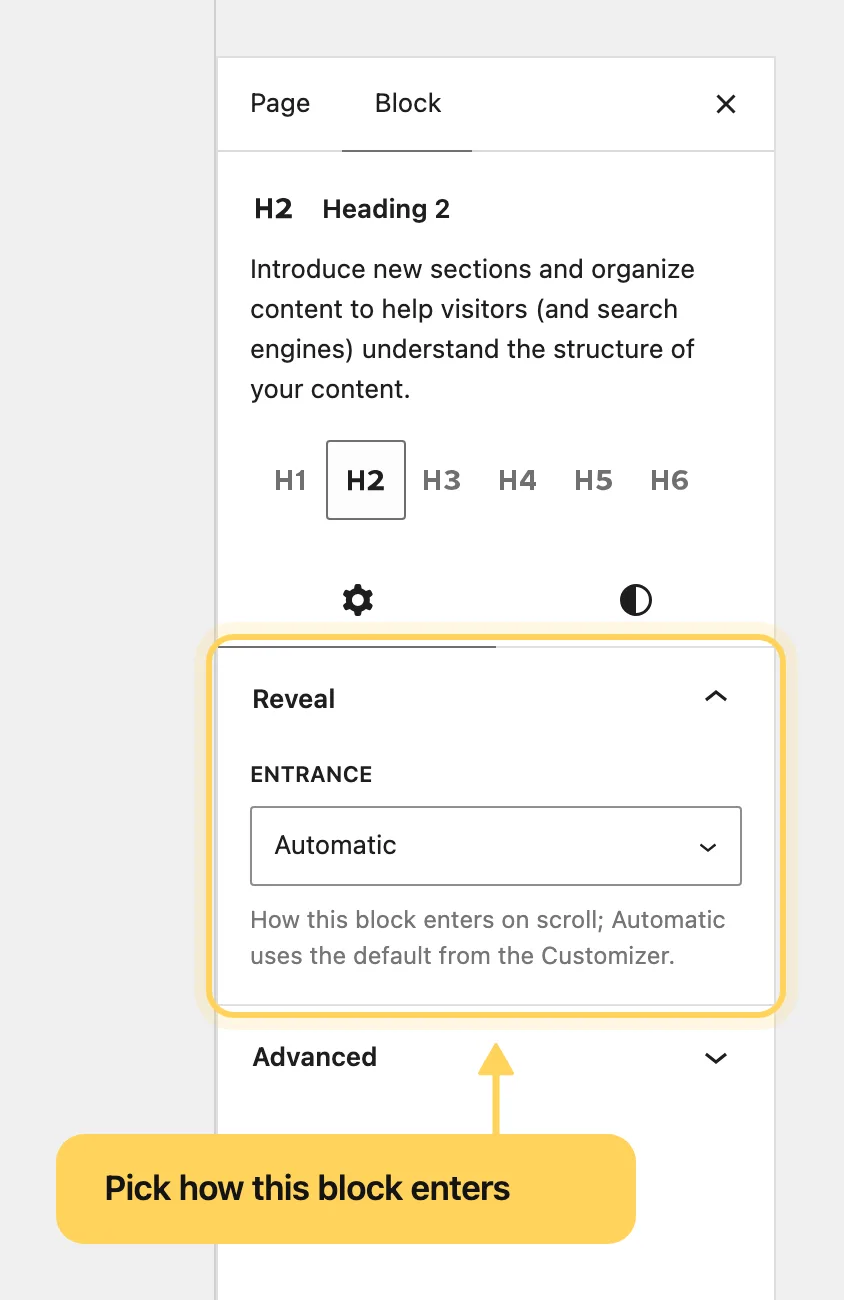
#What the panel offers
The options depend on the block you selected.
On a text block such as a heading or paragraph, and on most other blocks: Automatic, Fade up or None. On a picture block such as an image, gallery, video or featured image: Automatic, Fade and zoom or None.
On a Group, Columns, Column, Cover or Media and Text block. Sets the entrance for the text inside it: Automatic, Fade up or None.
On the same container blocks. Sets the entrance for the pictures and videos inside it: Automatic, Fade and zoom or None.
Use None on a block that should be visible from the first moment, such as an important notice.
#Good to know
- The panel cannot turn the animation on when Reveal animations is off at AppearanceCustomizeEnardo ThemeGeneral. Turn it on there first.
- Visitors who ask for reduced motion see every block at once, whatever the panel says.
- The choice is stored on the block, so it travels with it when you copy the block or save it in a pattern.
#Questions
I do not see the Reveal panel.
Check that Enardo Pro is active with a license, then select a single block. The panel starts closed, so look for its Reveal heading in the block sidebar.
Last updated
Was this article helpful?

On this page
