
The footer: latest posts, newsletter, and legal links - Enardo
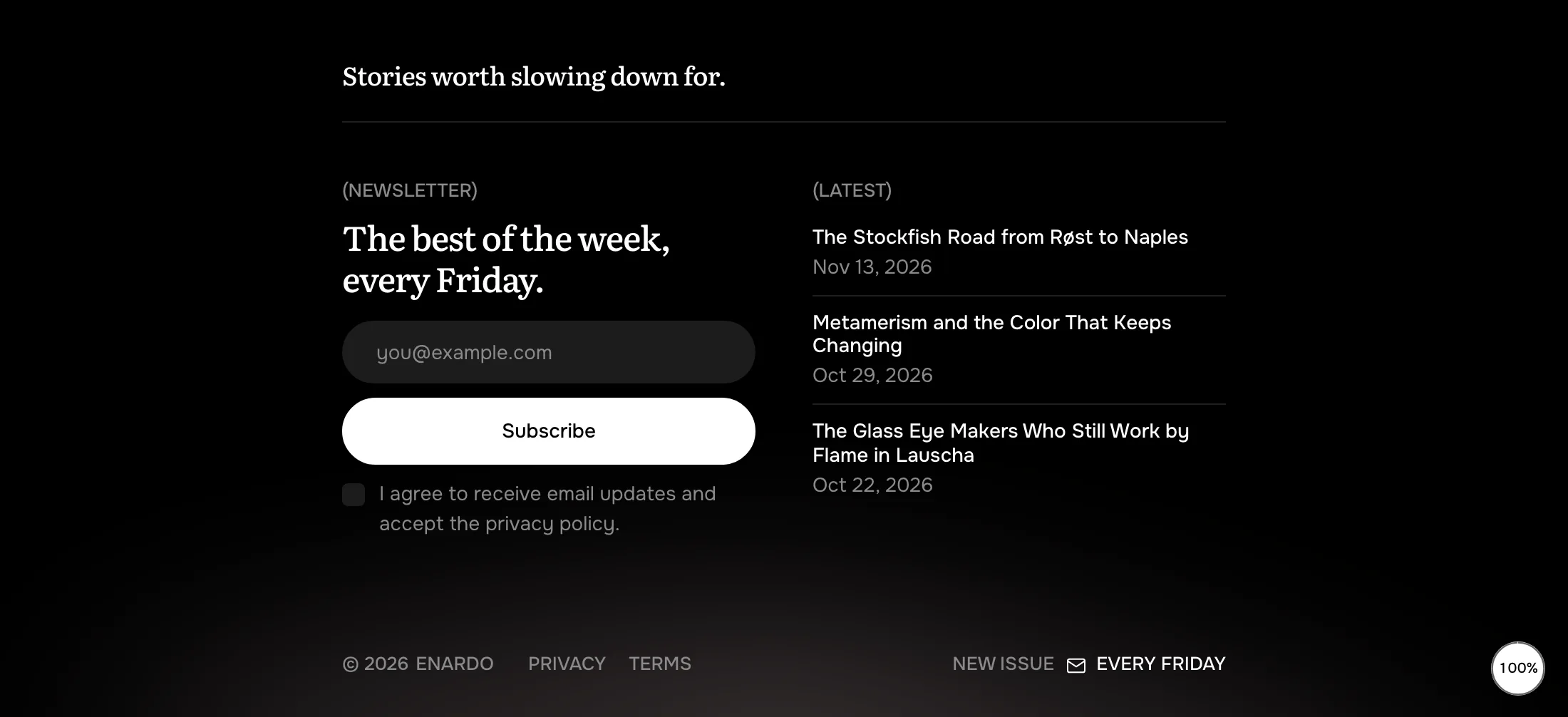
The footer closes every page with a line of text, your three latest posts, the credits row and a scroll to top button. With Enardo Pro and the Mailchimp integration, a newsletter form sits beside the latest posts. The footer is the Footer template part.
#From top to bottom
- Closing line
A heading, "Stories worth slowing down for." Edit the text in the footer.
- Latest
Your three newest posts with their dates. Sticky posts are left out.
- Newsletter
With Pro and the Mailchimp integration, a sign-up form in the left half, beside Latest. Without them, Latest has the row to itself.
- Credits
The year and your site title, the Privacy and Terms links, and the line "New issue every Friday", which you can edit.
- Scroll to top
A round button at the bottom right. While you scroll, a ring around it fills and the button shows how far down the page you are. Pointing at it shows an arrow; a click takes you back to the top.
#Where Privacy and Terms come from
The footer adds each link only when its page exists, so a new site never links to a missing page.
- Privacy links to the page chosen at SettingsPrivacy.
- Terms links to a published page with the slug
terms.
The footer reads these pages when it is built from the theme. Once you save the footer in the Site Editor, its links stay as they were at that moment. Add or change them in the footer itself after that.
#The newsletter
The form comes from the Newsletter pattern in Enardo Pro and needs the Mailchimp integration to be active. Connect your audience as described in Mailchimp integration.
Pro places the newsletter into the footer for you, and it shows in the Site Editor like any other block, so you can remove it there. If it does not appear after you edited the footer, insert the Newsletter pattern from the Enardo sections category into the footer yourself.
#Questions
Can I remove the scroll to top button?
Yes. It sits in a locked group named Scroll to top at the end of the footer. Unlock the group in the Site Editor and delete it.
How do I change the closing line or the Friday line?
Open the Footer template part in the Site Editor and type over the text. How do I edit the header or footer in a block theme? shows where to find it.
Last updated
Was this article helpful?

On this page
