
Customizer settings: motion, glow, and music - Enardo
Enardo keeps behavior in the Customizer and design in Styles. Open AppearanceCustomizeEnardo Theme to find four sections: General, Color scheme, Glow and Sound. Color scheme has its own page, Set up the light and dark schemes. Colors, fonts and sizes are in AppearanceEditorStyles.
Reveal, page transitions, smooth scroll and the glow drift turn off for a visitor whose device asks for reduced motion.
#General: how content moves
AppearanceCustomizeEnardo ThemeGeneral
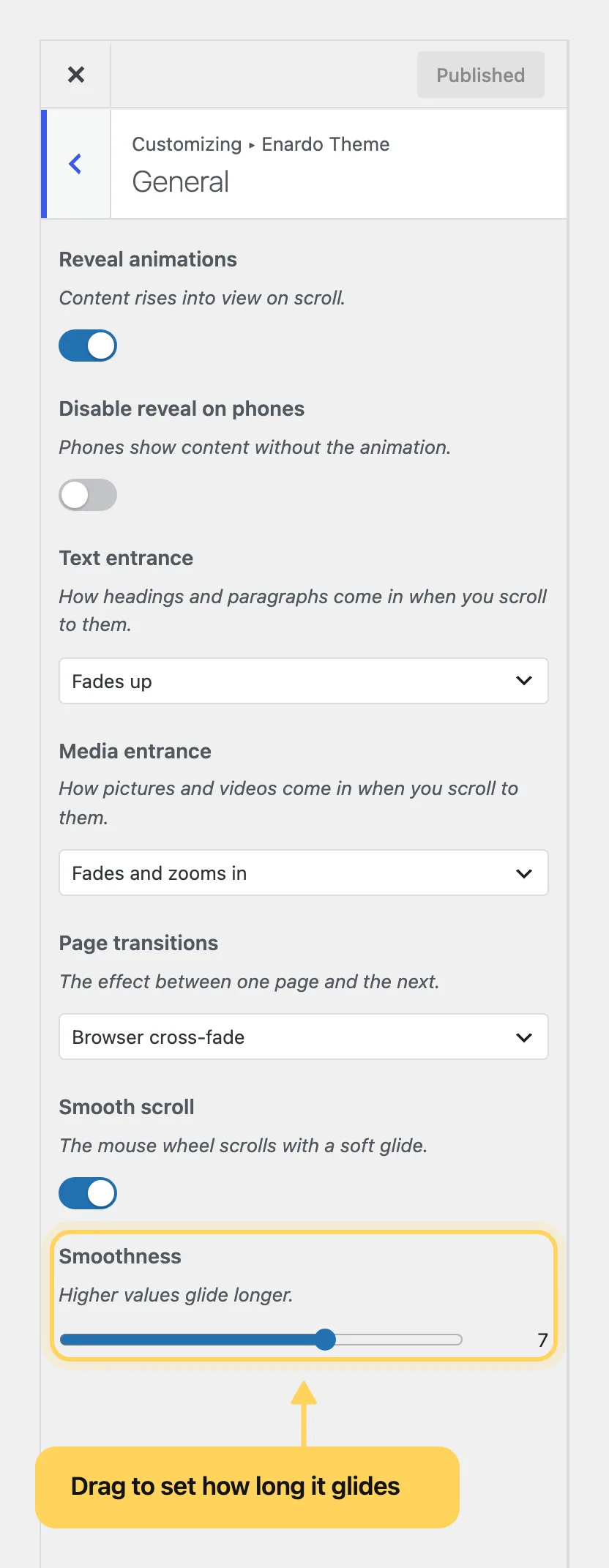
Headings, paragraphs and pictures rise into view as they reach the screen, one after another in reading order. The three settings below are hidden while it is off.
Phones show content at once, without the animation.
How headings and paragraphs come in. None shows them at once.
How pictures and videos come in. The frame fades in while the picture inside settles from a slight zoom. None shows them at once.
The effect between one page and the next. None switches pages with no effect.
The mouse wheel scrolls with a soft glide. Touch scrolling stays native.
From 1 to 10. Higher values glide longer. Hidden while Smooth scroll is off.
With Pro, the Reveal panel in the block sidebar overrides these entrances for a single block. See Choose how a block enters with the Reveal panel.
#Glow: color above the header and under the footer
AppearanceCustomizeEnardo ThemeGlow
A blurred shape of color sits above the header and another under the footer. Each has its own switch, shape and color.
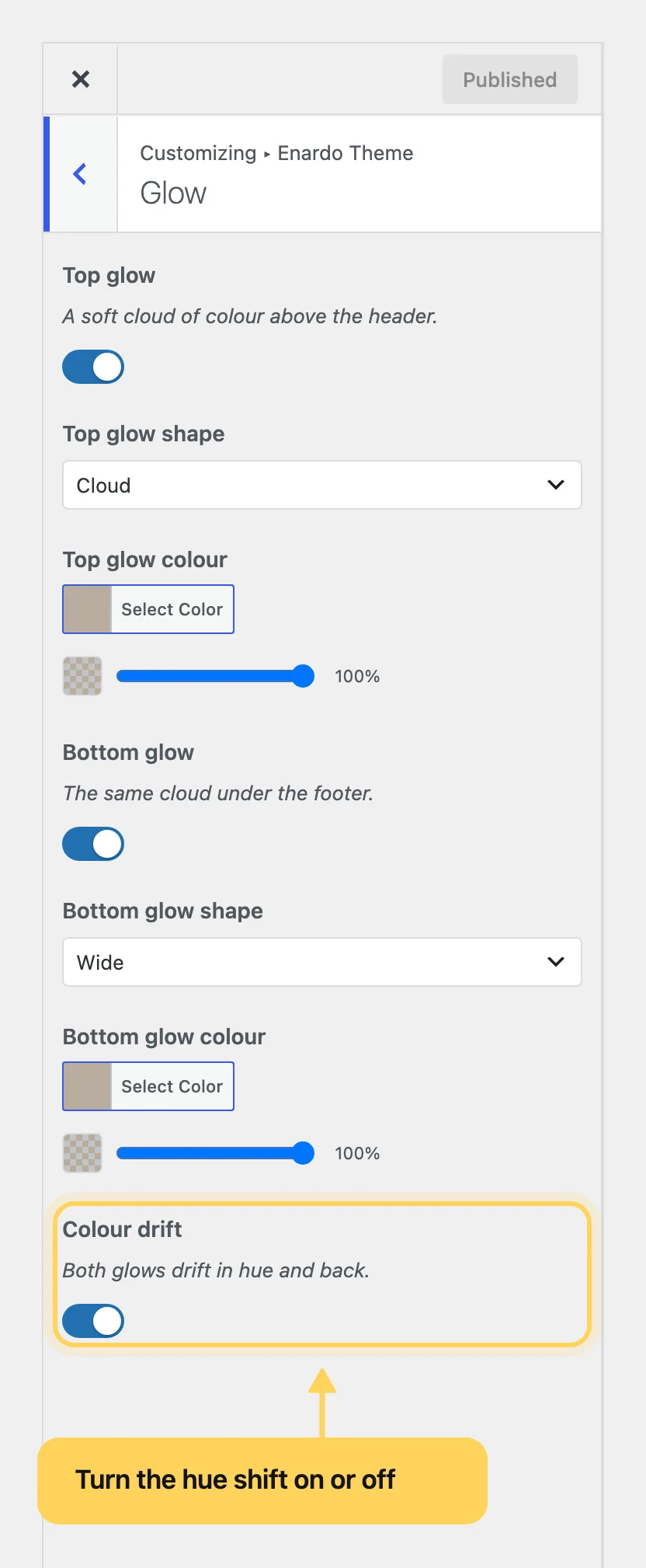
The glow above the header. Its shape and color are hidden while it is off.
Cloud, Wide, Split or Beam.
The color of the top glow.
The glow under the footer.
Cloud, Wide, Split or Beam.
The color of the bottom glow.
Both glows drift slowly in hue and back. With reduced motion they stay still.
#Sound: background music
AppearanceCustomizeEnardo ThemeSound
A speaker button at the top left plays a looped track. The theme ships no track, so the button appears only after you choose one.
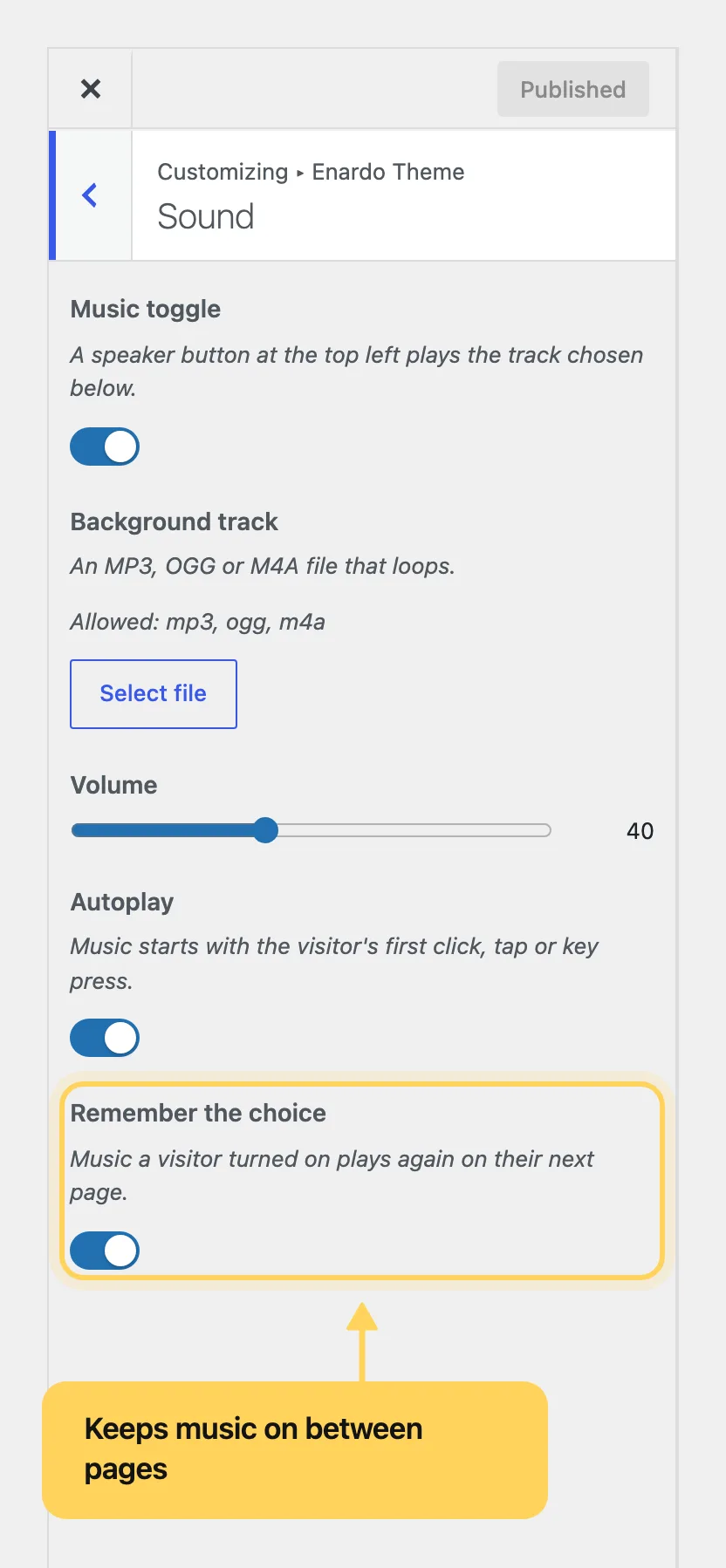
Shows the speaker button. The settings below are hidden while it is off.
An MP3, OGG or M4A file from the media library. It loops.
From 0 to 100.
Music starts with the visitor's first click, tap or key press. Browsers block sound until then.
Music a visitor turned on plays again on their next page.
#Questions
Where are the cursor settings?
The cursor ring has its own page in Theme Options, which comes with Enardo Pro. See Cursor ring settings.
Why is there no color or font setting in the Customizer?
Enardo is a block theme, so colors and fonts live in Styles. The two glow colors are the only colors set here. The Customizer has no color or font settings explains where everything moved.
I changed a setting and the site looks the same.
Check that you clicked Publish in the Customizer, then clear any page cache. If your own device asks for reduced motion, the motion settings have no visible effect for you.
Last updated
Was this article helpful?

On this page
