
Build the home page from sections - Enardo
This is a Pro feature. By the end of this tutorial your front page shows the five Enardo sections, filled from your own posts, and your posts page shows the full list of stories. It takes one page from a pattern, one empty page, and a setting in Reading.
You need Enardo Pro installed with an active license. If you have not done that yet, start with Installing the Pro plugin.
#Before you start
The sections fill themselves, so they need something to show. Check this first:
Published posts with featured images. Latest stories and From the archive together show eleven posts that are not sticky.
Up to ten posts marked sticky in their post settings: the five newest go to Featured posts, the next five to Editor's picks
Your posts sorted into categories, with a picture on each category you want on the topic cards
Category pictures are set in PostsCategories, in the Picture field of each category. See Pagination styles and category pictures.
#Build it
Create the Home page
Go to PagesAdd New Page. In the window that offers patterns, pick Home from Enardo pages. Name the page "Home".
Remove the page title
In the page's Template panel, choose Page without title, then publish. The sections start right under the header.
Create the posts page
Add another page, name it "Stories" or anything you like, leave it empty, and publish it. WordPress fills it with your posts.
Set both in Reading
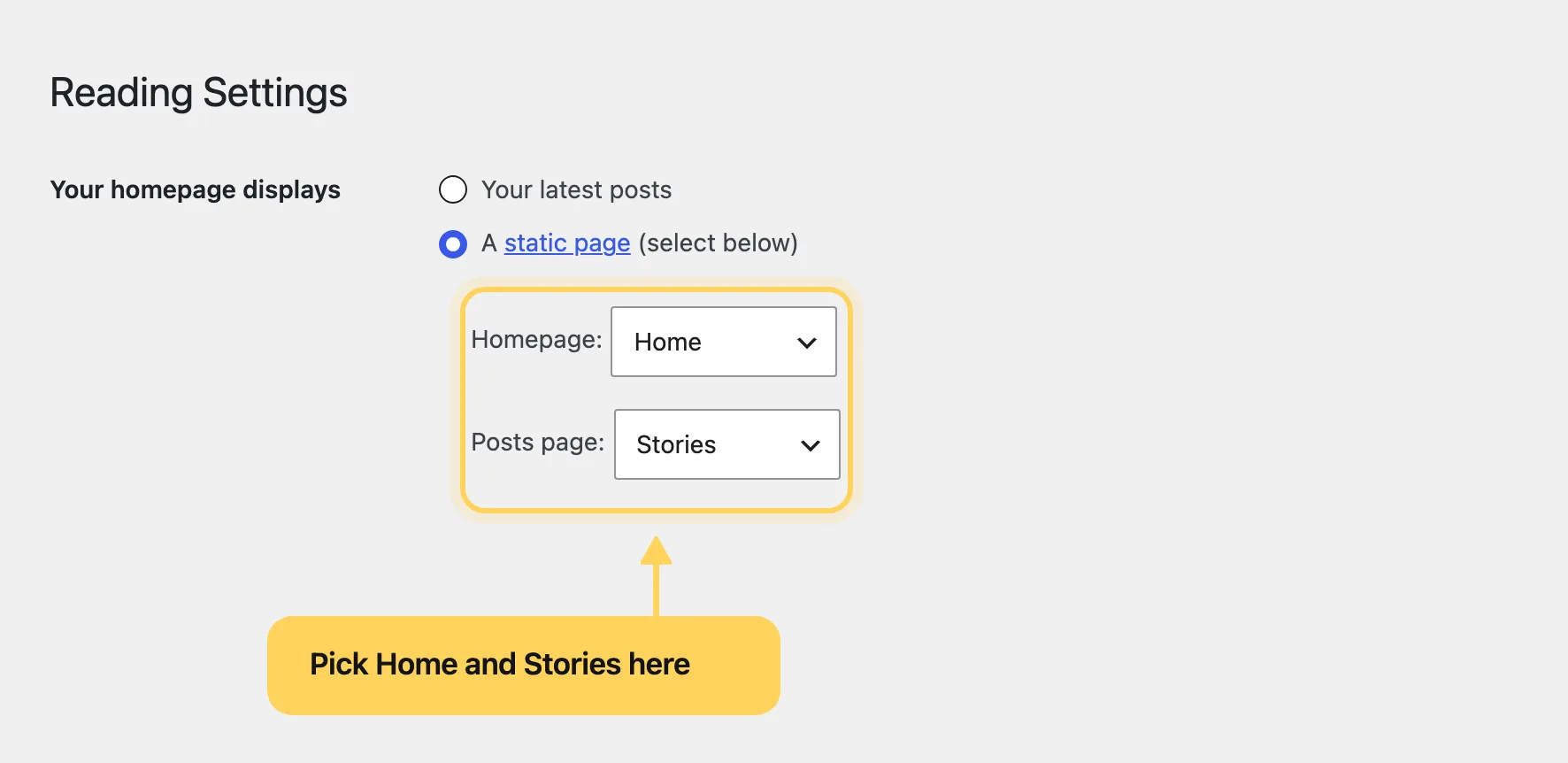
Go to SettingsReading. Under Your homepage displays, choose A static page. Set Homepage to Home and Posts page to Stories, then save.
Open your site. The front page shows Featured posts, Latest stories, Editor's picks, Browse by topic and From the archive, and every View all link opens Stories.
#Check each section
- Featured posts fades through your five newest sticky posts. No carousel means no sticky posts.
- Latest stories shows your six newest posts that are not sticky.
- Editor's picks shows sticky posts six to ten, two at a time. It stays empty with five sticky posts or fewer.
- Browse by topic shows your eight largest categories. A card without a picture means that category has no picture yet.
- From the archive shows the next five posts after Latest stories.
What each section shows is described in full in The home page sections.
#Make it yours
- Change the carousel's height or timing: select the Slider block inside Featured posts. Its settings are in Pro blocks.
- Add the Hero section from Enardo sections for a one-line introduction with links to your stories and about page.
- Remove a section you do not need: select it and delete it.
Prefer the home page as a template? In the Site Editor, add a Front Page template at AppearanceEditorTemplates and pick Home when it offers patterns. The sections then sit in the template with the header and footer. Keep a posts page set in Reading, so the View all links have a list to open.
#Questions
My front page still shows a list of posts.
Check SettingsReading: Your homepage displays must be A static page, with Home chosen as Homepage.
The Home pattern is not offered when I create a page.
The page patterns come from Enardo Pro and need an active license. Check the license in the theme dashboard, then create the page again.
Last updated
Was this article helpful?

On this page
