
Batch Generation
LQIP placeholders don't generate automatically - you run the batch once after setup, and again whenever you add new images or change settings.
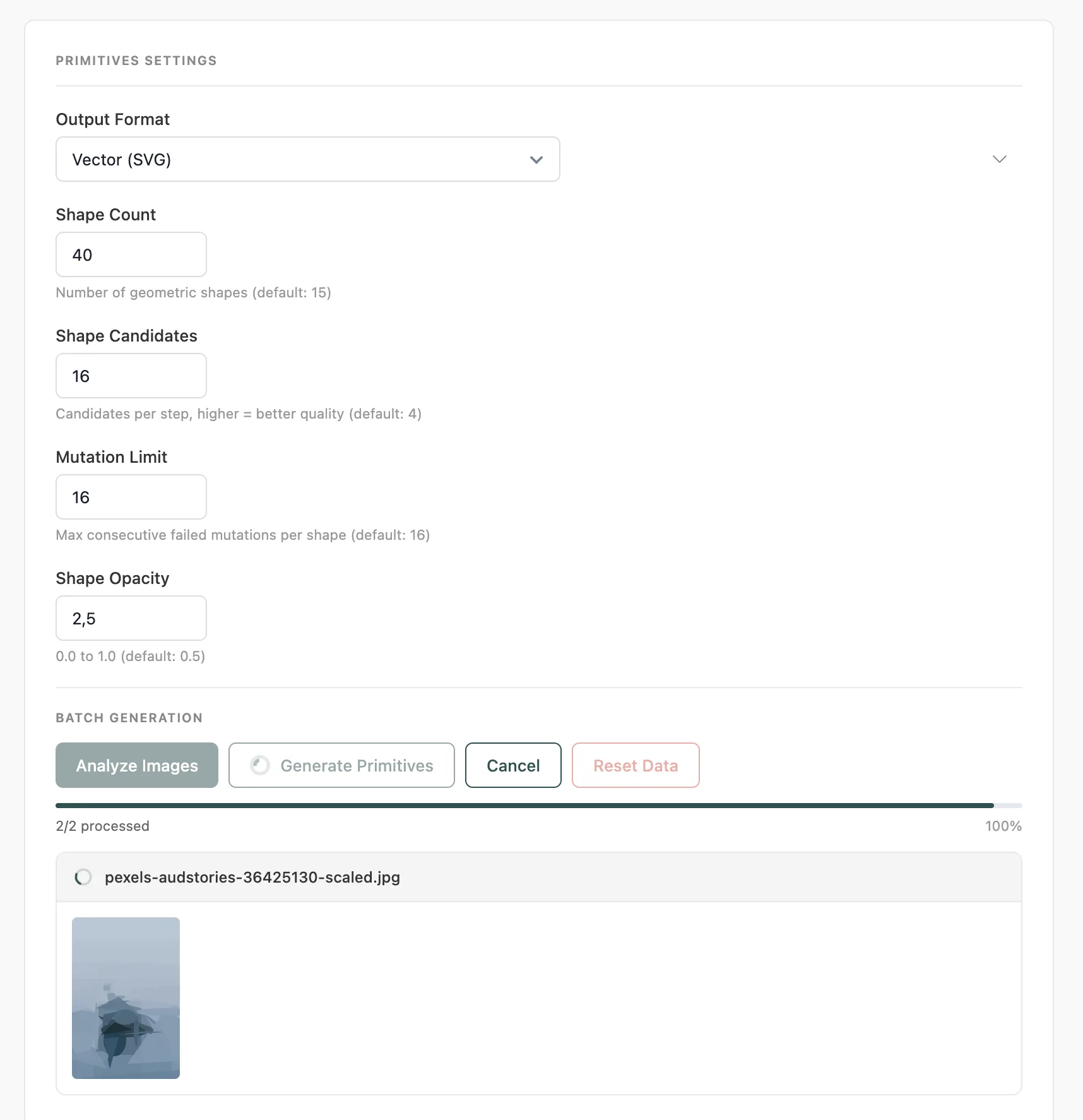
#Workflow
Analyze Images - scans your media library and counts how many images need processing
Generate - processes each image one by one, with a live progress bar and per-file status
Done - all images processed; Dashboard stats update automatically
Always click Analyze before Generate if you've added new images since your last run. This ensures new uploads are included in the batch.
#Regenerate
If you've changed settings (quality, shape count, blur, etc.) and want to apply them to already-processed images:
Click Regenerate (this button appears when all images are already processed)
Confirm in the popup - this deletes existing data and starts fresh
The plugin runs reset, analyze, and generate automatically in sequence
#Auto-Save
If you change LQIP settings without saving before clicking Generate or Analyze, the plugin auto-saves your settings first. You'll see a "Settings auto-saved" toast notification so you know it happened.
#Progress Tracking
All progress updates happen live, without a page reload:
Progress bar - visual completion percentage
Stats line - e.g.
5/10 processed, failed count, percentageLive status - shows the filename currently being processed
SVG preview - for Primitives type, shows the generated SVG as each image completes
#Reset Data
Click Reset Data to delete all generated LQIP data for the currently selected type. Stored files and metadata are removed. A confirmation popup prevents accidental deletion.
Reset Data only affects the currently selected LQIP type. If you've generated data for Thumbnail and Palette, resetting Thumbnail leaves Palette data intact.
#Tips
Thumbnail, Palette, and Pixelart run server-side - fast even on large media libraries
Primitives runs in the browser (Canvas API) - keep the tab open and active during generation
You can generate all 4 types and switch between them freely without re-generating
Failed images are skipped and counted separately - they don't block the rest of the batch
Last updated
Was this article helpful?

On this page
