
LQIP Settings
Low-Quality Image Placeholders (LQIP) replace blank space with a lightweight preview of the final image. The placeholder renders instantly from stored data - no extra HTTP requests - then fades out as the real image loads. This reduces perceived load time and prevents layout shift.
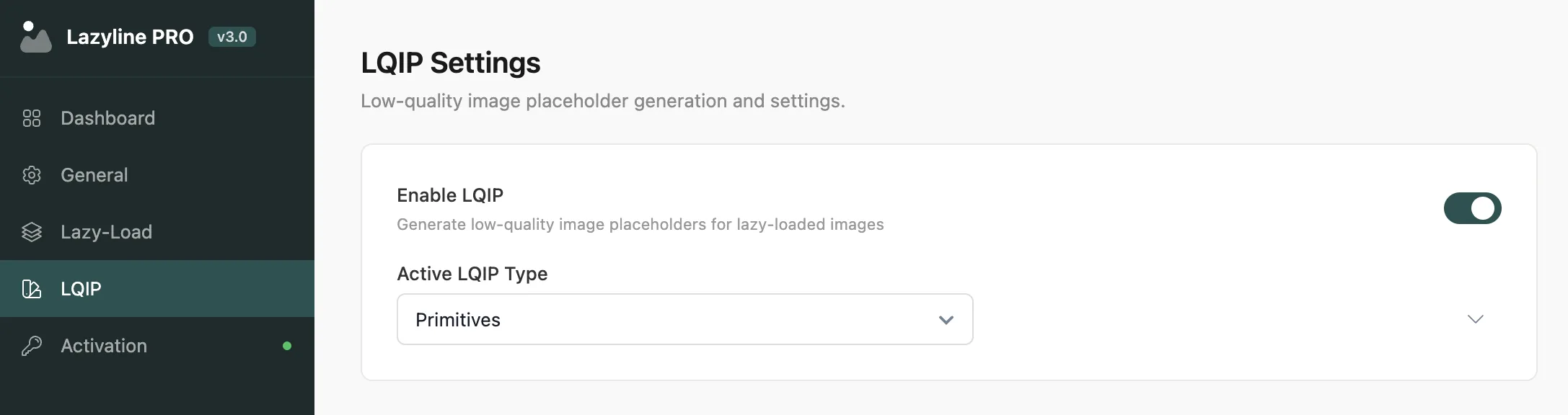
#Global Controls
Setting | Description |
|---|---|
Enable LQIP | Master toggle for all LQIP functionality |
Active LQIP Type | Which generation method to use on the frontend |
Only one type is active at a time. You can generate data for all four types and switch between them freely - no need to regenerate when switching.
Not sure which type to pick? Start with Thumbnail - it's the fastest to generate and works well for any image. Switch to Primitives for a more distinctive look on a portfolio or photography site.
#Thumbnail
Stores a downscaled version of the original image as a base64-encoded data URI, optionally blurred with CSS.
Setting | Description | Default |
|---|---|---|
Thumbnail Size | WordPress image size to use as source | Medium (300px) |
Quality | JPEG compression level (1-100) | 50 |
Blur Effect | Apply CSS blur filter for a smoother placeholder appearance | On |
Antialiasing | Enable image smoothing. Off gives a sharper, more pixelated look | Off |
Optimize Output | Reduce file size of generated thumbnails | On |
Best for: General use. Smallest file size, fastest to generate, works with any image type.
#Color Palette
Extracts dominant colors from the image and stores them as metadata - no image file is generated at all.
Setting | Description | Default |
|---|---|---|
Quality | Color extraction quality (lower number = faster) | 10 |
Color Count | Number of colors to extract | 5 |
Palette Type | Single - one dominant color fill. Multi - color columns. Gradient - smooth color blend | Single |
Best for: Minimalist or flat-design sites. Zero file overhead since only color values are stored.
#Pixelart
Renders a mosaic grid that approximates the image with large colored blocks.
Setting | Description | Default |
|---|---|---|
Block Size | Pixel block size in pixels. Larger = more abstract | 12 |
Grayscale | Render in grayscale instead of full color | On |
Custom Palette | Use a fixed color palette instead of actual image colors | Off |
Best for: Artistic or creative sites where a distinctive placeholder style is part of the design.
#Primitives
Fits geometric shapes (triangles, rectangles, ellipses) to approximate the image. Generation runs in the browser using the Canvas API.
Setting | Description | Default |
|---|---|---|
Output Format | Vector (SVG) - scalable, tiny file size. Raster (JPEG) - pixel image | Vector |
Shape Count | Number of shapes to fit. More shapes = better detail | 15 |
Shape Candidates | Candidates tested per step. More = better quality, but slower | 4 |
Mutation Limit | Max failed mutations before the algorithm moves on | 16 |
Shape Opacity | Transparency of each shape (0.0-1.0) | 0.5 |
The average color of each image is automatically extracted and used as the background behind the shapes.
Best for: Photography and portfolio sites. Most visually impressive result.
Primitives generation runs entirely in your browser tab - keep the LQIP Settings page open and active during generation. Closing or switching away from the tab will pause the process.
Last updated
Was this article helpful?

On this page
