
Page transitions, predictive loading, and structured data - Norto
The theme makes page changes feel faster in two ways and adds basic schema markup for search engines. All of it works without Norto Pro.
#Navigation performance settings
Open AppearanceCustomizeNavigation Performance.
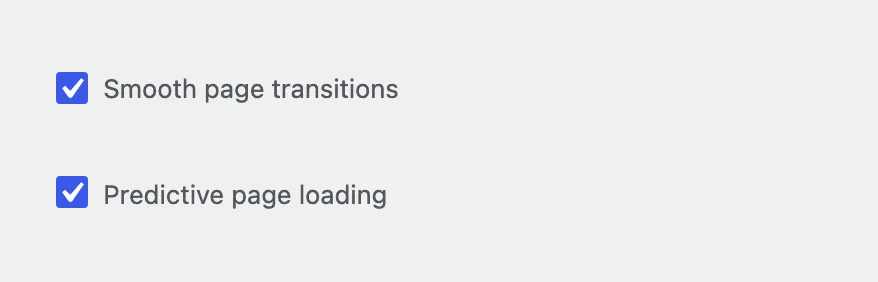
The old page fades into the new one when a visitor follows a link, in browsers that support cross-page view transitions. Other browsers load the page as usual. Visitors who ask their system for reduced motion get no animation.
When a visitor rests the pointer on a link, the browser starts fetching that page, so it opens almost at once on click. Links to the admin, the login page, downloads, new tabs, nofollow links, and anchors on the same page are skipped.
WordPress also prefetches pages on its own. Turning off Predictive page loading removes only the theme's rules.
#Keep one link out of predictive loading
Add the class no-speculation to the link itself, for example a link that starts a download or counts a click on the server:
<a href="/reports/annual/" class="no-speculation">Annual report</a>
#Structured data
On every page the theme prints a schema.org WebSite entry, and on a single post a BlogPosting entry with its title, dates, and featured image. When Yoast SEO, Rank Math, All in One SEO, SEOPress, or The SEO Framework is active, the theme prints nothing and leaves schema to that plugin.
#Filters for developers
Put these in a child theme's functions.php.
Return true to stop the theme's schema, for example when another plugin writes its own.
The whole schema graph before it is printed. Return an empty array to print nothing.
The prefetch rules before they are printed.
<?php
// Leave schema markup to another plugin.
add_filter( 'norto_has_schema_provider', '__return_true' );

// Prefetch only when the link is pressed, not on hover.
add_filter( 'norto_speculation_rules', function ( $rules ) {
	$rules['prefetch'][0]['eagerness'] = 'conservative';
	return $rules;
} );
Last updated
Was this article helpful?

On this page
