
Blog options - Qreatix
The Blog page controls the posts archive, the banner above it, and the single post view. Open it at Qreatix ProTheme OptionsBlog.
#Archive
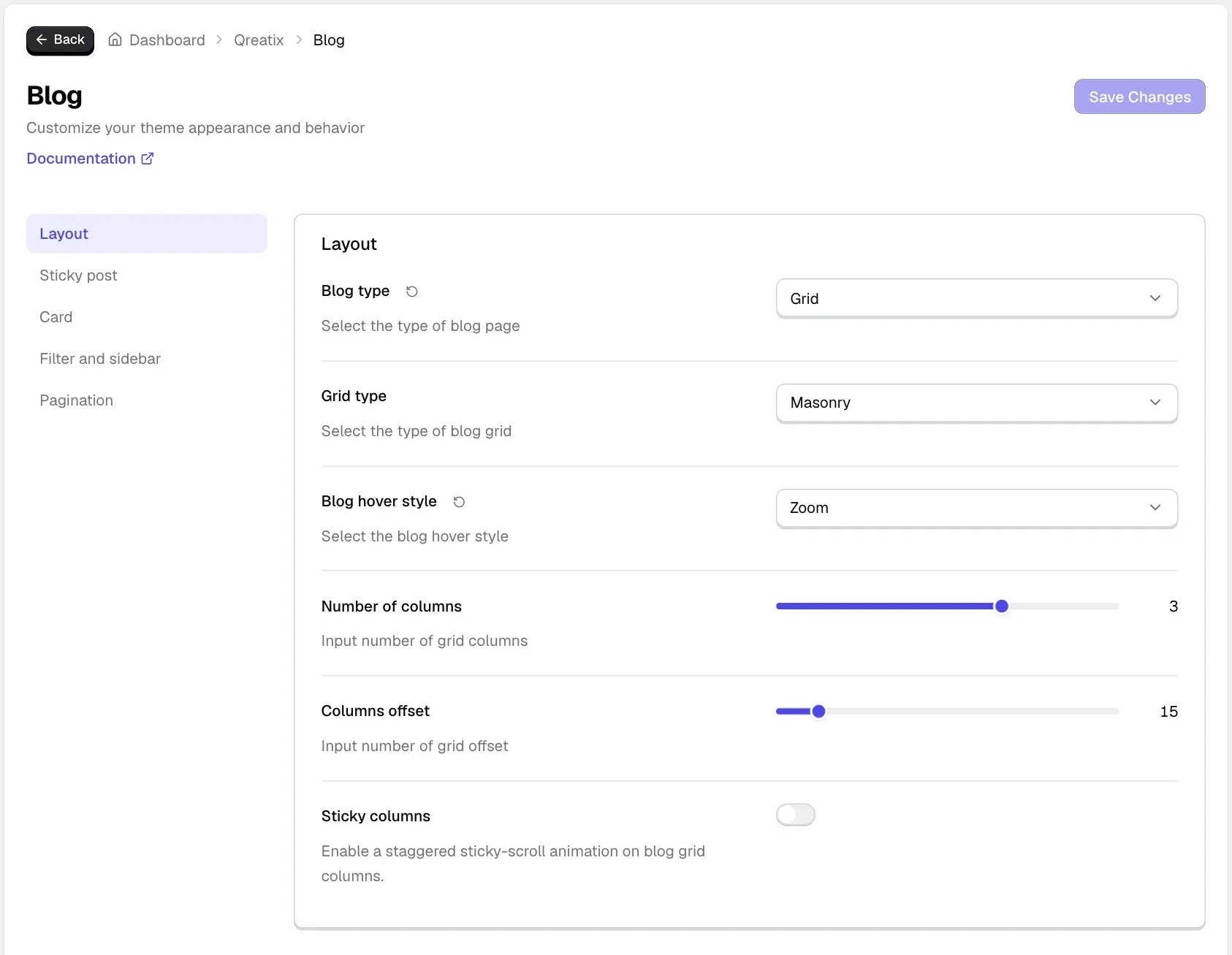
#Layout
Classic, Reveal links or Grid.
Tiles or Masonry. Shows when the blog type is Grid.
The hover effect on a post card. Choose from Default, Fade, Zoom, Zoom out, Zoom + fade, Zoom out + fade, Tilt, Tilt boxed, Tilt zoom and Tilt zoom out.
From 1 to 4 columns. Shows when the blog type is Grid.
The spacing between columns, from 5 to 100. Shows when the blog type is Grid.
Enables a staggered sticky-scroll animation on the grid columns. Shows when the blog type is Grid.
#Sticky post
Shows a featured post at the top of the blog grid. Shows when the blog type is Grid.
The post to feature. Shows when the blog type is Grid and Sticky post section is on.
#Card
Shows the publication date on post cards.
Shows the category badge on post cards.
Shows the author name and avatar on post cards.
Shows a short text preview of each post. Shows when the blog type is Grid or Classic.
#Filter and sidebar
Shows category filter tabs above the blog grid. Shows when the blog type is Grid.
Shows a widget sidebar next to the post listing. Shows when the blog type is Grid or Classic. Fill it at AppearanceWidgets in the Blog sidebar area.
Left or Right. Shows when Sidebar is on and the blog type is Grid or Classic.
#Pagination
Shows pagination controls at the bottom of the listing.
Default, Load more or Infinite load. Shows when Blog pagination is on.
Left, Center or Right. Shows when Blog pagination is on.
#Banner
Shows a promotional banner on the blog archive page.
Top or Bottom.
The banner image.
The banner message.
The button label.
Where the button points.
The five controls below Banner show only while Banner is on.
#Single post
#Layout
Simple, Sticky header or Full width.
Shows a widget sidebar on single post pages.
Left or Right. Shows when Sidebar is on.
#Meta
Shows how many times a post has been viewed.
Shows a like button and the like count.
#Recent posts
Shows a related posts section below the content.
List, Slider or Minimal. Shows when Recent posts is on.
Which terms pick the related posts: Categories, Tags or Author. Shows when Recent posts is on.
From 1 to 100. Shows when Recent posts is on.
#Navigation and sharing
Shows previous and next post links.
Shows social sharing buttons.
The networks to offer. The choices are twitter, pinterest, facebook, linkedin, tumblr, reddit, xing and email. Shows when Share toggle is on.
#Comments
Submits comments without reloading the page.
Default or Load more for long comment lists.
Each post can hide its own meta items. See Blog posts.
Last updated
Was this article helpful?

On this page
