
Shop options - Qreatix
The Shop page controls how WooCommerce products look in Qreatix. It exists only while WooCommerce is active. Open it at Qreatix ProTheme OptionsShop. For the full setup, see Set up the shop.
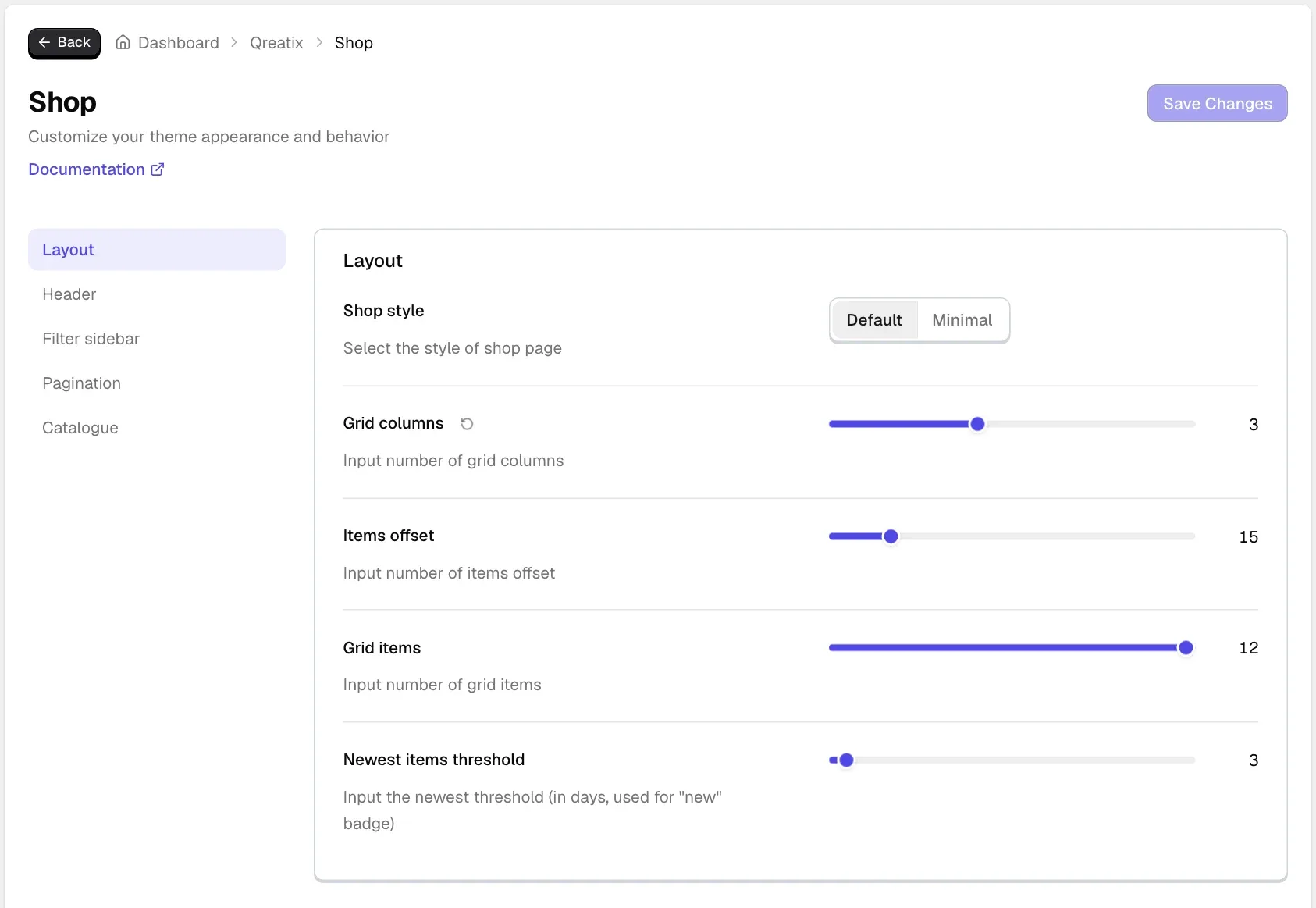
#Archive
#Layout
Default or Minimal.
From 1 to 6 columns.
The spacing between items, from 0 to 100.
How many products the grid shows, from 1 to 12.
For how many days after its creation a product counts as new, from 1 to 90. A new product gets the New! badge. A product also gets it when New label is on in its own settings.
#Header
Shows the header bar above the product list.
The only choice is Default. Shows when Shop header is on.
#Filter sidebar
Shows the filter sidebar on the shop archive.
Default or Fixed. Shows when Filters sidebar is on.
Left or Right. Shows when Filters sidebar is on and the type is Default.
Default or Minimal. Shows when Filters sidebar is on and the type is Fixed.
#Pagination
Default, Load more or Infinite load.
Left, Center or Right.
#Catalogue
The page that shows your categories as a catalogue. Pick it from the list of pages.
#Banner
Shows a promotional banner on the shop archive page.
Top or Bottom.
The banner image.
The banner message.
The button label.
Where the button points.
The five controls below Banner show only while Banner is on.
#Single product
#Layout
Default or Two side.
Square or Vertical.
Left or Right.
Zooms the product image when a visitor hovers over it.
#Related and upsells
Shows related products below the product content.
How many related products show. The product page uses this value as set. Shows when Related products is on.
From 1 to 6. Shows when Related products is on.
Shows upsell suggestions on the product page.
How many upsells show. The slider goes to 100, but the theme shows at most 12. Shows when Upsells products is on.
#Cart
Shows cross-sell suggestions on the cart page.
How many cross-sells show. The slider goes to 100, but the theme shows at most 12. Shows when Cross-sells products is on.
Last updated
Was this article helpful?

On this page
