
Portfolio options - Qreatix
The Portfolio page controls the portfolio archive and the single project view. Open it at Qreatix ProTheme OptionsPortfolio.
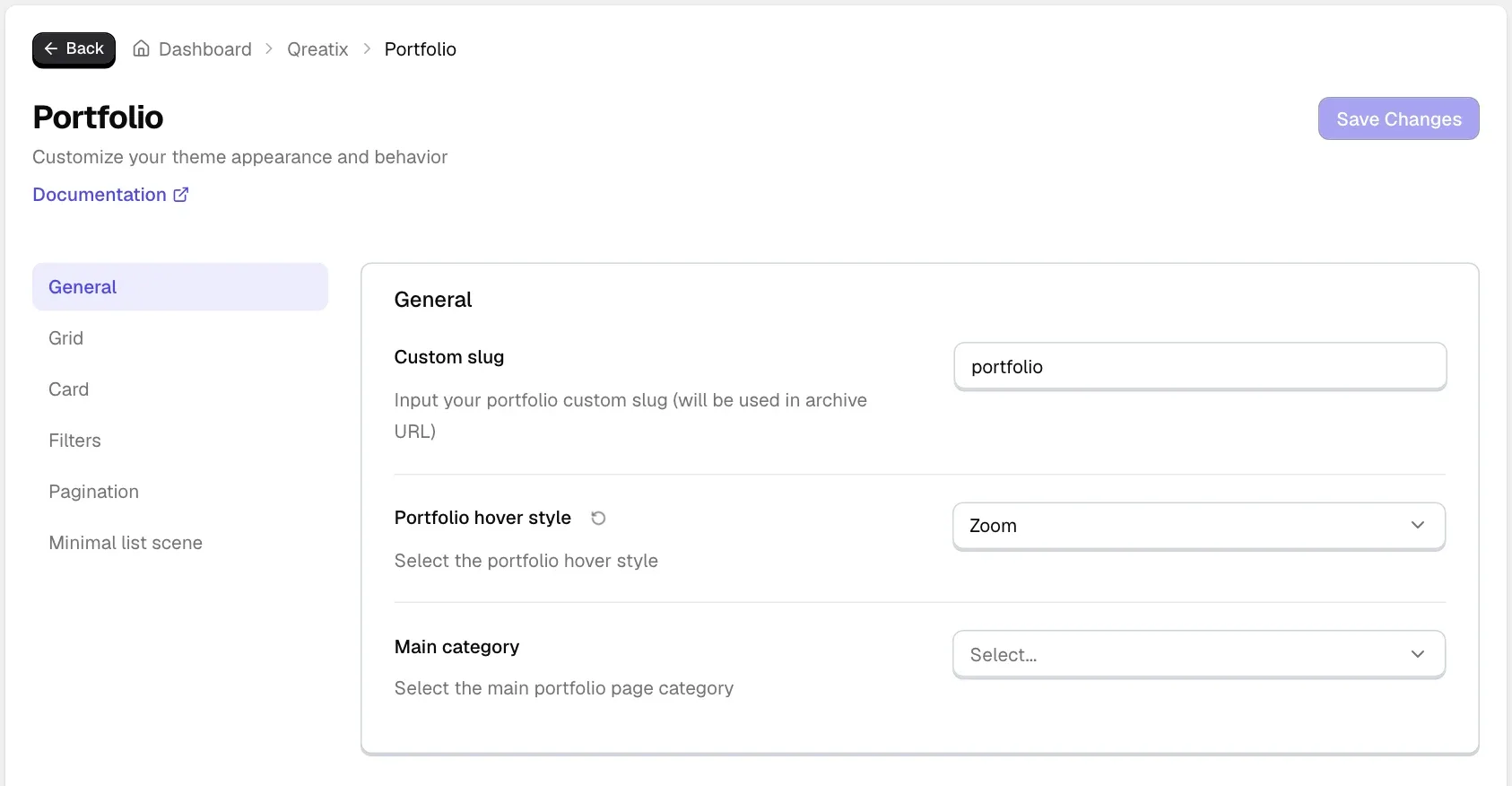
#Archive
#General
The URL base of the archive and of every project, for example yoursite.com/portfolio. After you change it, open SettingsPermalinks and click Save Changes. Until you do, the new address returns a 404 error. Once you save, the old address redirects to the new one.
The hover effect on a project card. Choose from Default, Fade, Zoom, Zoom out, Zoom + fade, Zoom out + fade, Tilt, Tilt boxed, Tilt zoom and Tilt zoom out.
Pick a portfolio category to make it the main category of the portfolio page. The setting also limits what Load more fetches.
#Grid
Arranges items in a Pinterest-style masonry grid.
From 1 to 6 columns.
The spacing between items, from 0 to 100.
How many projects the archive shows, and how many each Load more or infinite scroll step adds. From 1 to 100.
#Card
Shows the publication date on project cards.
Shows the author name on project cards.
Shows the featured image on project cards.
Shows a link icon over the project card.
#Filters
Shows the toolbar with the filter, sorting and direction controls.
Shows category filter tabs in the toolbar. Shows when Portfolio actions is on.
Shows the number of items next to each category name. Shows when Portfolio actions and Filters are on.
Shows the layout direction arrows in the toolbar. Shows when Portfolio actions is on.
#Pagination
Shows pagination controls at the bottom of the listing.
Default, Load more or Infinite load. Shows when Portfolio pagination is on.
Left, Center or Right. Shows when Portfolio pagination is on.
#Minimal list scene
These three controls feed the Minimal list front page scene.
The heading above the minimal list scene.
The label of the button under the list. Leave it empty to hide the button.
Where the button points.
#Page header
Shows the title area on the archive page.
Shows a border line under the page header. Shows when Page header is on.
Default, Classic or Minimal. Shows when Page header is on.
Left, Center or Right. Shows when Page header is on.
Shows breadcrumb links in the page header. Shows when Page header is on.
#Single project
#Layout
Default, Full width, Side or Sticky.
#Meta
Shows the author name on the project page.
Shows the publication date.
Shows the project categories.
Shows the project tags.
#Related
Shows a related projects section below the content.
Categories, Tags or Author. Shows when Recent posts is on.
From 1 to 100. Shows when Recent posts is on.
#Navigation and sharing
Shows previous and next project links.
Shows social sharing buttons.
The networks to offer. The choices are twitter, pinterest, facebook, linkedin, tumblr, reddit, xing and email. Shows when Share toggle is on.
Each project also has its own fields, such as the project type and attributes. See Portfolio projects.
Last updated
Was this article helpful?

On this page
