
Motion and page transitions - Auno
Auno moves quietly: sections rise into view as the page scrolls, pages change without a full reload, and the wheel glides to a stop. Each effect has its own switch at AppearanceCustomizeAuno ThemeGeneral, and a visitor who asks their system for reduced motion gets a still page whatever the settings say.
#The settings
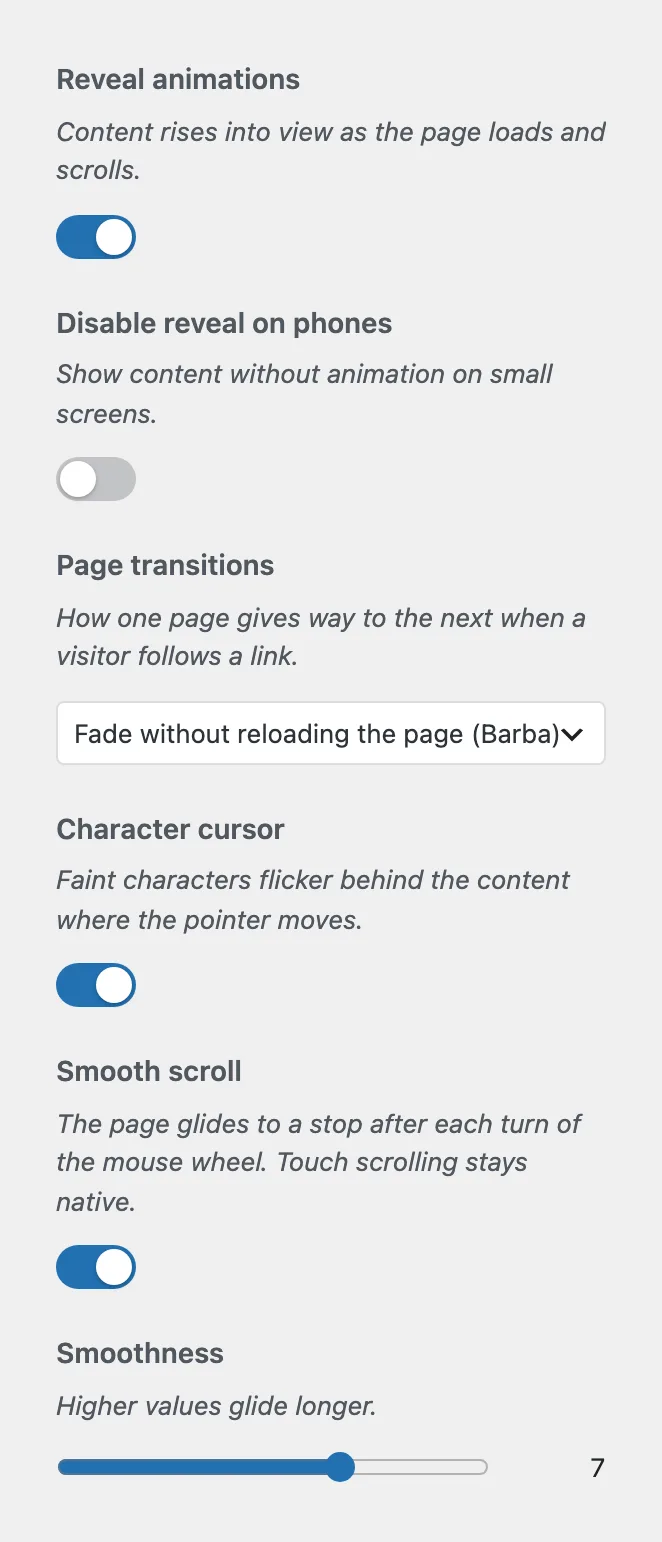
Content rises into view as the page loads and scrolls. Text rises line by line, pictures uncover from the bottom up, and the rest fades in, one section at a time.
Shows content without animation on small screens. Hidden while Reveal animations is off.
How one page gives way to the next when a visitor follows a link. Browser cross-fade (View Transitions) lets the browser blend the two pages. Fade without reloading the page (Barba) swaps only the content, so the header, the footer, the music and the cursor keep their state. None loads pages the ordinary way.
Faint characters flicker behind the content where the pointer moves. Touch screens never show it.
The page glides to a stop after each turn of the mouse wheel. Touch scrolling stays native.
How long the glide lasts, from 1 to 10. Hidden while Smooth scroll is off.
#Choose how one block appears (Pro)
With Auno Pro, every block has a Reveal panel in its settings sidebar. Its Entrance setting overrides the automatic choice for that block:
- Automatic
The theme decides, as described above.
- Text rises line by line
For a block of text that should move like a heading.
- Rises as one
The whole block moves up together, however many lines it holds.
- Picture uncovers
The frame opens from the bottom up. Without a picture inside, the block fades in instead.
- Fades in
Only the opacity changes.
- None
The block shows at once.
A block with its own setting inside a post moves when it reaches the screen, apart from the rest of the post.
#What reduced motion turns off
With reduced motion requested in the visitor's system settings, Auno shows content at once, loads pages without transitions, scrolls natively, hides the character cursor and stops the glow's color drift. The client logos stand still and the feedback slider stops moving on its own.
#Your own scripts and page changes
With Fade without reloading the page, the browser does not load a new document, so code that runs once on page load misses the new content. Listen for the auno:page event on document. It fires after each change, with the new content in event.detail.container:
document.addEventListener('auno:page', (event) => {
  initMyWidget(event.detail.container);
});
#Questions
Which page transition should I pick?
Fade without reloading the page keeps the music playing and the header still between pages. Browser cross-fade is the lightest and works in current browsers; where it is not supported, pages load as usual.
Can I turn every animation off at once?
Turn off Reveal animations, set Page transitions to None and turn off Smooth scroll and Character cursor. The glow's drift is at AppearanceCustomizeAuno ThemeGlow.
Last updated
Was this article helpful?

On this page
