
Project media: galleries and video - Auno
A project can carry a gallery of images or a video in place of its cover. You choose the format per project in the project editor, and how the grids show these projects on the grid itself. Projects without either keep their featured image.
#Choose the media of a project
Open the project and find the Project media box under the editor.
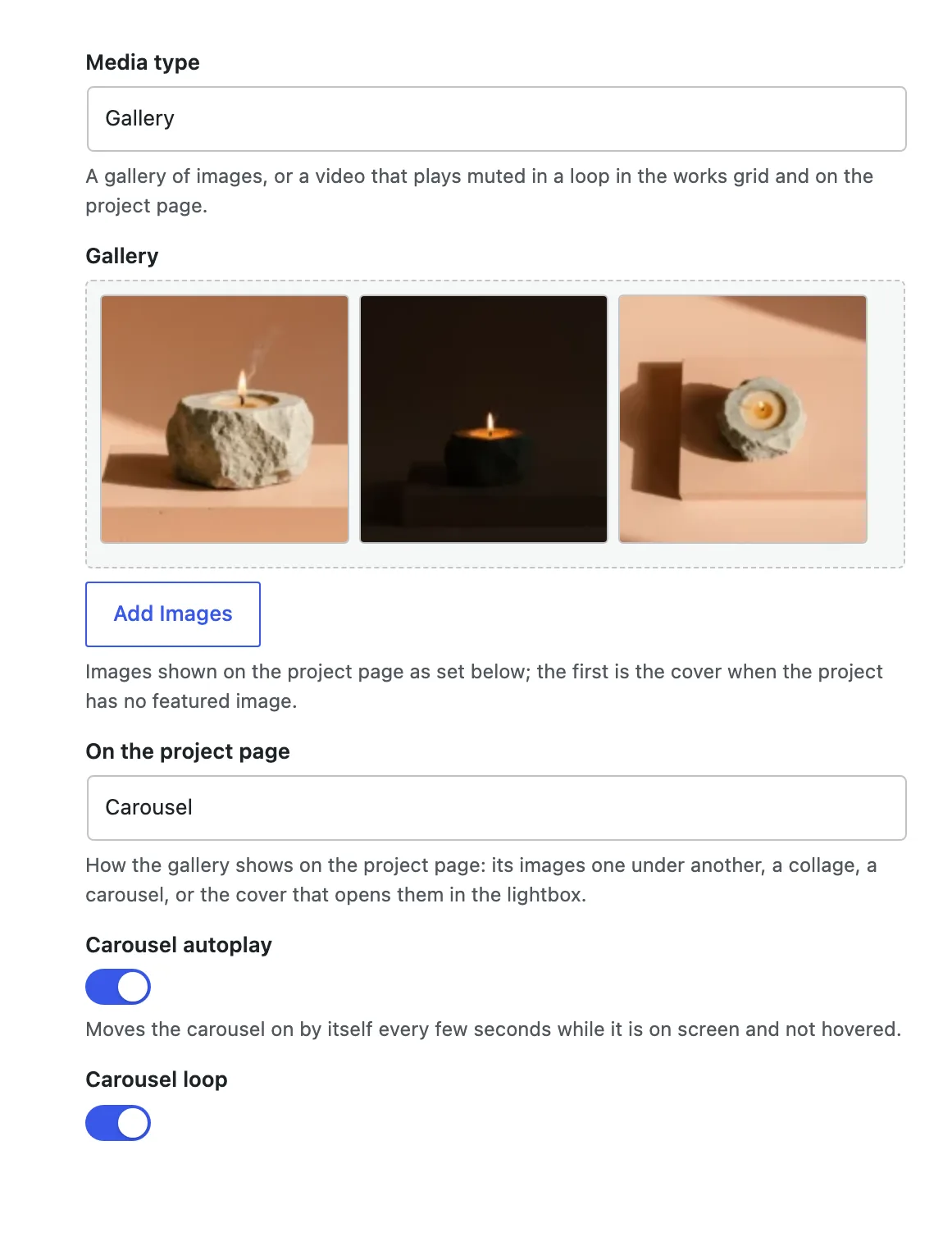
Gallery for a set of images, Video for a clip that plays in place of the cover.
#A gallery
The images, in order. Without a featured image, the first one is the cover.
One under another places the images under the cover. Collage shows every image in one block in place of the cover, laid out by their number. Carousel shows one image at a time in the cover's frame. Lightbox gallery shows the cover with the viewer button and the number of images beside it, and the button opens every image in the viewer.
Moves the carousel on every few seconds while it is on screen and not pointed at. Shows only for Carousel.
Goes from the last image back to the first, and the other way. Shows only for Carousel.
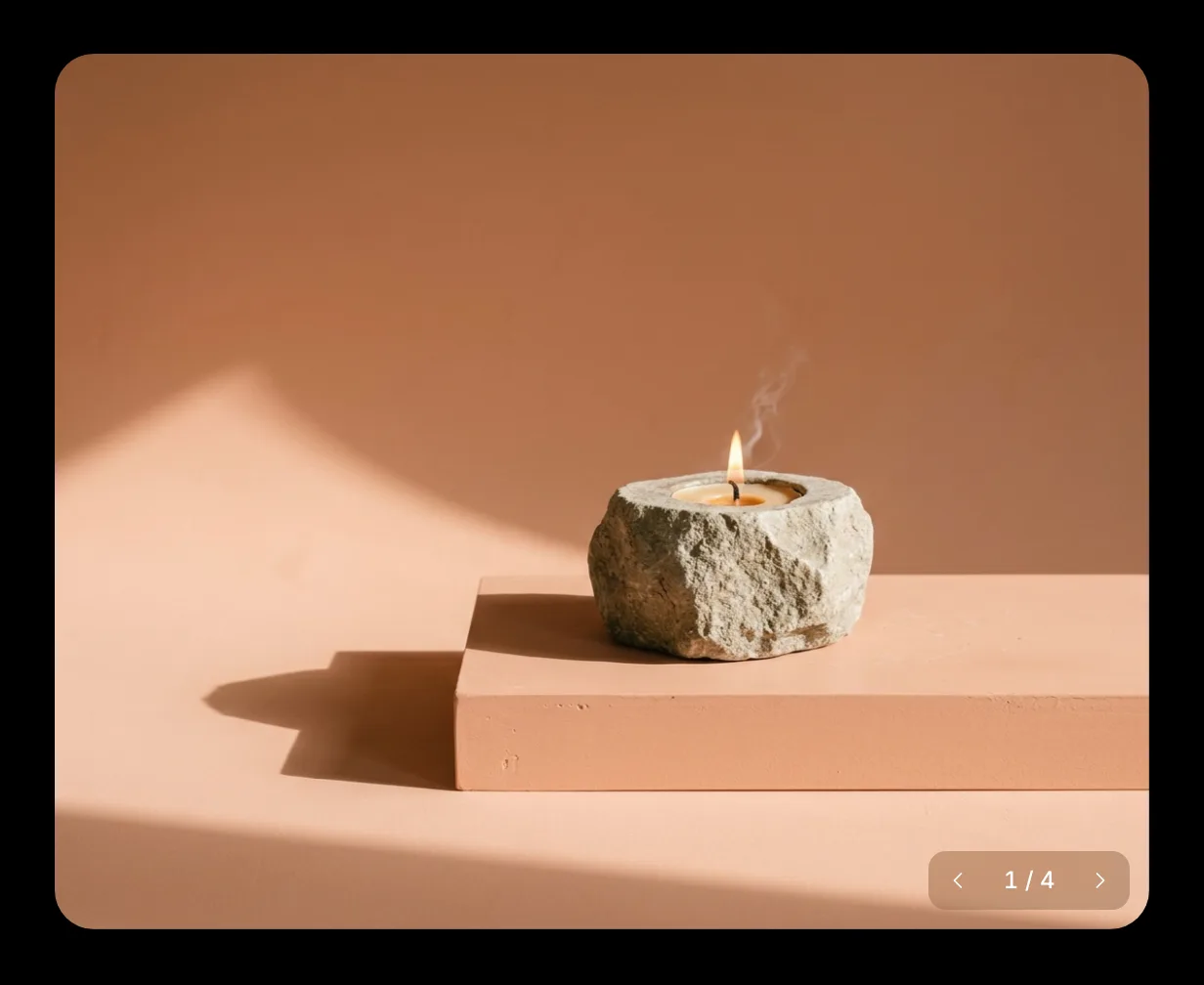
The carousel has arrows and a counter such as 1 / 4 over its bottom right corner. It also moves with a swipe, and with the arrow keys once it has focus.
#A video
An MP4 or WebM file from the media library. It plays muted in a loop in the grids.
The still shown before the video plays. Empty uses the featured image.
In the cover plays the video where the cover would be. Lightbox shows the poster with a round play button, and the video opens in the viewer with its sound.
Starts the video muted as the page opens; off, it waits for play. Shows only for In the cover.
Shows play, progress, time, sound and full screen controls over the video. Shows only for In the cover.
Video projects play only while they are on screen. A visitor who asks for reduced motion sees the poster until they press play.
#Choose how a grid shows these projects
Each grid of projects has its own settings: the Works archive, Selected work and Keep exploring can differ. Open the template or page that holds the grid, select its Post Template block, and find two panels in the sidebar.
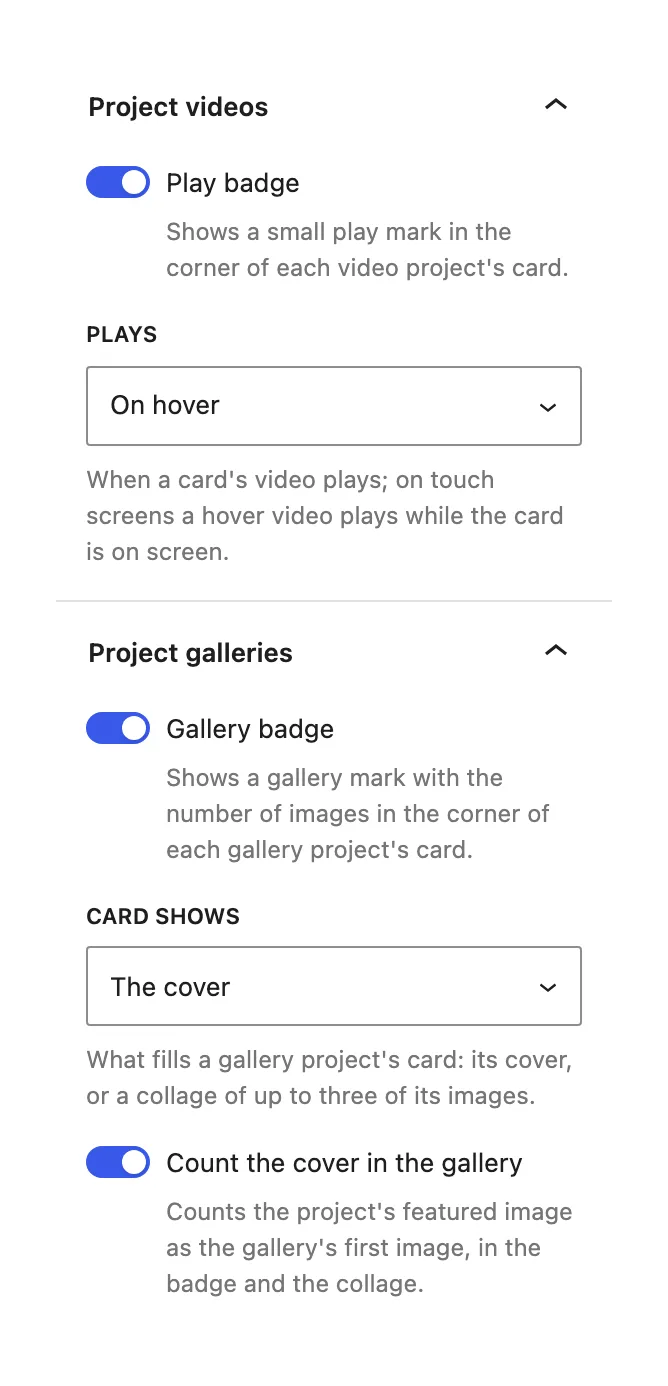
Project videos
A small play mark in the corner of each video card.
On hover plays a card while the pointer or the keyboard focus is on it, and returns it to the first frame after. By itself, while on screen plays every video card in view. On touch screens a hover video plays while the card is on screen.
Project galleries
A mark with the number of images in the corner of each gallery card.
The cover, or A collage of up to three of the gallery's images in the card's frame.
Counts the featured image as the gallery's first image, in the badge and in the collage.
The Works archive ships with A collage; Selected work shows the cover. Cards that arrive on the next page without a reload get the same badges and video playback.
#Questions
Which video size should I upload?
A short loop of a few seconds, 720p, without sound for the grids. The same file plays in the cover and in the lightbox. Keep it small: a grid can show several at once.
My gallery shows one image fewer than I added
When the project has no featured image, the first gallery image becomes the cover. Set a featured image, or turn on Count the cover in the gallery for the badge to include it.
I removed an image from the media library
A deleted image drops out of every format on its own: the collage, the carousel and the counts adjust.
Last updated
Was this article helpful?

On this page
