
Templates and patterns - Arche
Templates decide the layout of each kind of page. Patterns are ready sections and pages you insert. Edit both at AppearanceEditor.
#Start a page from a pattern
The page patterns come with Arche Pro.
Add a page
Go to PagesAdd Page.
Pick a pattern
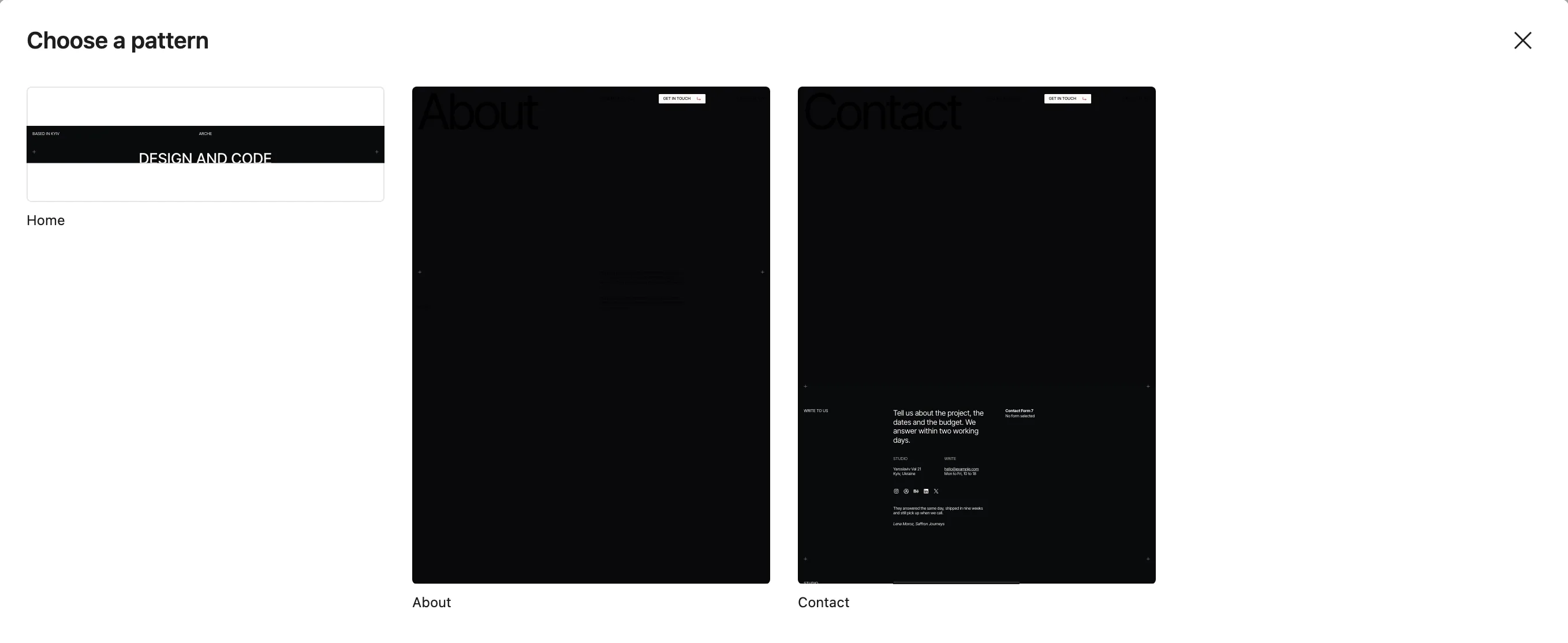
The Choose a pattern window opens with Home, About and Contact. Pick one. The same patterns sit in the Arche pages category of the inserter.
Pick the template
In the page sidebar, set Template. Use Home screen for the home page and Hero page for About and Contact.
#Theme templates
| Template | Shows |
|---|---|
| Blog home and Index | Header, the Blog title, the post rows, footer |
| Archive | The archive title and description, the post rows |
| Search | The search title, a search field, then the results in sections: Posts as blog rows and Pages as a grid of titles. Each section has its own pages, and an empty one hides |
| Single | The post with comments, post navigation, then recent posts |
| Page | The title with breadcrumbs under it, the featured image, content and comments |
| Canvas | Header, the page content with no text styling, footer. For pages built from patterns |
| 404 | A full-width cover with "Not here", a link home, then the footer |
With Arche Pro, search results also get a Projects section of cards on top. An empty search lists nothing.
#Pro templates
| Template | Shows |
|---|---|
| Work | Every project full screen, one after another. No header or footer: the list loops from the last project back to the first |
| Project category | A category's projects, as on Work |
| Case study | A project: cover, details, story, media and the next project |
| Home screen | One screen without the header or footer, for the home page |
| Hero page | A page that opens on its own hero: no header, with the footer |
#Theme patterns
The theme patterns sit in the Arche category of the inserter. The ones you can insert while editing a template:
- Blog header: the Blog title in the Display style.
- Post rows: the blog rows with date, title, image and categories.
- Search results: the sections of the search page.
- Archive header and Search header: the title of an archive or of search results.
The rest are used by the templates: Header, Footer, Footer bar, Post, Post navigation, Comments, Page, Page not found and Recent posts.
#Pro patterns
- Home
Header bars, a headline between crosses, the contact bar and the Project slider.
- About
A portrait hero with your intro, then journey, services, awards and questions.
- Contact
A hero, a form beside your address, hours, social links and a client quote, then a studio picture with a map and the newsletter sign-up. Needs the Contact Form 7 integration.
- Full-screen projects
Each project fills the screen: title, year, credits and summary over its cover.
- Project slider
The latest projects in a row of covers.
- Contact bar
When you are free, a small email button and your local time in one bar.
- FAQ
Your questions and answers as an accordion. Needs the FAQ integration.
- Newsletter
One line about your newsletter and a sign-up form. Needs the Mailchimp integration.
A pattern built on an integration shows up once that integration is on.
#Block styles Pro adds
| Style | Block |
|---|---|
| Credit | Paragraph |
| Full-width hero | Cover |
| Full screen | Group |
| Section with label | Columns |
| Timeline | Group |
| Service | Details |
| Awards | List |
| Numbers, no reload, Load more, Infinite scroll | Pagination |
| Boxed, Plain | Page Numbers |
| Shuffle on hover | Paragraph, Heading, List, Navigation, Buttons, Social Icons |
| Small | Button |
Last updated
Was this article helpful?

On this page
