
Set the motion of a block - Arche
Every text and media block enters the screen with the default set on the Reveal tab of Arche ProTheme OptionsArcheGeneral. You can give any of them its own entrance in the block sidebar.
#Pick an entrance for one block
Select the block
Open the page or template in the editor and click the block.
Open the Reveal panel
In the block sidebar, open Reveal.
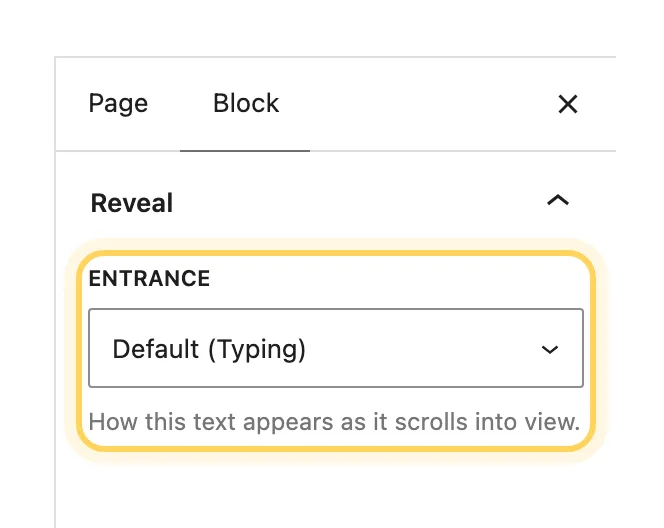
Choose the entrance
Pick an Entrance. Default follows Theme Options and names the entrance it uses. None turns the entrance off for this block.
The panel shows on the blocks where an entrance works:
| Block kind | Blocks | Choices |
|---|---|---|
| Text | Paragraph, Heading, List, List item, Quote, Pullquote, Details, Verse, Preformatted, Post Title, Post Excerpt, Post Date, Post Terms, Post Author Name, Query Title, Site Title, Site Tagline, Term Description | Typing, Glitch, Characters in random order, Lights up while scrolling, Rises out of a blur, Fades in, None |
| Media | Image, Post Featured Image, Video, Gallery | Picture uncovers, Rises out of a blur, Fades in, None |
| Container | Group, Columns, Column, Cover, Media & Text | Text inside and Media inside |
#Set one entrance for a whole section
Select a container block such as a Group. Its Reveal panel has Text inside and Media inside. They apply to every block inside it that has no choice of its own, and the closest choice wins.
#Give a Cover a parallax background
Select a Cover or a Featured Image block, open Parallax in the block sidebar and turn on Parallax background. The picture or video then moves slower than the page, and the next section slides over it.
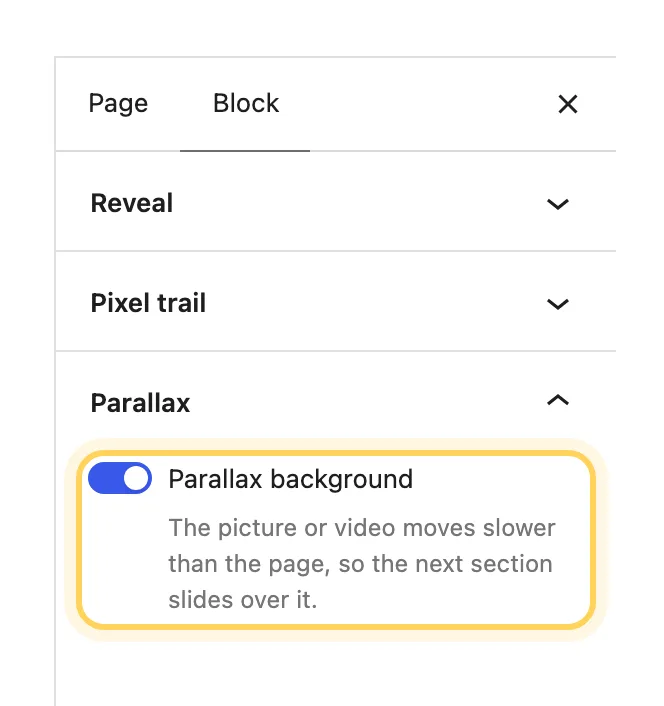
The demo uses it on the hero of About and Contact, on the 404 page and on the case study cover. A post's own featured image always moves this way on the post's page, with no setting to turn on.
#Turn on the pixel trail for a Group or Cover
Select a Group or a Cover, open Pixel trail in the block sidebar and turn it on. Blocks of color light up behind the pointer over this block on desktop. Only these two blocks have the setting.
The size, reach and fade of the trail are set for the whole site on the Pointer tab of Theme Options.
#When a panel is missing
- Reveal is gone while Reveal on scroll is off in Theme Options.
- Pixel trail is gone while Pointer effects or Pixel trail is off in Theme Options.
- Blocks with motion of their own, such as the Project slider, the Project stack, the dock and the ticker, have no Reveal panel.
Last updated
Was this article helpful?

On this page
